Last-Minute SavingsLimited quantities.Shop now

Skip to content
Gift Ideas
Main Content

Questions & Answers

Your price for this item is $13.99
Clearance
The comparable value price is $24.99
Page Showing 361-380 of 400 questions
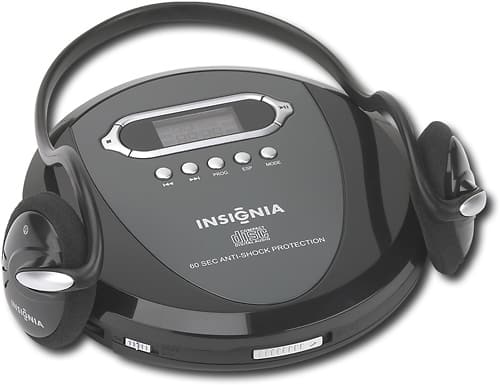
  • Questiondoes this player have speakers or do you have to use head phones

    Asked by frustrated grandma.

    • Answer You can use the earphones or plug in an external speaker.

      Answered by HarryG

  • QuestionDoes this player have a line out jack so that it can be used as a component to another unit.

    Asked by Anonymous.

    • Answer Yes there is a line out.

      Answered by Netdollars

  • QuestionPlayer capabilityDoes this player function as a portable device that reads various files, ie photos, documents...etc, when connected to a laptop or desktop via a cable wire?

    Asked by Anonymous.

    • Answer no

      Answered by 7Rick

  • QuestionWill this play MP3 cd?

    Asked by Anonymous.

    • Answer Unfortunately this unit does not support MP3 playback.

      Answered by InsigniaCustomerSupport

  • QuestionDoes it have a belt clip to use when walking?

    Asked by traveler.

    • Answer No

      Answered by Twinchy

  • QuestionWhich portable CD players have last position memory?Listening to audoiobooks, I need to power off in car and power on later on battery.

    Asked by Rick.

    • Answer Unfortunately this device cannot "remember" where it stopped when powered off. When turned on, it will always start a disk from the beginning again. We have one other model available now but unfortunately it does not suit your need either. All hope is not lost, cd players capable of saving their current state when turned off are available from other manufacturers.

      Answered by InsigniaCustomerSupport

  • QuestionAt South tryon, Charlotte store?Hello. I just wanted to know if this unit is at this particular location or if it has to be shipped from another? Thank you, Sarah

    Asked by Anonymous.

    • Answer You can call that particular Best Buy store to find out

      Answered by chicaalta

  • QuestionManual Volume Control ProblemsI have an Insignia NS-BBTCD01 (Cd Boombox with Bluetooth). Manaul volume control will not turn down with the CD player and radio. BUT the volume control can be adjusted using the bluetooth feature from the device like a cell phone.

    Asked by RichardsCDplayer.

    • Answer When you use the Bluetooth feature it controls the sound including the volume .

      Answered by hmelaugh

  • QuestionWhy it shows error?

    Asked by Anonymous.

    • Answer Some home made CDs don't work. Make sure they are MP3. Not Apple iTunes MP4. That should fix.

      Answered by THEBIGHOCK

  • Questioncan this play mp3 filesLike say if i burned a CD. can it play Cd's that have been burned as mp3 files instead of just a regular audio CD format?

    Asked by nicholas.

    • Answer yes you can.

      Answered by justme59

  • Questionplays..stops.won't restartThis is my 3rd portable cd player and I always have the same problem. I am playing audiobook cd's as my car cd is broken. The cd starts - then stops and may or may not play. Very frustrating.

    Asked by mariab.

    • Answer Very odd-use mine all the time n have had no issues like that. Are you sure you have it on the right mode? Definitely would ask a Best Buy Associate but my works great!

      Answered by SheriLynn

  • QuestionDo these come with a warranty?

    Asked by Kate.

    • Answer Like all the other players I looked at a std 90 day warranty

      Answered by Planecrazy

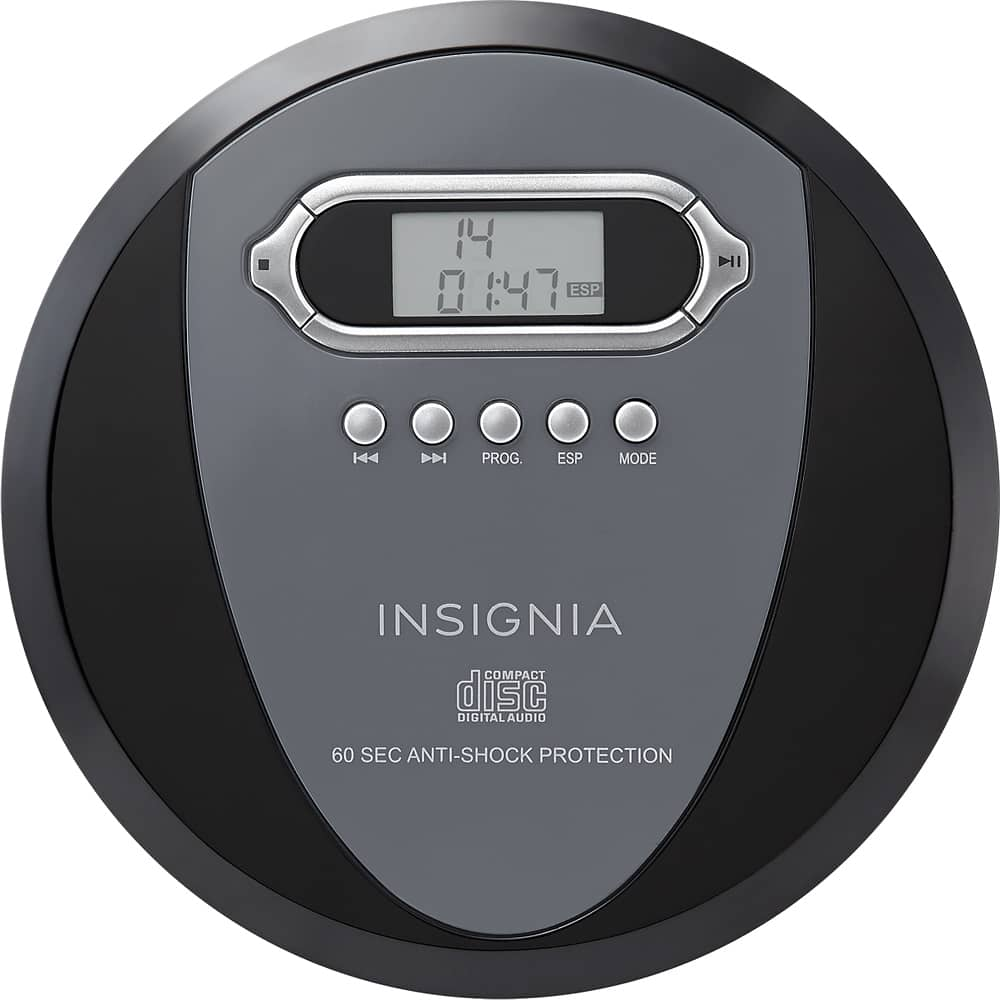
  • QuestionWhat does it mean when the LCD screen reads "disc"?I press play and the esp sign automatically goes on. There is a blinking line at the top of the LCD screen where the tracks should display. After about 30 seconds it displays "disc". Then the screen goes blank and the player shuts off. I put new batteries in the unit and I've not been able to play anything.

    Asked by Anonymous.

    • Answer As per the operating instructions on page 14 under the “Troubleshooting ” section, for the Insignia NS-P4112 Portable CD Player |SKU:8222915 states that if a CD does not play or stops playing suddenly, the direct cause is that the audio disc is installed upside down. The audio disc must be inserted into the disc compartment with the label side facing up before the disc compartment door is closed to achieve proper playback. Please re-insert the disc in the disc compartment correctly to avoid disc playback stoppage issues. The “Disc” indicator appears in the LCD with a blinking line in place of track numbers because the portable CD player is attempting to read your audio CD’s TOC or Table of Contents so that playback can begin from track 1 and proceed to the last track under normal playback operating conditions. However, the current disc can’t be read by this unit’s optical laser beam pick-up assembly and the “Disc” error message appears in the LCD as a result. Normally, after an audio disc has finished playing, the Insignia NS-P4112 Portable CD Player shuts off to conserve battery power. If your Insignia portable CD player does not respond to this particular remedy, then there is a significant chance that your portable audio item has experienced a major product failure. Sorry. Some types of Insignia NS-P4112 Portable CD Player damage such as severe water infiltration, power surge problems, or damage issues arising from accidental or intentional product abuse are not repairable. It is not possible to give a pinpoint diagnosis of the exact problem that your Insignia NS-P4112 Portable CD Player is experiencing from your description. There are a few troubleshooting steps you can take before returning the product, exchanging the product, or purchasing a replacement item for your malfunctioning Insignia NS-P4112 Portable CD Player. Those steps include: 1. Check the battery compartment for battery acid leakage. If you notice battery residue on the battery terminals, clean the terminals, and then reinsert fresh name brand batteries. Always observe correct polarity in the battery compartment. 2. I recommend that you use high-performance Energizer Ultimate Lithium or Duracell Ultra Power AA cell alkaline batteries for maximum reliable operation of your Insignia NS-P4112 Portable CD Player. 3. Check the compact disc that you are trying to play. Is the compact disc scratched, damaged, warped, or dirty? If it is, your Insignia NS-P4112 Portable CD Player will be unable to play your disc. Try a different CD, and see if conditions improve. 4. Check for physical damage. Has the malfunctioning Insignia NS-P4112 Portable CD Player been dropped, exposed to excessive amounts of water, dirt, sand, dust, rain, and/or direct sunlight? Your Insignia NS-P4112 Portable CD Player will malfunction if any of these conditions are present, and may not be correctable as a result. If the unit has been exposed to excessive amounts of water, let the portable CD player dry for a few hours before attempting to use it again. 5. Make sure that the CD laser lens is clean. Refrain from touching the laser lens at any time. Otherwise, the unit may malfunction. 6. Are you attempting to play a CD-R/RW disc with MP3 files on it on an Insignia NS-P4112 Portable CD Player that does not support Yellow Book MP3 CD playback? If this is the case, change the playback disc to one that conforms to the Red Book CD-DA compact disc digital audio format. 7. You can always consider upgrading to a better pair of stereo headphones or HD driver stereo earphones with a low impedance rating (measured in ohms) and a high sensitivity rating (measured in decibels) to improve your Insignia NS-P4112 Portable CD Player’s overall sound quality during lengthy private listening sessions. Over-the-head circum-aural or supra-aural pro DJ style stereo headphones provide the best sound performance in most instances. 8. Keep the compact disc compartment lid closed when the portable Insignia NS-P4112 Portable CD Player CD player is not in use. 9. Do not use a third party AC power adapter for your Insignia NS-P4112 Portable CD Player. A third party AC power adapter may cause noise during compact disc playback. 10. Keep your Insignia NS-P4112 Portable CD Player clean to avoid unnecessary CD player product failure. 11. Purchase a CD laser lens cleaner such as a Dynex CD Laser Lens Cleaner DX-CDDVDCL |SKU:9302097 to correct CD playback issues. 12. Purchase a CD repair kit to correct disc playback problems such as the Aleratec CD Repair System Model:240131 |SKU:4271166. 13. Borrow a CD from a friend and see if playback conditions improve. If your friend’s CD plays correctly, you can also consider purchasing a new audio CD from Best Buy to resolve your playback problems. Personally, I think that you may be better off purchasing a new portable Sony Walkman CD Player from Best Buy to resolve this particular issue. The current Sony Walkman CD Player models sold by Best Buy today are substantially better than previous generation models in terms of reliable CD player operation on a daily basis and sound output performance. A current model Sony Walkman CD Player offers Best Buy customers a vastly improved private listening session experience on demand, homemade CD-R/CD-RW playback, 1-line digital LCD display, single-disc audio CD playback, two AA cell alkaline battery operation, AC or DC power options, and an auto-switching AC/DC power supply. I recommend that you purchase a Sony CD Walkman D-EJ011 |SKU:8234449 to replace your current faulty Insignia portable CD player if necessary to resolve this particular community inquiry issue. I am providing some additional information below to further assist you with your potential replacement purchasing decision: Off the charts studio sound quality, digital Mega Bass sound system, attractive appearance, full circle design, shuffle, repeat, resume, and bookmark program play modes. Just another excellent product from Sony. The Sony Walkman CD Player D-EJ011 is without question the absolute best single-function portable CD player that Sony offers. The Sony Walkman CD Player D-EJ011 includes an extensive high quality portable audio feature set. Those outstanding mobile CD playback features include: stereo reproduction, a 1-bit D/A converter for awesome Sony sound, 3.5mm (1/8") stereo headphone output jack, Sony MDR-J0Z1 ear clip stereo headphones, G-shock protection for skip-free performance, 0-9 scale digital volume control, digital multi-function LCD display, automatic power off feature to conserve battery power, hold function to prevent accidental operation, CD-R/RW playback, disc transport controls, Sound/AVLS button, AMS music search sensor, 8 CD playback modes including normal play, single track play, shuffle play, bookmark play, and repeat play for every disc playback mode, battery compartment, 3V DC battery power rating, 4.5V DC input jack for optional Sony AC power adapter, 5mW + 5mW (@ 16 ohms) total system output power, Sony trademark logo, Walkman trademark logo, and this item comes with operating instructions. The LCD provides the following system information: play mode, elapsed play time, total track number, current track number, bookmark indicator, volume level, 3-stage battery life indicator, and selected Mega Bass sound mode. The Sony Walkman CD Player utilizes an Automatic Volume Limiter System (AVLS) volume distortion reduction system. The AVLS function prevents the portable player from becoming excessively loud during CD playback, and it maintains consistently clear sound quality. The Sony Walkman CD player D-EJ011 features a digital Mega Bass sound system with two distinct levels of bass enhancement for the listener's enjoyment. All of my CD's sound wonderful on this portable, with clear vocals, exceptional midrange frequency response, and well-defined bass performance. I have not been able to make this Sony CD player skip during playback under any circumstances, with the G-shock protection enabled or disabled. The Sony Walkman CD player D-EJ011 is a great audio companion for the morning commute on the bus, train, ferry, cable car, taxi, or airplane. Additionally, this item is extraordinarily well-suited for use on vacation, business travel, in the hotel room, a morning jog, daily exercise routine, long walks, trips to the beach, at home private listening sessions, or when you're sitting poolside on a humid summer day taking a sip from that refreshing cool glass of iced tea. The Sony Walkman CD player proves to be a versatile performer with respect to the variety of locations that it can be used effectively in. In order to achieve audiophile grade sound reproduction from this unit, you should disable the G-shock anti-skip protection system during non-active use. The Sony Walkman CD Player is powered by 2 AA cell batteries, or it can be powered with an optional Sony AC-E45A AC power adapter. The Sony Walkman CD Player offers excellent battery life performance for your advanced portable audio mobile power needs. The Sony Walkman CD player features excellent build quality, lightweight design, and a vibrant silver, black, and gray exterior finish. The main unit product dimensions are as follows: Width: 5-5/8", Height: 1-1/8", Depth: 5-5/8", and Weight: 6.7 ounces. This product includes a 90-day parts and labor limited manufacturer warranty. The Sony Walkman CD Player offers a resume play mode that will allow you to pick up playback from the exact point in the track when playback was last stopped. Whether its audio books, heavy metal music, or opera, this Sony Walkman CD Player D-EJ011 will fulfill your portable audio compact disc playback needs at any time and with great sound quality. Good Luck.

      Answered by Computerhobbyist

  • Questionheadset specsJust out of curiosity where could i find the specs for the headset that was included with the CD player? They sound really good.

    Asked by lighty.

    • Answer you can find them online.

      Answered by sally

  • Questionhow do i turn player on?

    Asked by son.

    • Answer Press the Play/Pause button to turn on the player.

      Answered by InsigniaCustomerSupport

  • QuestionI make my own CD's to listen to when on the road. Been doing it for sever years. All of a sudden the CD's I make play on my computer but not on my portable CD playerWhy is this??

    Asked by Jondavid.

    • Answer This portable CD player plays back CD, CD-R and CD-RW discs. For product support, please visit https://www.insigniaproducts.com/email-us

      Answered by InsigniaCustomerSupport

  • QuestionIs this product UL listed? I don't see it mentioned anywhere on the product

    Asked by Steve.

    • Answer I also don't find anything about UL. However, after owning s few of these, they get rough abuse here and don't stand up to 10 foot drops, I would recommend it as a good quality player.

      Answered by Nhoj

  • Questiondoes this product have a resume feature for listening to audio books while traveling??

    Asked by nana2kearaj.

    • Answer Yes, this product has a resume feature.

      Answered by CommunityAnswer

  • QuestionCan this be powered by a small portable solar panel?

    Asked by JohnO.

    • Answer Hummmm anything is possable a solar power cd player is possable ... remember Father our God can put and build anything he wants to in our brain .. it only takes one person to establish a a a Ect.... just one idea .. God works through people .. Michael was a wake up call ... Christ has Risen .. in the most power - full storm in the history of the world ... A wake up - Call to Him and be saved !!!

      Answered by harveyjoe