“how to open the case of the insignia replacement remote for vizio tvs. I would like to put batteries in the remote.”
Answer This Question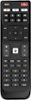
1-1 of 1 Answer
To open the case of the Insignia™ Replacement Remote for Vizio TVs and insert batteries, turn the remote over to locate the battery compartment cover on the back. Place your thumb on the small indentation or grip area on the cover, apply gentle pressure, and slide the cover downwards or away from the remote to open it. Insert two AAA batteries, ensuring the positive (+) and negative (-) ends match the markings inside the compartment. Finally, align the cover with the grooves on the remote and slide it back into place until it clicks securely. Patricia | Insignia Support
Sorry, there was a problem. Please try again later.