Questions & Answers
- Model:
- NS-HAWHP2
- |
- SKU:
- 6281625
Highly rated by customers for: Sound Quality, Ease of use, Battery Life
$139.99Your price for this item is $139.99
Page Showing 121-140 of 461 questions
Q: QuestionHow do I connect to the headphones
Asked by Anonymous.
- A:Answer Hi, Here is the link for the Quick Setup Guide: https://files.bbystatic.com/lqsgH7ma2mhacd6YANf8aQ%3D%3D/User%2BGuide. Renee, Insignia Support https://www.bestbuy.com/site/brands/best-buy-brands/pcmcat1596746025285.c?id=pcmcat1596746025285
Answered by InsigniaCustomerSupport

Q: QuestionHow do I pair the headphones
Asked by Fallout.
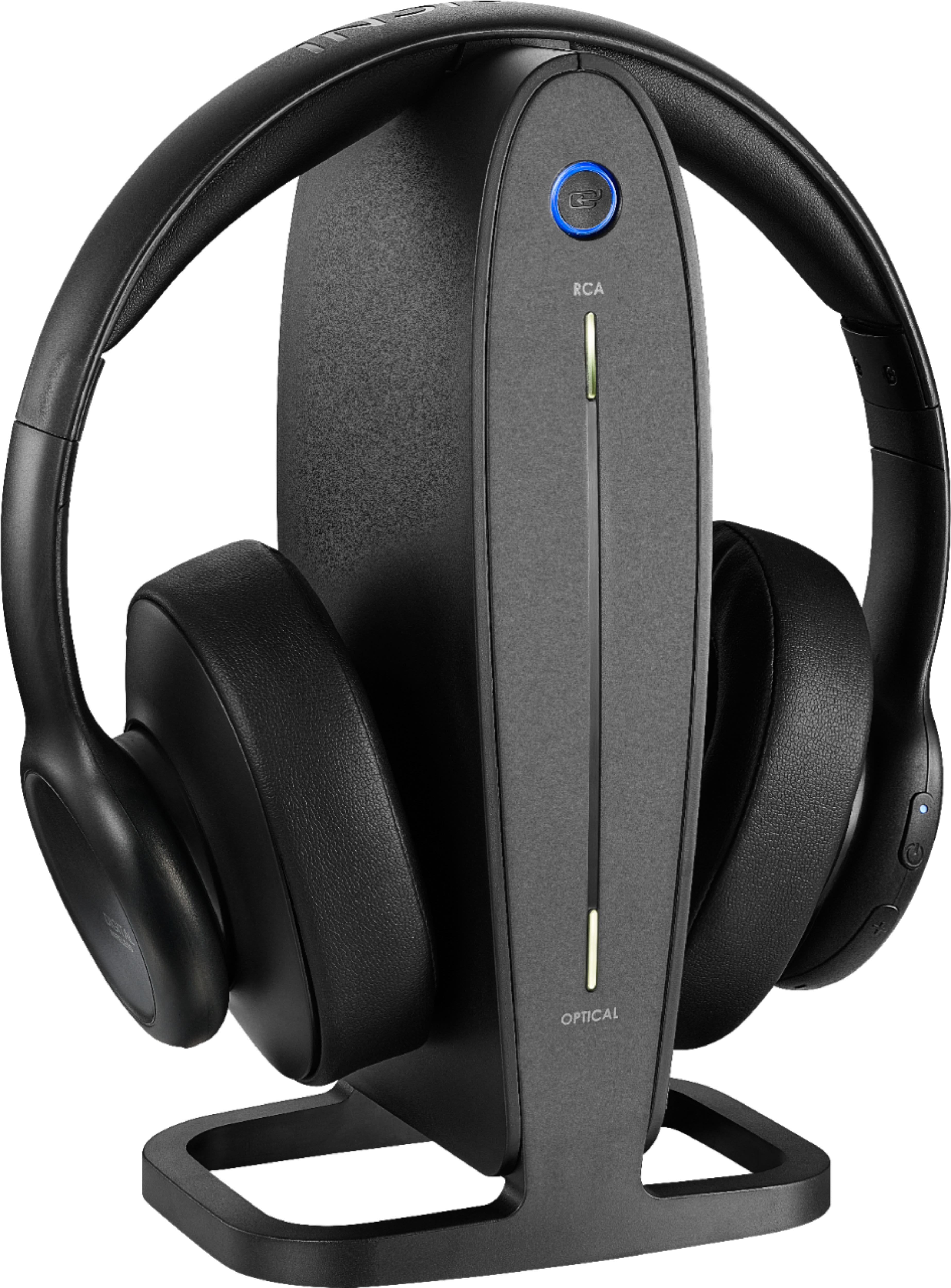
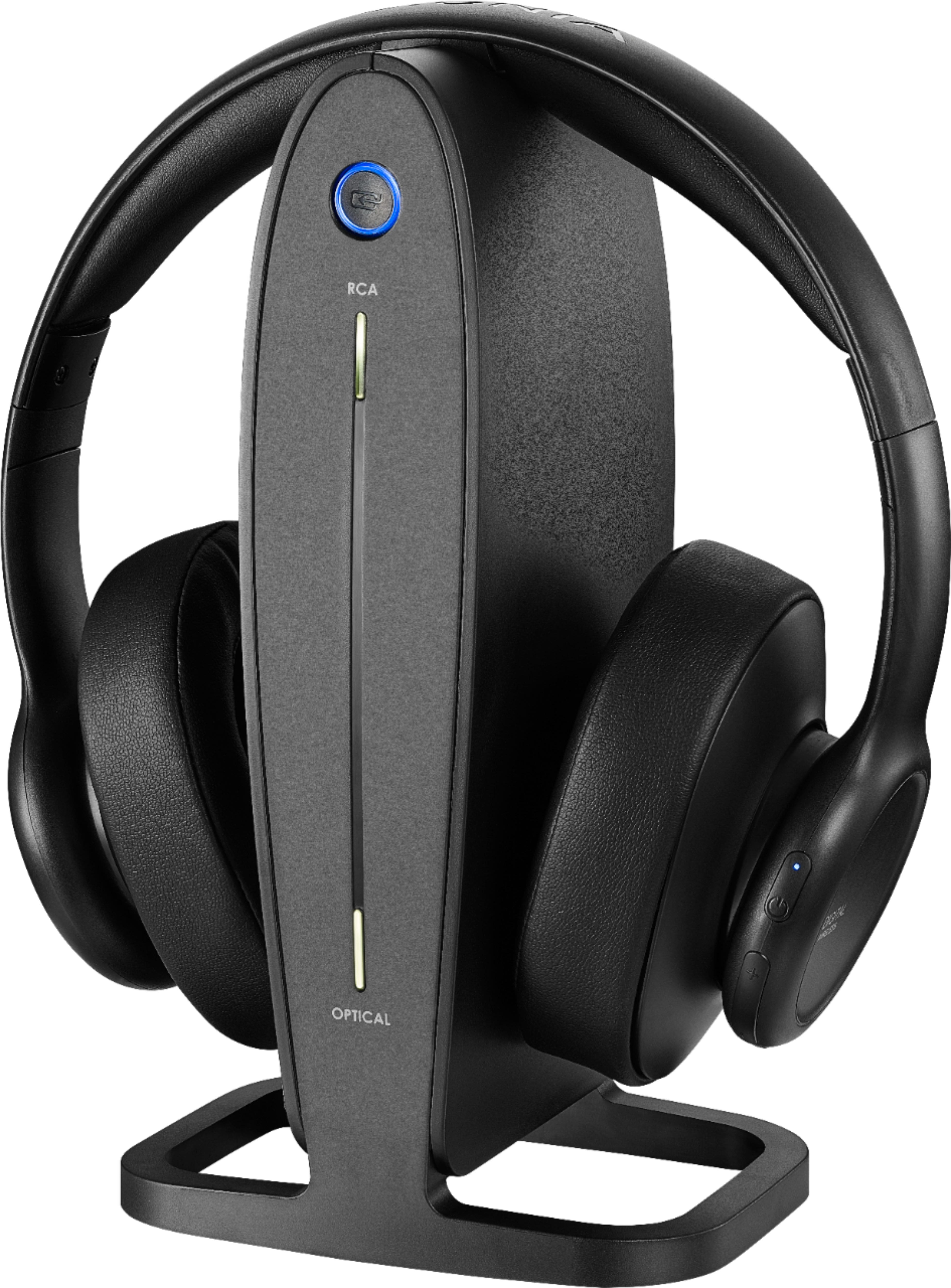
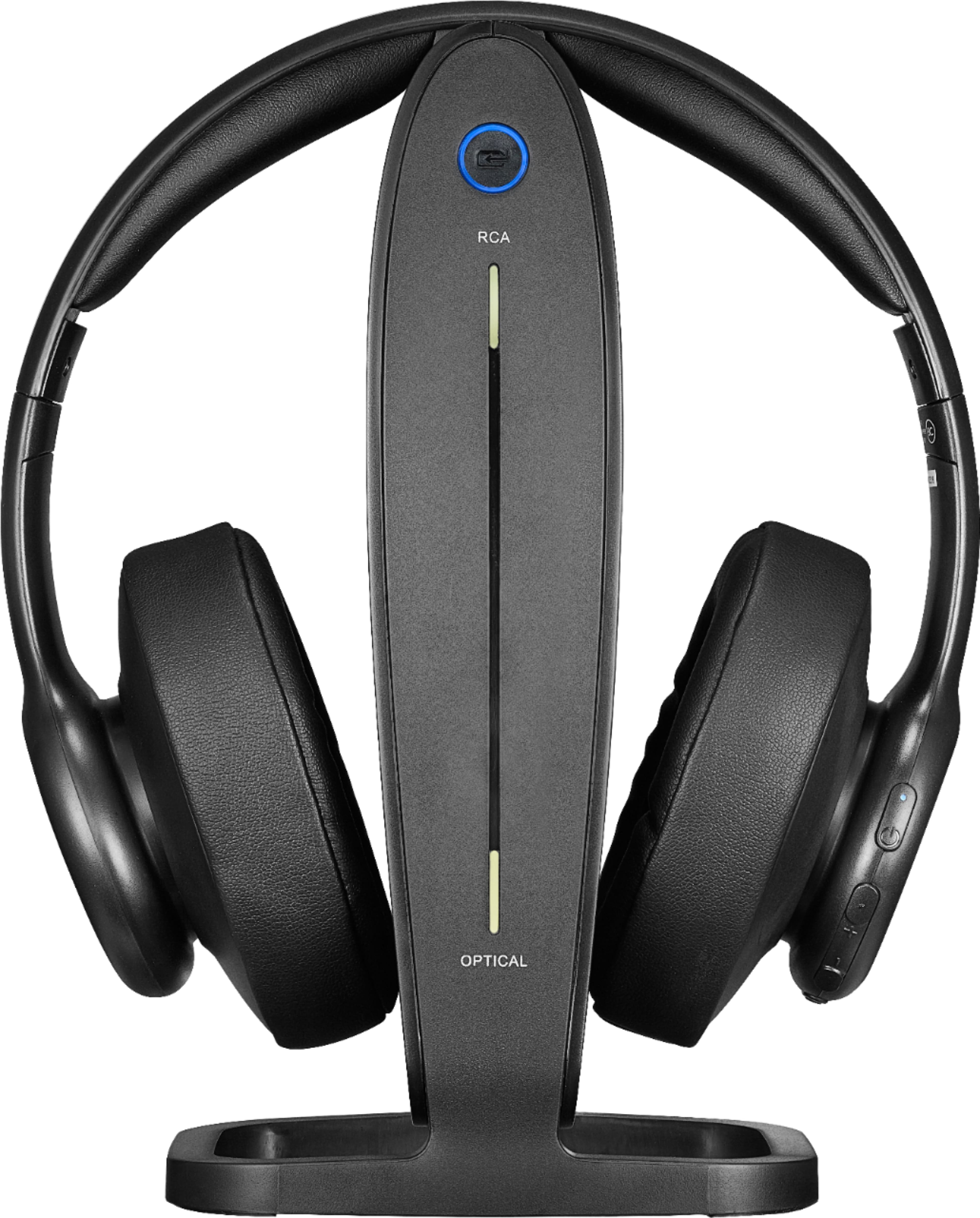
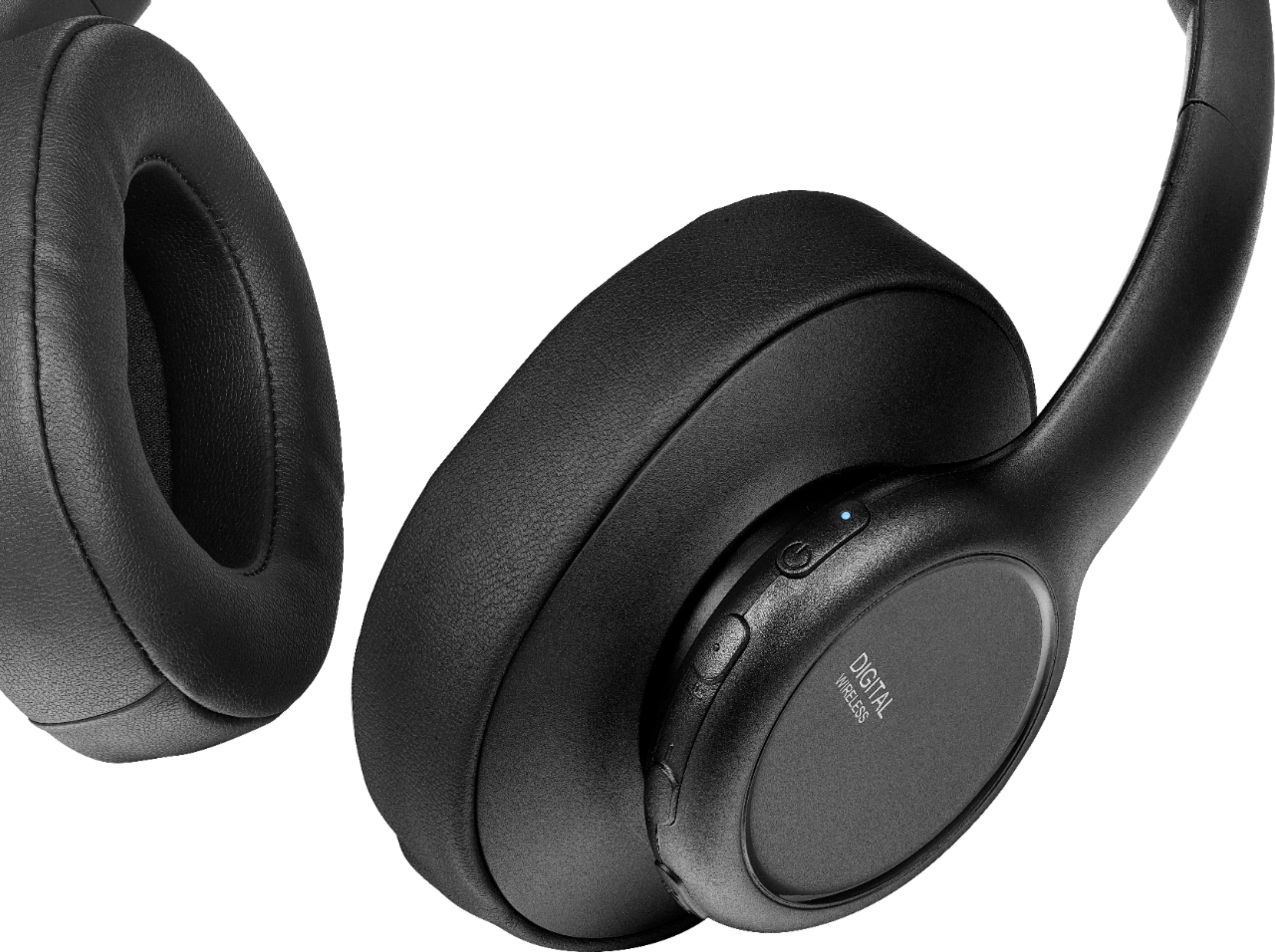
- A:Answer Hi Fallout, to tunr on and pairing the headphones, please follow the steps below: Turning on and pairing the system 1.The docking station is turned on by plugging in the AC adapter. The Power/Pairing indicator on the docking station blinks (blue). 2.To turn on your headphones: • Press and hold (power) on the right earpiece for two seconds. • If the headphones are on the base, lift them off. The Power/Pairing indicator on headphone lights solid blue. 3.When the Power/Pairing indicator on the headphones and the Pairing indicator on the docking station both light solid blue, an active link is established between the headphones and the docking station. The system is now on and ready to use. If the power indicators on the headphones and docking station continue to blink once a second, they are no longer paired to each other. If this happens, follow these steps: • Make sure that the headphones and docking station are within range of each other (ideally in the same room). • Turn off the headphones and unplug the docking station. • Turn on the headphones and plug in the docking station. The blue LEDs on the headphones and docking station will blink fast when pairing. If the steps provided do not work, please feel free to call us Insignia Customer Service 1-877-467-4289 for further assistance. Mariepel C.| Insignia Products https://www.bestbuy.com/site/brands/best-buy-brands/pcmcat1596746025285.c?id=pcmcat1596746025285
Answered by InsigniaCustomerSupport

Q: QuestionI constantly have a problem with pairing. I hadn’t used for a while. I turned everything back on and all it does is blink blue. I’ve tried several times and they won’t pair so I can use them. PLEASE HELP!
Asked by blinkingblue.
- A:Answer Hello blinkingblue, We are very sorry to read you are experiencing this issue with one of our products. Please follow the steps below: 1. The docking station is turned on by plugging in the AC adapter. The Power/Pairing indicator on the docking station blinks (blue). 2. To turn on your headphones: • Press and hold (power) on the right earpiece for two seconds. OR • If the headphones are on the base, lift them off. The Power/Pairing indicator on headphone lights solid blue. 3. When the Power/Pairing indicator on the headphones and the Pairing indicator on the docking station both light solid blue, an active link is established between the headphones and the docking station. The system is now on and ready to use. If the power indicators on the headphones and docking station continue to blink once a second, they are no longer paired to each other. If this happens, follow these steps: • Make sure that the headphones and docking station are within range of each other (ideally in the same room). • Turn off the headphones and unplug the docking station. • Turn on the headphones and plug in the docking station. The blue LEDs on the headphones and docking station will blink fast when pairing. For more questions and product support you may contact our customer service at 1-(877)-467-4289 Monday to Saturday 8am - 9pm CST. Chelsea Insignia Support Please give us a visit at: https://www.bestbuy.com/site/brands/best-buy-brands/pcmcat1596746025285.c?id=pcmcat1596746025285
Answered by InsigniaCustomerSupport

Q: QuestionI just bought these for my Dad. Only get audio through the left earphone, I do not see anything in the user guide that covers that issue.
Asked by Jobak.
- A:Answer I would bring them back to the store and get another pair.
Answered by JudyN
Q: Questiondoes this come with 2 headphones?? If not how much for second headphone
Asked by bear.
- A:Answer Comes with just the one (great) headphone. You would need to buy 2 to get 2.
Answered by KatyAustin
Q: QuestionHi... Can this headpone be pair to a receive?
Asked by Angelo.
- A:Answer I bought them to be paired with my TV so I could hear the TV in our nearby kitchen area. They could not be paired with our TV so I returned them. I had a technician try to do it but our TV is not set up to do that.
Answered by Inez
Q: QuestionDoes this connect to tv with Bluetooth or do I have to connect with included wires
Asked by Alonzo.
- A:Answer connect with included wires
Answered by AnitaF
Q: QuestionHow do I listen to Netflix or other streaming shows and TV? They work beautifully with TV but not Netflix, Amazon Prime or other streaming channels.
Asked by Debbie.
- A:Answer My headphones work with all of the above.
Answered by FranklinC
Q: QuestionAre there replacements for the ear pads?
Asked by jellzee.
- A:Answer yes, thru Amazon
Answered by Jeffrey
Q: QuestionMy husband needs to have earphones for watching TV and he's been unsuccessful finding ones compatible with a Samsung Smart TV with a sound bar. Are these?? Thank you!
Asked by SupportiveWife.
- A:Answer Have complete hearing loss left ear. These are the best for me without breaking the bank. Adjustable sound, for the headphones only. Comfortable and blocks other noise in room. Was easy to setup with my SHARP 70” TV.
Answered by Anonymous
Q: Questionwhy does charging station and headset stay red not green if charging?
Asked by Anonymous.
- A:Answer My head set only stays charged 0nly for about 20 minutes, then needs recharged. Any ideas or answers. do the charging terminals ever need to be cleaned and with what. Thank you, Steve
Answered by Anonymous
Q: QuestionHeadphones worn out, station still good, can I buy a replacement headphone? Insignia wireless optical tv headphones.
Asked by Charles.
- A:Answer They’ll make you buy a whole new tging this is why I always get the replacement plan
Answered by jami
Q: QuestionHeadphones won’t stay charged
Asked by Help.
- A:Answer Headphones need to be placed exactly on the 2 pins that are on the base. Red circle will light up on charger base. Headphones are charged when circle turns blue.
Answered by JudyN
Q: Questionmy headphones interfere with my wireless joey for my tv, anything I can do to prevent this
Asked by Anonymous.
Q: QuestionHow do I hook these up to my Midco TiVo mini?
Asked by Maxie.
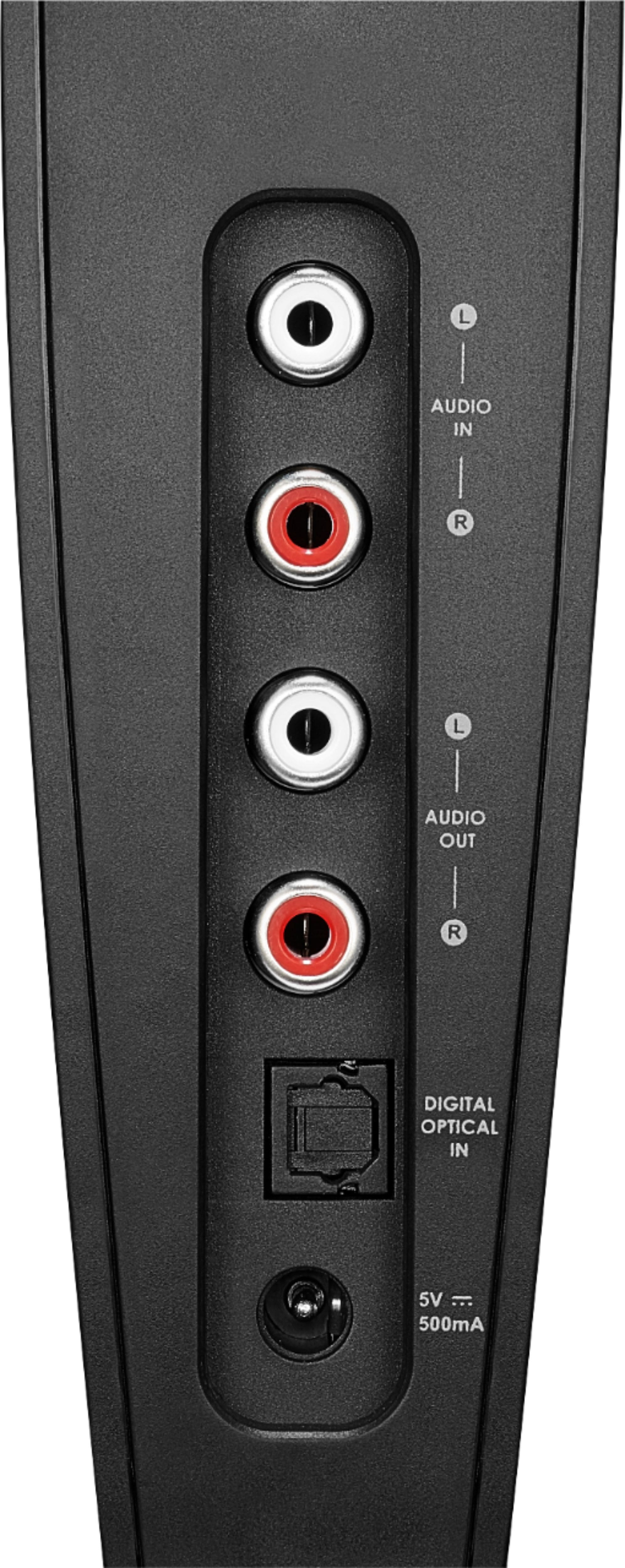
- A:Answer Hi Maxie, to hook up the wireless headphone to your Midco TiVo mini, please see the instructions below: If your audio source device (a TV in the example shown) only has one audio output, but you want to connect it to both the docking station and a stereo system or home theater, do this. 1.Connect one end of the RCA cable (included) to the red and white AUDIO IN ports on the docking station. 2.Connect the other end into the red and white audio out ports on your audio source device. 3.Connect one end of another RCA cable (not included) to the red and white AUDIO OUT ports on the docking station. 4.Connect the other end into the red and white audio in ports on your stereo system or home theater. The audio should now play through your home theater speakers (check the manual for your home theater system to activate its RCA inputs). 5.Press (input source) on the headphones or dock to change the input to RCA. The source indicator on the base lights white to show which source is selected.
Answered by InsigniaCustomerSupport

Q: QuestionNo voice sound out of my headset, just noise sound? How do I get the sound back to normal?
Asked by Dunk.
- A:Answer I had the same problem when trying to use the fiber optic connection with two different headphones so i returned them.
Answered by eagle071
Most-viewed items
- $249.99Your price for this item is $249.99
- $56.99Your price for this item is $56.99$99.99The comparable value for this item is $99.99
- $114.99Your price for this item is $114.99$249.99The comparable value for this item is $249.99
- $249.99Your price for this item is $249.99
- $129.99Your price for this item is $129.99
- Black Friday Deal$199.00Your price for this item is $199.00
- $499.99Your price for this item is $499.99$549.99The comparable value for this item is $549.99
- $168.00Your price for this item is $168.00$179.99The comparable value for this item is $179.99
- $429.99Your price for this item is $429.99$458.00The comparable value for this item is $458.00
- $199.99Your price for this item is $199.99$349.99The comparable value for this item is $349.99
- $199.99Your price for this item is $199.99$249.99The comparable value for this item is $249.99
- $199.00Your price for this item is $199.00$359.00The comparable value for this item is $359.00
- $199.99Your price for this item is $199.99$349.99The comparable value for this item is $349.99
- $329.00Your price for this item is $329.00$429.00The comparable value for this item is $429.00
- $249.99Your price for this item is $249.99
- $449.00Your price for this item is $449.00
- $19.99Your price for this item is $19.99
- $139.00Your price for this item is $139.00$349.99The comparable value for this item is $349.99
- $199.99Your price for this item is $199.99
- $129.99Your price for this item is $129.99$199.99The comparable value for this item is $199.99