A:AnswerFirst thought is what OS are you running on your MacBook Pro? If you have upgraded to Big Sur, the J5Create external minidock probably will not work. J5Create has not yet produced any new drivers that will be compatible with Big Sur. You may want to reach out directly to J5Create support staff.I have found them to be fairly responsive. Good luck!!
A:AnswerConversions are not recommended due to limited functionality. Perhaps the USB ports may work, but the Ethernet and HDMIs will not. Instead, the JUD380 may be a better choice for your computer. https://www.bestbuy.com/site/j5create-usb-3-0-mini-docking-station-silver/5901250.p?skuId=5901250
A:AnswerThis did not work for my XPS 15 9500. I have used 2 drivers so far. Followed the directions clearly as follows by downloading the driver first before connecting the adapter to my laptop. Still doesn’t work. Still waiting to hear back from customer service.
A:AnswerYes, the JCD381 is indeed compatible with the Yoga C740. Simply download and install the driver required and you are all set. ** Feel free to contact us with our information on the packaging for Technical Support, device warranty registration or if you have any other questions and/or require any further
assistance and someone will be glad to assist you. Be sure to check out our website for other devices that could also be of great usage to you and your colleagues.
Just as a heads up, we also provide both Spanish and English speaking Technical Support. Thanks.
A:AnswerYes, the JCD381 will work with your PC as it requires a USB-C port. Simply download and install the driver and it will work for you.
** Feel free to contact the Technical Support team mentioned on the packaging for further assistance or if you have any other questions and someone will be glad to assist you.
A:AnswerA j5create mini docking station would make connecting all those devices to your laptop easier with one connection, including a Ethernet connection. If you would like to talk with a customer service representative about your particular needs, you can contact us via Live Chat on our j5create.com website for immediate support. Thank you.
A:AnswerYes, the JCD381 adapter will work with your device, for full functionality of the device, a driver will need to be installed, which can be downloaded from our website at j5create.com. Thank you for your question.
A:AnswerThe install instructions are included in the packaging; however, if you still require assistance, we recommend contacting the Technical Support team mentioned on the packaging.
A:AnswerHello Mike,
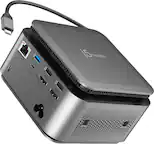
Yes, j5create - USB Type-C Mini Docking Station (JCD381) is compatible with ACER Aspire 5 slim laptops running Windows 10 Home or Pro. In order to use the JCD381, you must download and install driver software for the j5create website:
https://en.j5create.com/pages/drivers
A:AnswerIf your Mac does not have USB-C ports on it, using a converter will not always work and in that case, we recommend the JUD380 instead and that will work for you.
** Feel free to contact the Technical Support team mentioned on the packaging for further assistance or if you have any other questions and someone will be glad to assist you.