“i changed phones ,how do i pair it to the new phone my old phone broke”
Answer This Question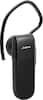
1-10 of 11 Answers
Turn your Bluetooth setting on you phone on and then click search for devices. Turn your jabra Bluetooth earpiece on and hold button down for about five seconds. The button you press on your earpiece to answer and hang up phone calls w. Your earpiece should show up on the devices list on your phone select the jabra listed on your phone.
Sorry, there was a problem. Please try again later.On the bottom-most section of this page: http://www.jabra.com/support/JABRA-CLASSIC_100-92300000-02#downloads there's a Download Area. If you open the "User Manual" PDF, all of the instructions are there. It works on Mobile too (If you have a smart phone, I have to assume that you do).
I would recommend:
Sorry, there was a problem. Please try again later.Turn your new phone on. Go to applications. Then go to tools. Then go to Bluetooth. Then go to pair Bluetooth. Tada, you will be paired.
Sorry, there was a problem. Please try again later.Have your phone in search mode for Bluetooth. Then on the bluetooth hold down the answer button that will put the Bluetooth in search mode and they can find each other
Sorry, there was a problem. Please try again later.Find the owners manual for the phone and the Jabra and follow the instructions.
Sorry, there was a problem. Please try again later.In settings choose bluetooth and scan and when you see jabra headset and it will connect
Sorry, there was a problem. Please try again later.Turn the bluetooth on next to your phone and it should popup in the pairing area of your phone or when you tap the bluetooth connection at the top of your phone screen.
Sorry, there was a problem. Please try again later.What phone do you have? Make sure that when you turn on Bluetooth on your phone that it can be seen by any Bluetooth accessories.
Sorry, there was a problem. Please try again later.just switch on the Jabra headset and enable the bluetooth of your new phone. Your phone should search the available bluetooth devices and list the headset as 'Jabra Clasic'. just pair it and you are good to enjoy this .. hope it helps ..
Sorry, there was a problem. Please try again later.Press and hold the answer button. The device will tell you how to pair. Basically, you go to bluetooth settings on your phone and select the headset.
Sorry, there was a problem. Please try again later.