Questions & Answers
- Model:
- JBLFLIP5SANDAM
- |
- SKU:
- 6356545
Q: QuestionDoes this have anyway to use a sleep timer?
Asked by Bill.
- A:Answer Our JBL Flip 5 doesn't have a sleep timer feature available but has a power saving mode where it turns off if there are no audio signals being sent to the device for 5-10 minutes and it will shut off.
Answered by JBL Support

Q: QuestionIf the flip 5 does not have a charge cover, and its exposed, is it still waterproof???
Asked by Renee.
This question was asked about the related product: JBL - Flip 5 Portable Bluetooth Speaker - Black
- A:Answer No, this item is not waterproof.
Answered by CommunityAnswer
Q: QuestionCan you plug a microphone into the JBL Bluetooth speaker?
Asked by LyndieLou.
This question was asked about the related product: JBL - Flip 5 Portable Bluetooth Speaker - Black
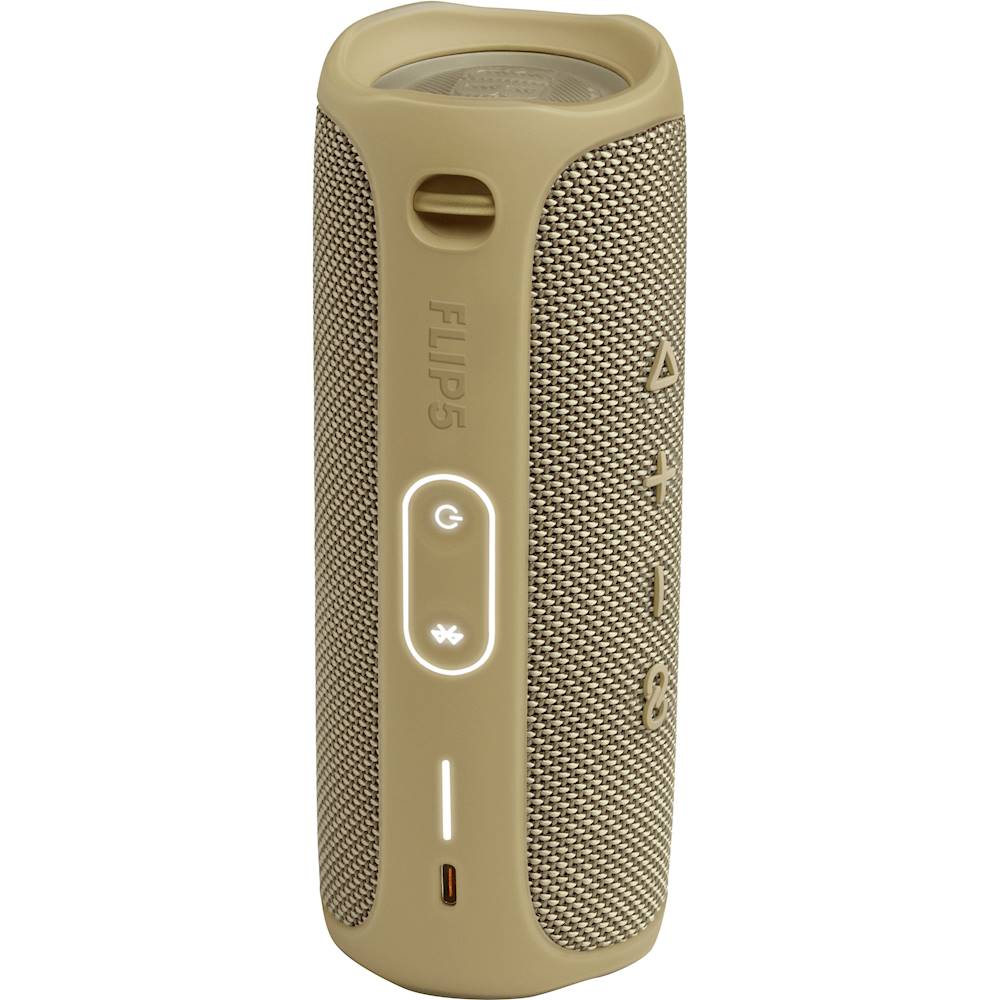
- A:Answer Our JBL Flip 5 doesn't have a microphone input. The type-C USB port on our JBL Flip 5 only serves as a power outlet for the speaker, and it can't be used for connecting a microphone.
Answered by JBL Support
Q: QuestionWill this fit in my bicycle water bottle holder?
Asked by bikers.
This question was asked about the related product: JBL - Flip 5 Portable Bluetooth Speaker - Ocean Blue
- A:Answer Our JBL Flip 5 has a dimension of 7.1 x 2.7 x 2.9 inches. If your bottle holder is bigger than this size then our JBL Flip 5 may fit in it.
Answered by JBL Support

Q: QuestionWhat's the best of the jbl apps to use on my galaxy for the flip 5
Asked by Quick.
- A:Answer The app JBL recommended to you only does one thing: shows you a battery bar. But your Flip 5 already has that. There is literally nothing else the app does for your speaker. No equalizer, not even general bass/treble, no volume control, no power, no nothing. Well, it does tell you if you have the latest firmware. But I've had my speaker for well over a year, and the firmware it came with is still the latest version. If you're looking for a speaker that the manufacturer cares enough about to create an app that actually lets you control the speaker and customize the sound, the JBL Flip 5 definitely is not it.
Answered by Eric
Q: QuestionWhat’s the trade in value
Asked by Person.
This question was asked about the related product: JBL - Flip 5 Portable Bluetooth Speaker - Black
- A:Answer Flip 5
Answered by Anonymous
Q: QuestionDo the flip 5 come with a charger and do it come with a usb port.
Asked by LadyT.
This question was asked about the related product: JBL - Flip 5 Portable Bluetooth Speaker - Black
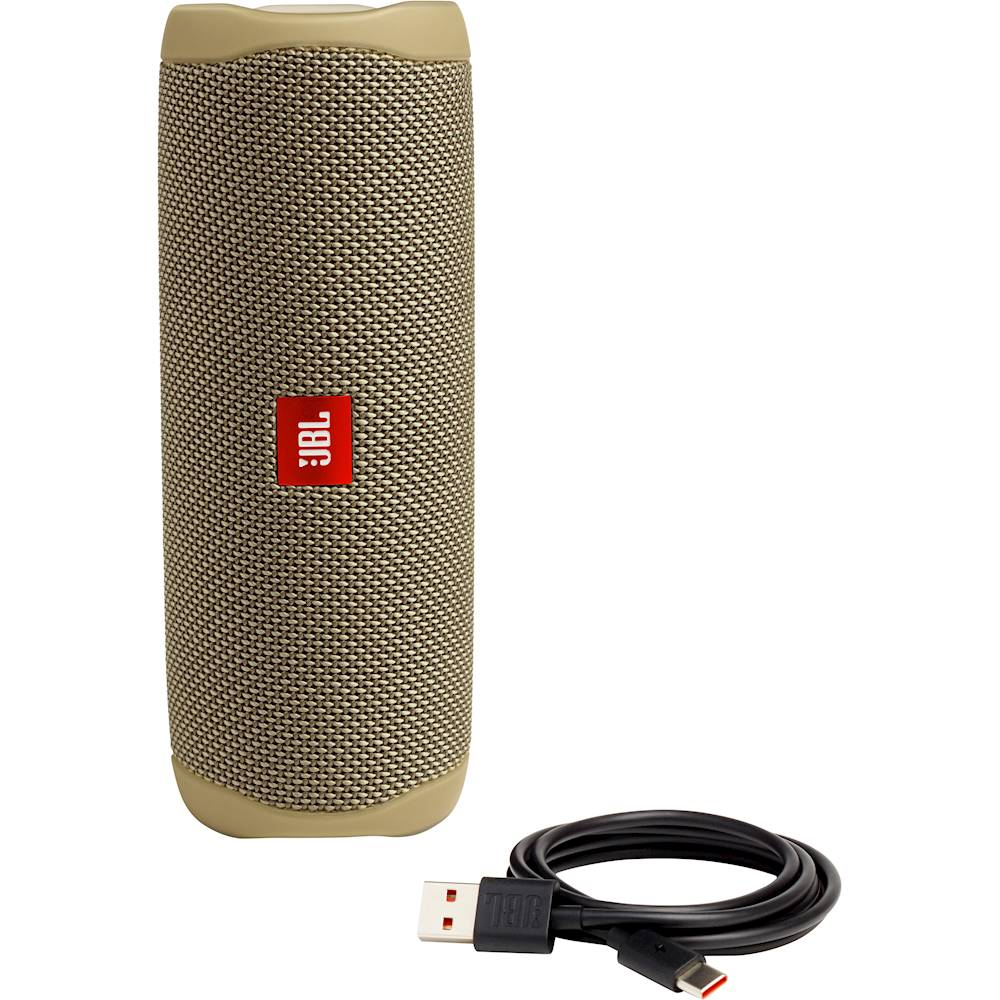
- A:Answer Our JBL Flip 5 comes with a charging cable but doesn't come with a USB block, you can use a phone charger to connect the charging cable and plug it to the wall outlet.
Answered by JBL Support

Q: QuestionCan I plug into computer via USB to use as computer speaker?
Asked by Anonymous.
This question was asked about the related product: JBL - Flip 5 Portable Bluetooth Speaker - Black
- A:Answer It is possible if you have a USB-A to USB-C or a USB-C to USB-C cable (depending on the ports your pc has). 1. Connect your speaker to your computer via the cable. 2. Turn on the speaker. 3. Press and hold the Bluetooth button (on the back) and the Play button (on top) simultaneously untill the speaker turns off. It will automatically turn on again. 4. The speaker is now connected to your pc (you might need to select it in your audio settings by the name Zgmicro AUDIO). The buttons on the speaker won't work while using it together with a pc. Caution! Your speaker will be very loud on standard, so put your volume down to about 10%. To use it via Bluetooth again, disconnect and connect the speaker again to your PC. Press and hold the Bluetooth and Play button untill it turns off. Now turn the speaker back on and it will work normally via Bluetooth again. If you want a more clear instruction, LevinsGraphics made a video about this on YouTube. I hope this helped :)
Answered by Anonymous
Q: QuestionHow do I keep my Flip 5 speaker from goin into sleep mode while spotify music is on all night? It prevents from my alarms from goin off in the morning.
Asked by Bianca.
This question was asked about the related product: JBL - Flip 5 Portable Bluetooth Speaker - Ocean Blue
- A:Answer The JBL FLIP 5 will automatically shut down when it senses 20 min of inactivity, (battery saving feature), If the music on spotify continues all night long, non stop, the JBL FLIP 5 should not be shutting down. The JBL FLIP 5 should not interfere with your alarm, regardless if it is ON or OFF.
Answered by JBL Support

Q: QuestionWhy there are 3 wires for the speaker in the JBL flip 5 ?
Asked by Tsmax.
- A:Answer Our JBL Flip 5 only comes with 1 x Type C USB cable. The race track driver only has + and - terminal contacts.
Answered by JBL Support
Q: QuestionHow do you turn on a JBL flip 5?
Asked by Wojie01.
- A:Answer Hold down the power button on the back of the speaker. It could possibly need a charge
Answered by Hailey
Best-selling Best Buy
- $209.99$209.99The price was $349.99
- $179.99$179.99The price was $199.99