“How do i know if the ear buds are turned on, i am having trouble connecting them to my iphone?”
Answer This Question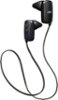
1-5 of 5 Answers
Light comes on
Sorry, there was a problem. Please try again later.You have to hold the button and it will change colors to let you know it pair up with your phone
Sorry, there was a problem. Please try again later.Sometimes the earbuds lose connection. I just remove the earbuds from Bluetooth devices and connect and pair them again. It happens not too often, though. Unfortunately, and it is a minus, there is no way to tell if the earbuds are on other than listening to music when connected.
Sorry, there was a problem. Please try again later.There should be a blinking light on the right ear piece. If it's not blinking, press the power button on the posterior side of the unit and hold for 5-7 seconds. This should turn it on and pair it with your iphone. If you're pairing it with your iphone for the first time, the manual would give you a better step-by-step set of instructions than I can here.
Sorry, there was a problem. Please try again later.The light will blink when they first come on
Sorry, there was a problem. Please try again later.