Questions & Answers
- Model:
- 83EK0000UX
- |
- SKU:
- 10458099
Q: QuestionCan I use a Bluetooth wireless mouse with the Flex 5i? I don't want to tie up any ports with dongles.... If so, can I do simple pairing, or do I need an app, etc?
Asked by Tree.
- A:Answer Hey Tree, Yes, you should simply be able to pair the Bluetooth mouse with the Flex 5i Chromebook Plus via system settings, or even more quickly, using Quick Settings by selecting the bottom right of the screen (in the shelf). Please feel free to reach out to us with any other questions!
Answered by Lenovo Product Expert
Q: QuestionCan you delete or disable the inevitably useless AI?
Asked by MrMetokur.
- A:Answer The AI stuff is optional. You don't need to delete or disable anything, just don't use the AI features of any app, including the Chrome browser.
Answered by Oswaldtherabbit
Q: QuestionWhat covers/shells or cases are compatible with this model?
Asked by HPan.
- A:Answer Lots of companies make nice "messenger" bags or backpacks that would hold &n protect a 14" laptop. I got one that is branded a Lenovo because it was a good price and just right. If you order a bag or case be sure it says it will work with 14" or larger. To be safe get one that says it fits a 15". I carry a mouse, mouse pad, stylus and the charging power supply in my case along with the laptop.
Answered by Oswaldtherabbit
Q: QuestionCan the Kindle app be loaded on this device?
Asked by arnie.
- A:Answer Yes. Get it from the Google Play Store.
Answered by JosephG
Q: QuestionCan I upgrade the SSD for one with 1TB storage?
Asked by Cheo.
- A:Answer Hi Cheo, Storage could be upgraded if you remove the preinstalled storage and add a 1TB M.2 2242 SSD. Please feel free to reach out to us with any other questions!
Answered by Lenovo Product Expert
Q: QuestionCan the power adapter be connected to either side of the device for 1) charging the device or 2) just powering the Chromebook while in use?
Asked by Hammy.
- A:Answer Yes. It's USB C
Answered by JosephG
Q: QuestionWhy does the on-screen keyboard keep turning itself on? I've tried all the suggestions on the internet, but no luck.
Asked by KG.
- A:Answer Hey KG, we're sorry to hear that you ran into this issue with your Chromebook. To try to resolve this, try doing a hardware reset (visit the following link to learn how to do so: https://support.google.com/chromebook/answer/3227606?hl=en&sjid=11168473644130281663-NA), which reboots the embedded controller that manages your touchpad. If this doesn't resolve your issue, you may need to factory reset your Chromebook, which you can learn more about towards the bottom of the webpage tied to the previously embedded link.
Answered by Lenovo Product Expert

Q: QuestionHow is the sound quslity?
Asked by Anonymous.
- A:Answer I've used it with bluetooth headphones and I thought it sounded fine.
Answered by Cricket
Q: QuestionWhat year did these first come out?
Asked by Jamiegirl.
- A:Answer Hi, Jamiegirl. The Flex 5i Chromebook Plus was first launched in late 2023, but the month and year of the specific laptop you would receive will vary since this model continues to be manufactured.
Answered by Lenovo Product Expert

Q: QuestionWill this device run OS116 or higher?
Asked by Anonymous.
- A:Answer Hi, thanks for your interest, and yes, it can and will continue to run the latest ChromeOS software for some time.
Answered by Lenovo Product Expert

Q: Questionwhat is the " Flex 5i " ? is it app that needed downloading from "play store"? thanks
Asked by rose.
- A:Answer Flex 5i is just the model number....
Answered by JohnD
Q: QuestionWould my son be able to play Fortnite on this laptop?
Asked by MamaMeg.
- A:Answer This is not a gaming Chromebook. He will not be happy with it.
Answered by RobinD
Q: QuestionDoes Lenovo offer a RECHARGEABLE stylus/Pen for the Lenovo Flex 5i Chromebook Plus? I purchased a Lenovo Pen 2 (P/N GX81J61977) but apparently it's not rechargeable. Thanks Ed
Asked by restoman.
- A:Answer Hey, Ed. In short, no. The Chromebook devices use USI pens, and the current selection of Lenovo USI pens are strictly powered by AAAA batteries.
Answered by Lenovo Product Expert

Q: Questionspecs on listing say there is a 1.4 display port - lie. I got USB-C to DP cables but how do I use 2 external displays & charge laptop? I've tried 2 different USB-C splitters & a lenovo dock but NOTHING works (splitters tested on diff PC & worked)
Asked by theRoO.
- A:Answer Hey, theRoO. We are sorry to hear that you are having trouble finding a solution for your needs. The Flex 5i Chromebook Plus does feature two USB-C ports that support DP 1.4 and power delivery. We recommend referencing this Google Chromebook webpage (https://www.google.com/chromebook/workswithchromebook/) that shares resources for finding accessories that are "Works With Chromebook" certified which should help you find a dock or hub that can connect via USB-C to your Chromebook and support power delivery for charging and output to two external monitors through one port.
Answered by Lenovo Product Expert

Q: QuestionI just purchased one of these for my 12 year old grand daughter. Since it only comes with a 128GB hard drive, I'm going to get her an external 2TB USB thumb drive / flash drive. My question... Does any thumb / flash drive work with this?
Asked by restoman.
- A:Answer Hey, restoman. Great question, and as a matter of fact, Google works with Best Buy to verify which products sold are "Works with Chromebook" certified. Here's a link to a Best Buy webpage (https://www.bestbuy.com/site/promo/chromebook-accessories?qp=category_facet%3DHard%20Drives%2C%20SSD%20%26%20Storage~abcat0504001) with search results on certified external storage.
Answered by Lenovo Product Expert

Q: QuestionWhat is the quality of the speakers? The base , loudness , hifi?!!!
Asked by rose.
- A:Answer Hey, rose. What we can say is that the 2W stereo speakers were optimized to give a well-rounded, adequate audio experience, but we encourage other users of the Flex 5i that may be able to, to shed light on their opinion of the sound.
Answered by Lenovo Product Expert

Q: QuestionCan I Install LibreOffice?
Asked by DeadHenry.
- A:Answer Hey, based off the system requirements that are listed on this LibreOffice webpage (https://www.libreoffice.org/get-help/system-requirements/), upon brief review, whether or not this software is supported on Chromebooks or ChromeOS devices is inconclusive. To review the information yourself, we recommend reviewing the system requirements detailed on the previously linked webpage, then comparing it with the specifications this Flex 5i or any potential computer you’re interested in to help ensure you find the right fit for you.
Answered by Lenovo Product Expert

Q: Questioncan you use a mouse? how many ports and size of ports
Asked by mousegrouse1.
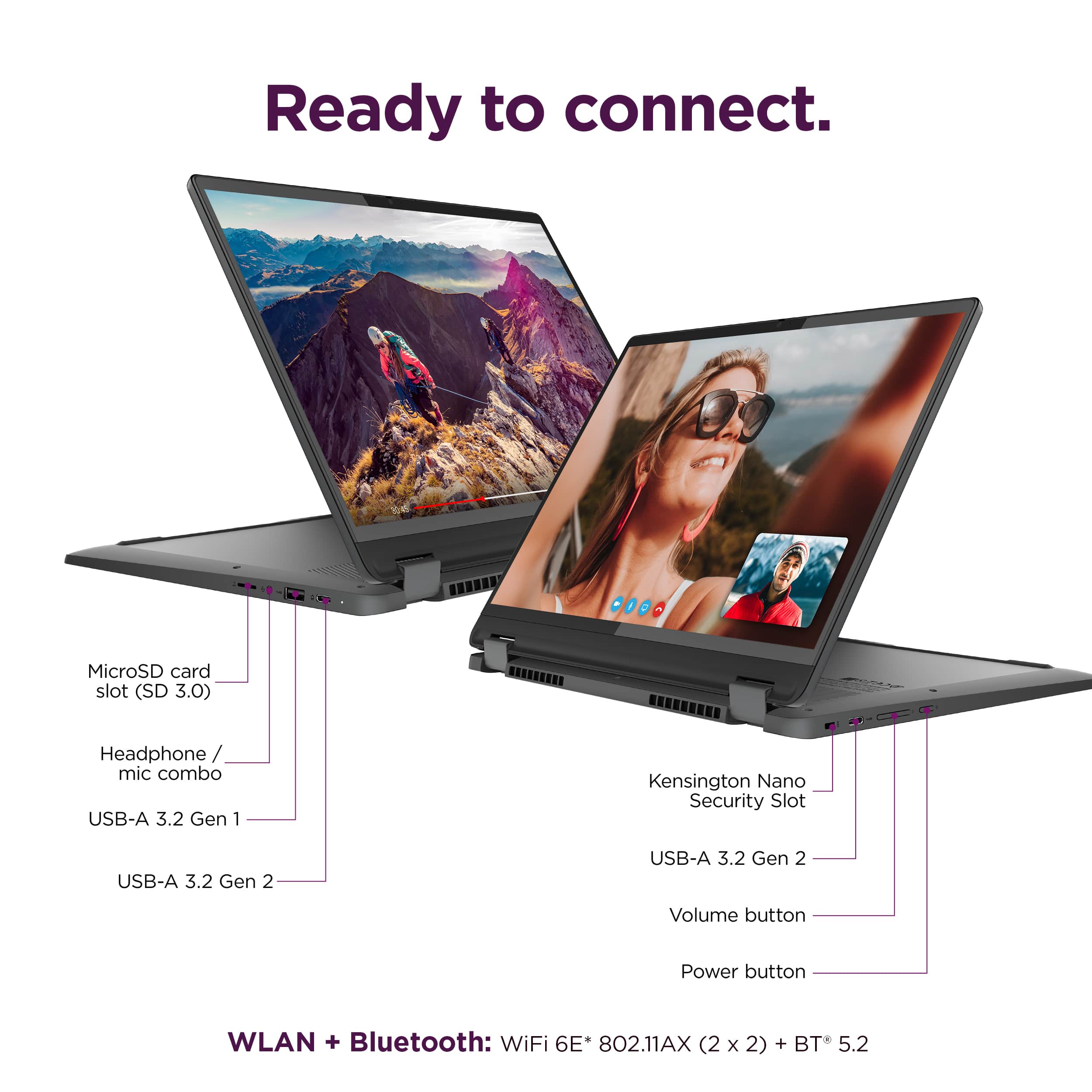
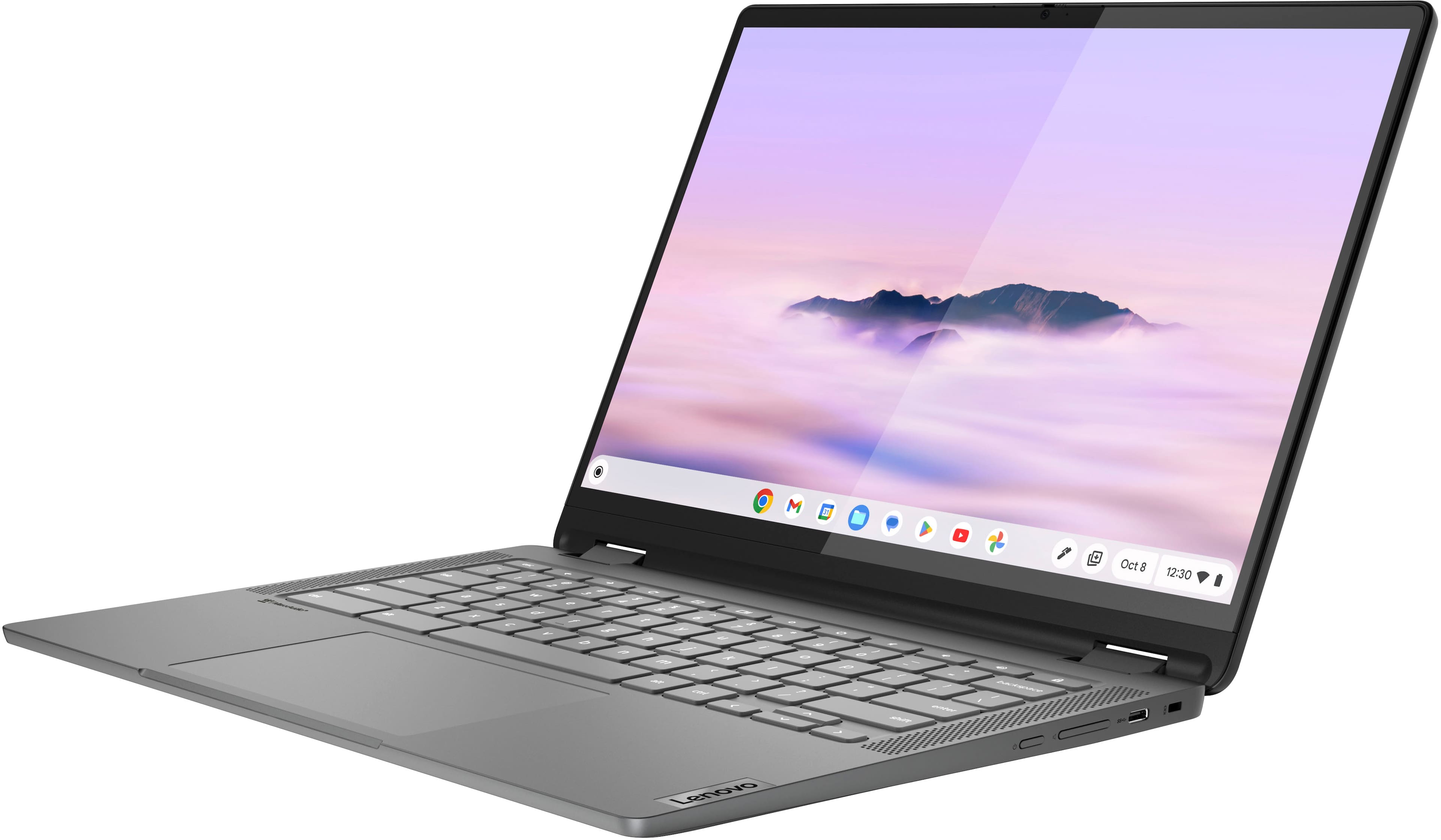
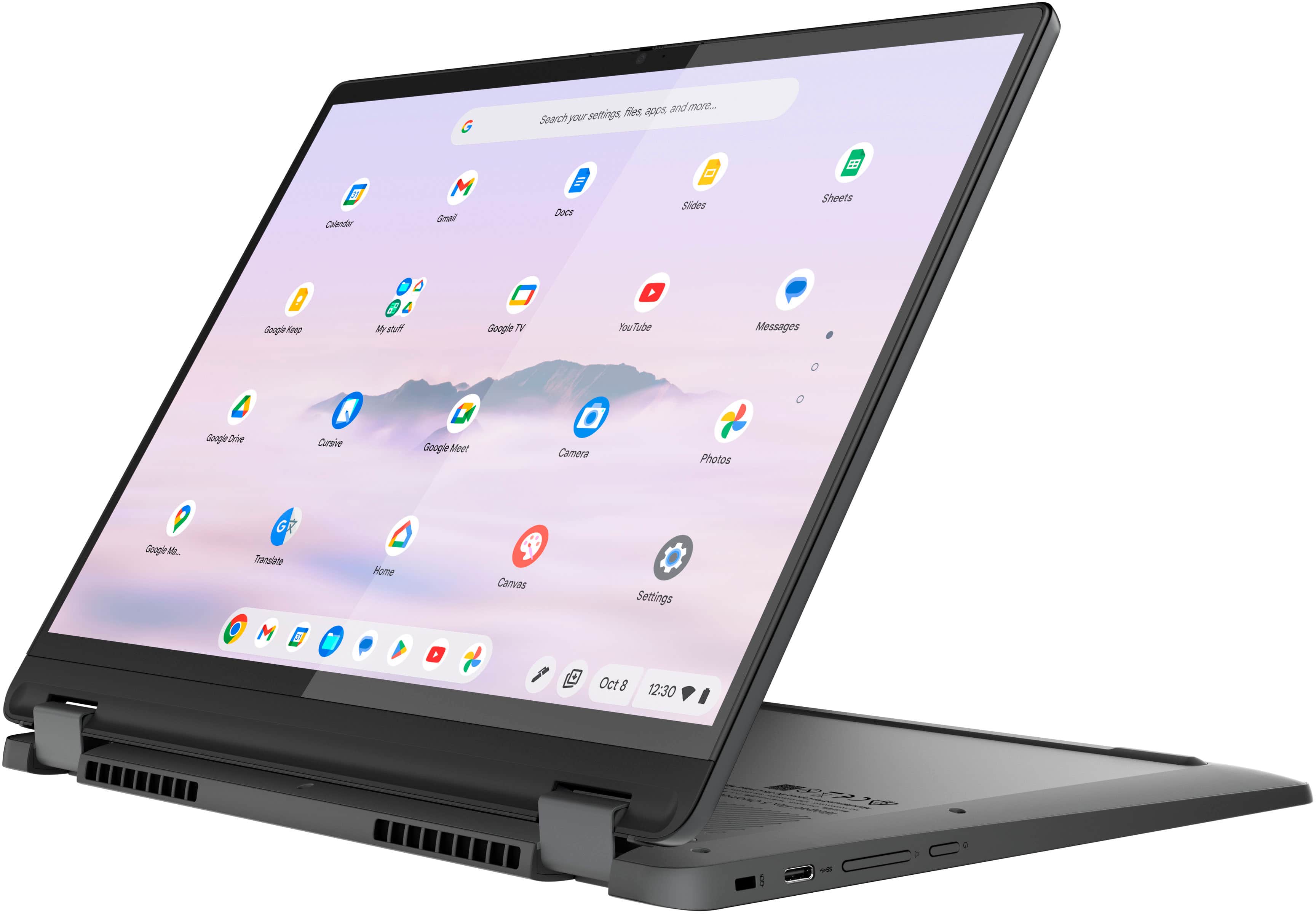
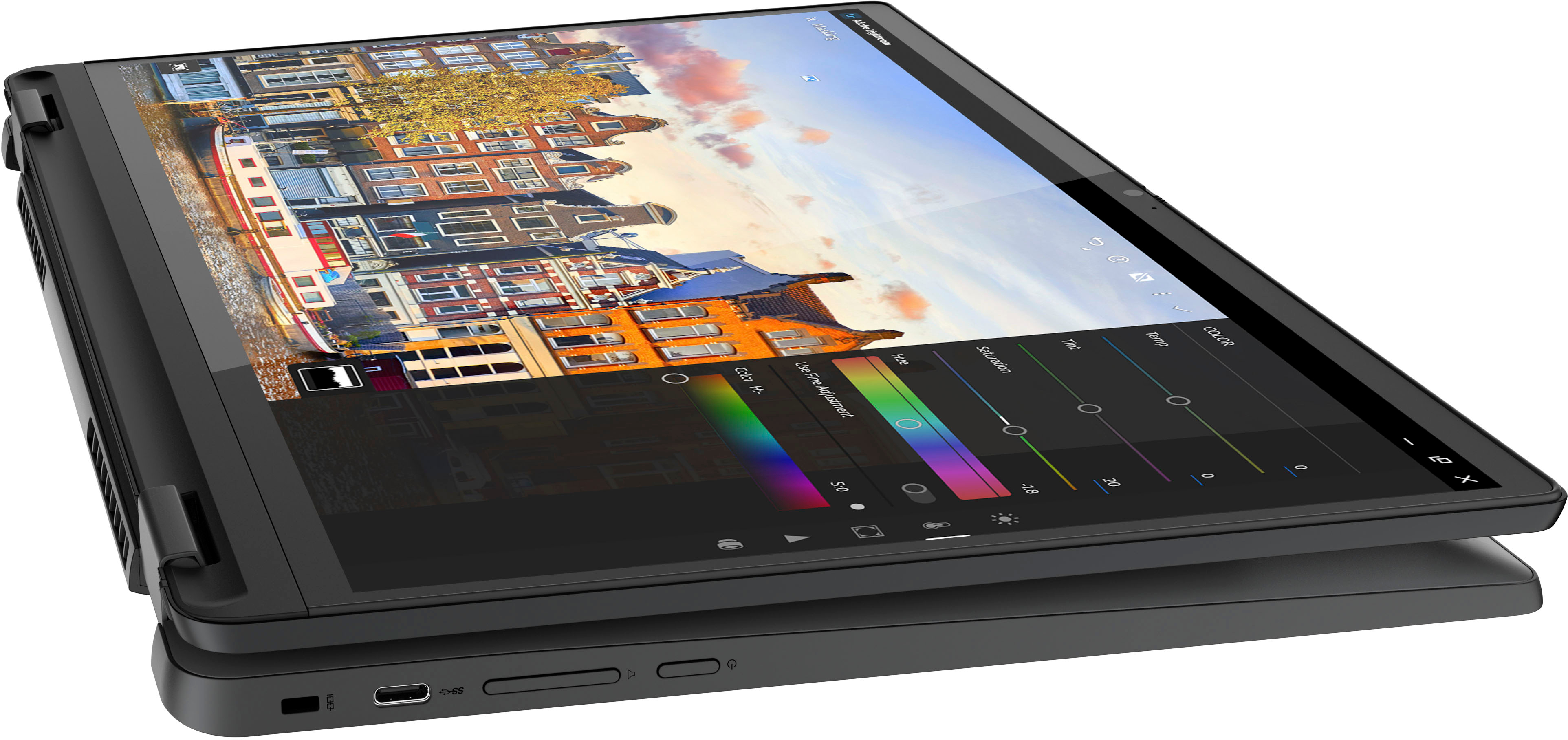
- A:Answer Greetings from the Intel team. Thank you for your question. Yes, a mouse can be used via a USB port; based on the product specifications reference (PSREF), the Lenovo - Flex 5i Chromebook Plus model 83EK0000UX has three USB ports (1x USB-A and 2x USB-C®). For further information, check the PSREF: For detailed information about the Intel® Core™ i3-1315U Processor, visit: https://ark.intel.com/content/www/us/en/ark/products/232136/intel-core-i3-1315u-processor-10m-cache-up-to-4-50-ghz.html Thank you for choosing Intel! Emilio_Intel
Answered by Intel team

Top Rated
- $167.00Your price for this item is $167.00$299.00The comparable value for this item is $299.00
- $129.00Your price for this item is $129.00$319.00The comparable value for this item is $319.00
- $212.99Your price for this item is $212.99$399.00The comparable value for this item is $399.00
- $349.99Your price for this item is $349.99$399.00The comparable value for this item is $399.00
- $479.00Your price for this item is $479.00
- $163.99Your price for this item is $163.99$329.00The comparable value for this item is $329.00
- $199.00Your price for this item is $199.00$429.00The comparable value for this item is $429.00
- $159.97Your price for this item is $159.97$249.00The comparable value for this item is $249.00
- $139.00Your price for this item is $139.00$279.00The comparable value for this item is $279.00
- $429.00Your price for this item is $429.00
- $199.00Your price for this item is $199.00$429.00The comparable value for this item is $429.00
- $699.00Your price for this item is $699.00$749.00The comparable value for this item is $749.00
- $349.00Your price for this item is $349.00$479.00The comparable value for this item is $479.00
- $399.00Your price for this item is $399.00$629.00The comparable value for this item is $629.00
Samsung - Galaxy Chromebook Go - 14" LED Laptop - Intel Celeron- 4GB Memory - 128GB Storage - Silver$202.00Your price for this item is $202.00$329.99The comparable value for this item is $329.99- $599.99Your price for this item is $599.99$749.99The comparable value for this item is $749.99