Labor Day Appliances SaleEnds 9/16. Limited quantities. No rainchecks.Shop now

Skip to contentGo to Product Search
Main Content

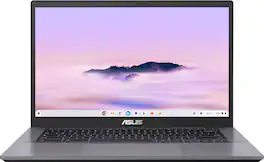
ASUS - CX34 14" FHD Chromebook Plus Laptop with Google AI - Intel Core i5 - 8GB Memory - 128GB Storage - Rock Grey

Model: CX3402CVA-I5128GR
SKU: 12915207
Sold & shipped by

Customers are saying

Customers are delighted by the impressive build quality and snappy processor speed of this Chromebook. Users frequently highlight the excellent battery life and portable design, which make the device convenient for travel. Additionally, many appreciate the versatile port selection and the responsive touchscreen, which significantly enhance the overall user experience.

Generated by AI based on customer reviews.

Highlights

Features
  • Runs ChromeOS

    The fast, secure operating system from Google with built-in Google apps like Gmail, Gemini, Docs, Photos, YouTube, and more, so you can go from deadlines to downtime straight out of the box.

  • The Power To Do More

    A 2x faster Intel Core processor and up to double the memory and storage*, so you can edit files while watching your favorite shows in full HD with up to 10 hours of battery life*.

  • Google AI built in, with Gemini

    Supercharge your daily tasks with Gemini. Brainstorm fresh ideas, quickly understand any content*, and insert AI-generated content into any field, wherever your cursor takes you.

  • Get Gemini Advanced, 2TB of storage, and more for 12 months at no cost

    With the Google One AI Premium plan, you get Gemini Advanced, 2TB of cloud storage, and Gemini in Gmail, Docs, and more – all on us when you purchase a Chromebook Plus.**

  • Get YouTube Premium for 3 months at no cost

    Enjoy YouTube and YouTube Music ad-free, offline, and in the background.**

  • Fast operating experience

    Powered by the powerful Intel Core i5 processor, fast 8GB memory and 128GB storage, ensuring fast and smooth operation.

  • Portable yet durable

    Built to withstand daily wear and tear with military-grade durability (MIL-STD 810H), yet lightweight at just 3.22 lbs for effortless portability.

  • Anti-glare touch display

    Sharp FHD 1920 x 1080 NanoEdge anti-glare touchscreen—designed to minimize glare and enhance touch navigation.

  • Advanced apps for work and play

    Stay productive with Microsoft 365***, create with Adobe Photoshop****, edit videos with LumaFusion, and get your game on with GeForce NOW. All your favorite apps and more are just a click away.

  • Never had a virus

    Chromebooks have never had a virus***** so you can breathe easy knowing your security and privacy are covered with built-in protection and the Titan C2 security chip.

See all features
Specifications
  • Screen Type
    IPS
    Screen Size
    14 inches
    Screen Resolution
    1920 x 1080 (Full HD)
    Touch Screen
    Yes
    Refresh Rate
    60Hz
Sponsored

Reviews

Customers are sayingCustomers are delighted by the impressive build quality and snappy processor speed of this Chromebook. Users frequently highlight the excellent battery life and portable design, which make the device convenient for travel. Additionally, many appreciate the versatile port selection and the responsive touchscreen, which significantly enhance the overall user experience.
This summary was generated by AI based on customer reviews.
  • Build Quality (30)
  • Processor Speed (28)
  • Battery Life (18)
  • Portability (14)
  • Port Count (10)

Customer Images

The vast majority of our reviews come from verified purchases. Reviews from customers may include My Best Buy members, employees, and Tech Insider Network members (as tagged). Select reviewers may receive discounted products, promotional considerations or entries into drawings for honest, helpful reviews.

  • Rated 5 out of 5 stars

    A great upgrade to my other Chromebook

    I needed a Chromebook that had an update processor for online school. This was a great price. It's a touch screen,battery life is good, speed is amazing it does a great job.

    This review is from ASUS - CX34 14" FHD Chromebook Plus Laptop with Google AI - Intel Core i5 - 8GB Memory - 128GB Storage - Rock Grey

    Posted by Tomj

  • Rated 4 out of 5 stars

    ASUS Chromebook

    ASUS Chromebook is well designed and high quality. The keyboard, trackpad and screen are designed with comfort and usability and a good value comparing the specs to the price.

    This review is from ASUS - CX34 14" FHD Chromebook Plus Laptop with Google AI - Intel Core i5 - 8GB Memory - 128GB Storage - Rock Grey

    Posted by DebraJ

  • Rated 5 out of 5 stars

    Lightweight, versatile, powerful AI

    This Chromebook Plus is my first Chromebook device with a focus on AI capabilities. The device itself is lightweight with a matte plastic shell and weighs a little over 3 lbs. It has basic I/O including a combo mic/headphone jack, 2x USB-A 3.2 Gen 1 ports, HDMI 1.4 output, and 2x USB-C 3.2 Gen 1 ports that both support DisplayPort out and Power Delivery charging of peripherals. The unit also comes with a small 45 Watt (15V, 3A) power brick with 6.5 ft cord that can charge the laptop using either USB-C ports. Note, however, that the charging status LED is on the left-hand side only. The touchscreen LED IPS display has a 14” diagonal with anti-glare matte coating and is powered by Intel Iris Xe UHD Integrated Graphics with a maximum resolution of 1920 x 1080 FHD, 250 nit brightness, and a refresh rate of 60Hz. The screen opens to a 180° lay-flat orientation but does not fold over for use in “tablet” mode. Inside, the machine runs on a 1.3GHz Intel 13th Gen 10-Core i5-1334U CPU, 8 GB of onboard LPDDR5X 4800MHz RAM and has a 128 GB UFS (universal flash storage). For additional storage, you can use external drives or cloud-based storage. While the memory and internal storage aren’t upgradable, they are sufficient for light to medium duty applications like web browsing, word processing, streaming hi-def video and music, and casual gaming. I found that the Chromebook handled each of these activities well and was responsive without lengthy load times or lag when switching between apps. When gaming, however, note that they run in “emulator” mode which could restrict some features or functionality of games, for example, in PUBG Mobile some game modes were not accessible. Other games, like those that require an accelerometer to recognize device orientation for movement, won’t work properly. Also keep in mind that mobile games are designed to be played via touchscreen which can be cumbersome on such a large format screen, though you could try mapping controls to the keyboard in the Game Dashboard instead. Since Chromebooks use the Google suite of apps by default, Gemini, Google’s large language AI model is built-in. This is a separate feature from Google’s AI assistant which is typically activated by voice use the wake words, “Hey Google.” Gemini can answer questions, write-up summaries, generate creative text and image content, and the pro model can also implement reasoning, math and code with well written-prompts. You should know though, that AI can make mistakes its output needs to be double-checked where accuracy is important. It’s worth noting that the purchase of a new Chromebook Plus currently includes a free 12-month trial of Google AI Pro as a perk. I’ve used Gemini’s LLM for various tasks like generating recipes, thumbnail images, and even short works of fiction and the results are pretty impressive. I do think things have to be tweaked here and there, and factual data needs to be verified against reputable sources for accuracy, but overall Gemini can give you a solid framework as a starting point when given the right prompts. The CX3402’s 3-cell 50Wh battery can last a whopping 9+ hours on a full charge depending on your settings and usage habits and charges fully in just a few hours. Connectivity-wise it supports WiFi6E and Bluetooth 5.4 and can also be paired to a smartphone for hotspot access. The keyboard on this model is not backlit which can make it hard to see in the dark, and while it is full-size, it does not have a separate number pad. The top row keys are quick functions for actions like back, refresh, screenshot, brightness and volume control, active apps, and full-screen toggle. The mouse trackpad is large, though doesn’t have ‘right-click’ since that’s not used in Android-based operating systems. You can also double-tap to click and use two-finger gestures to scroll, swipe, and zoom on the trackpad just like you would directly on a touchscreen. The color and clarity of the screen is nice with a comfortable brightness level and decent contrast. There’s an optional blue light filter for nighttime use which gives the screen a visibly yellow cast but reduces eyestrain. The screen looks pretty good when watching video content and playing games, however, color accuracy at 45% NTSC may not be precise enough for professional creative work like digital art or photography. The bottom-facing speakers are okay but a bit echo-y and thin sounding at times. For a better audio experience, you can use Bluetooth or plug-in headphones or external speakers. The unit has a built-in front facing 1080p webcam and dual-array mic that work fine for live streaming, vlogging, and virtual meetings with clear detail and quality, though I found the camera’s colors can appear overexposed and under-saturated. When the camera is active, its status LED illuminates white, and there’s a sliding lens cover for instant privacy. When setting up the machine, you’ll need to log into or create a Google account, and you have to option to sync your profile, so you’ll have a similar user experience across devices (apps, settings, activity history, etc.). Connecting to the internet is also required for most of its features to work, as ChromeOS is cloud-based and many applications are not run directly on the device; that means most desktop computer programs cannot be installed on this device unless is has a mobile app version. You can access your installed apps by clicking or tapping on the circle in the bottom-left corner of the screen or pressing the analogous key where the Caps-lock is usually found on the keyboard. Overall, I found this Chromebook Plus to be a fantastic lightweight alternative to a traditional laptop. It handled web browsing, everyday tasks and computing, and even casual gaming well and feels fast and responsive. It does have limitations like requiring the internet, incompatibility with some games, and only has a handful of I/O options with no pathway for upgrades internally. However, software and firmware updates happen automatically over WiFi, and it can be a powerful tool with its built-in LLM AI capabilities for students, parents, and creatives alike. The battery life is exceptional and the audio/video experience is quite decent. My only complaint is that all surfaces, including the exterior, keyboard, mouse pad, and touchscreen, pickup oils from your fingers very readily so keeping it smudge-free is a never ending chore.

    This review is from ASUS - CX34 14" FHD Chromebook Plus Laptop with Google AI - Intel Core i5 - 8GB Memory - 128GB Storage - Rock Grey

    Posted by ReviewedByPhil

  • Rated 1 out of 5 stars

    Way to expensive for what it is

    After only 5 weeks of use, the "enter" key started to look like "e ter"! The n had almost completely worn off. Next, typing was horrible -- letters that your fingers weren't even near showed up, settings only helped so much, and usually the default settings are fine. And, lastly, the colors are terrible. Muted colors. Traded up to the CX5403 which was only like $20 more (it was on sale with $200 off) and it's incredible! That's the ASUS to get!

    This review is from ASUS - CX34 14" FHD Chromebook Plus Laptop with Google AI - Intel Core i5 - 8GB Memory - 128GB Storage - Rock Grey

    Posted by SecretSanta

  • Rated 5 out of 5 stars

    Small but Mighty

    I am impressed with the Asus-CX34 14” FHD Chromebook Plus Laptop with Google AI - Intel Core i5 - 8GB Memory - 128GB SSD. The processor is fast and efficient. It is a laptop in a way that I did not expect from a Chromebook. I guess that is what the “PLUS” is for. The keyboard is comfortable to use and my wrist does not hurt after an hour or so of use like a regular Chromebook did. This is perfect for the student or the home business owner. It made my work day very productive. It fits in any backpack or even a tote with padding. Google Al took some getting used to as I usually use another platform. Over all I love this thing. I have only a few minor suggestions. There is nothing lit up when using. I like to have my “Capital” key lit up with I am typing with capital letters. Also I like a small light lit up when the laptop is on. I always look at the light to verify that it is completely off before I shut down my screen. Also and this is a big suggestion “I like my plugin prongs to fold into the plugin so it is easier to carry in my backpack without damaging the prongs. This is a 14” screen so it is hard to see with my poor vision. I had to go into the settings and make the text larger which was easy to do. I also like to make the text bold but I never could figure out how to make it bold. Even a search on the internet gave me no real directions. The laptop itself is beautiful and there are multiple places to plug in extras on the side. I have added a photo of them.

    This review is from ASUS - CX34 14" FHD Chromebook Plus Laptop with Google AI - Intel Core i5 - 8GB Memory - 128GB Storage - Rock Grey

    Posted by Villageanne

Compare similar products

ASUS - CX34 14" FHD Chromebook Plus Laptop with Google AI - Intel Core i5 - 8GB Memory - 128GB Storage - Rock Grey

ASUS Chromebook Plus CX34 is powerful, portable, and built to boost productivity — with advanced speed, memory, and storage. Its lightweight, durable design makes it ideal for work or study on the go. The anti-glare touchscreen delivers clear, comfortable viewing in any light, while the 180° lay-flat hinge and fast, stable WiFi support seamless collaboration. Powered by ChromeOS with built-in Google AI, it helps you work smarter with enhanced writing, editing, and organization tools. With ASUS Chromebook Plus CX34, you’re ready to do more, wherever you are.
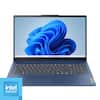
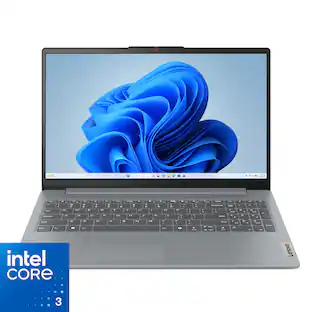
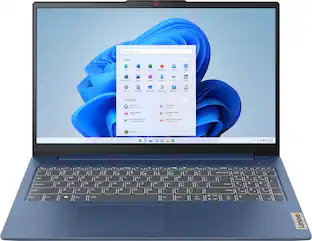
Lenovo - IdeaPad Slim 3i 15.6" Full HD Laptop - Intel Processor N355 2025- 8GB Memory - 128GB Storage - Arctic Grey

Impossibly slim, the Lenovo IdeaPad Slim 3i is amazingly dynamic and remarkably smart to take your work and play to the next level. Combined with an array of AI-driven productivity features, you’ve got the full works right in your hands.

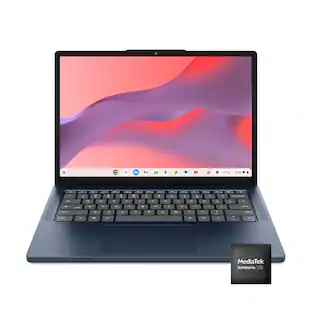
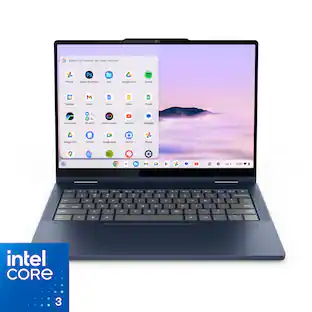
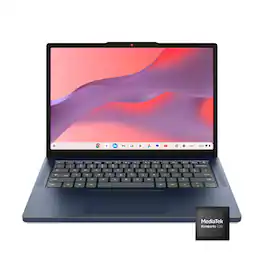
Lenovo - IdeaPad Slim 3 Chromebook - 14" 2K Touchscreen Laptop - MediaTek Kompanio 540 2026 - 8GB Memory - 128GB Storage - Cosmic Blue
4.8(35)

Live animated, live lively, live balanced. When you’re packing the thin and light IdeaPad Slim 3 Chromebook laptop, featuring WiFi 6E and 18 hours of battery life, balancing work and play all day becomes effortless. The 14" 2K IPS touchscreen display and MediaTek Kompanio 500 Series processors are a significant upgrade to your work and entertainment, with front-facing Waves-tuned speakers.

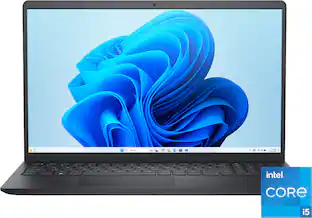
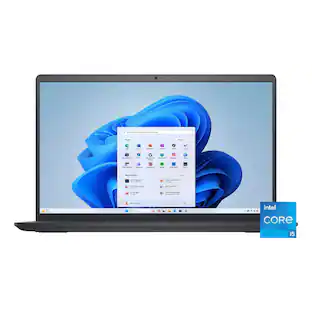
Dell - 15.6" 2K Touchscreen Laptop - Intel 13th Generation Core i5 1334U 2023 - 8GB Memory - 512 GB Storage - Carbon Black

Effortlessly chic. Always efficient. A 15-inch laptop with a built-in HD camera, enlarged ergonomic keyboard and Intel processors.
Pros for ASUS - CX34 14" FHD Chromebook Plus Laptop with Google AI - Intel Core i5 - 8GB Memory - 128GB Storage - Rock Grey
Processor Speed, Battery Life, Portability, Build Quality, Port CountOverall Performance, Portability, Battery Life, Processor Speed, DesignOverall PerformanceOverall Performance, Portability, Design, Touchscreen Responsiveness, Speed
Cons for ASUS - CX34 14" FHD Chromebook Plus Laptop with Google AI - Intel Core i5 - 8GB Memory - 128GB Storage - Rock Grey
There were no cons for this productTouchscreenThere were no cons for this productBattery Life

Specs

Questions & Answers
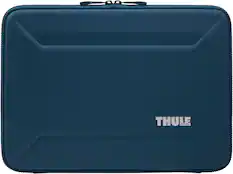
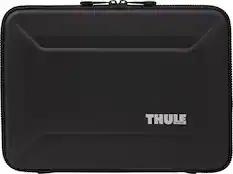
  • What laptop hardcover is recommended for this laptop?

    The recommended hard shell option for this CX3402CVA Chromebook is a custom-fit, translucent polycarbonate snap-on cover designed specifically for this 14-inch model to protect against scratches and minor drops, like the the mCover Hard Case by iPearl.

    Answered by ASUS Answers
    ASUS Answers response
  • Does it have a full keyboard

    Yes. This CX3402CVA Chromebook has a full-sized chiclet keyboard. Since it is a 14-inch compact laptop, it omits the separate numeric keypad on the right, but it has a complete set of standard letter keys, punctuation keys, and a dedicated row of Chrome OS shortcut keys at the top.

    Answered by ASUS Answers
    ASUS Answers response
  • Does this have a thunderbolt port for external monitor support?

    The ASUS Chromebook CX3402CVA does not include a Thunderbolt port. Instead, it features two USB 3.2 Gen 1 Type‑C ports that support display output and power delivery, along with an HDMI 1.4 port for external monitor connections.

    Answered by ASUS Answers
    ASUS Answers response
  • Is this Chromebook lightweight?

    Yes, it weighs just 3.22 lbs.

    This question and answer was generated by AI based on customer and product data.
  • What processor is used in this Chromebook?

    It's powered by an Intel Core i5 processor.

    This question and answer was generated by AI based on customer and product data.
Ask a question
No content

Customers often buy these together

Sponsored

Finance Options

My Best Buy® Credit Card
Choose a benefit:Or
Buy Now, Pay Later
Lease to own