“My computer will not detect the included mouse therefore setup was only using the included keyboard. We tried several mouses to no avail. It was purchased as open box - excellent. I'm assuming the driver needs to be updated. Any help appreciated.”
Answer This Question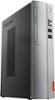
1-2 of 2 Answers
Did you try the keyboard in the other usb slots ? .. and then the mouse in the one the keyboard was in ? If the keyboard is working the usb driver is loaded .. Shut down the machine, unplug the power and push the ON button (to drain power from the unit) plug system back in and reboot .. If the keyboard works in other usb ports but not the mouse ... i would try any other usb device and see if it is working .. this may also be a power supply issue .. without enough 'juice' to power more than one usb device. (power supplies can cause all kinds of issues.) .c.
Sorry, there was a problem. Please try again later.We are sorry to hear that you are having issues with the wired mouse that was included with the Lenhovo IdeaCentre 310s Desktop. We recommend you call Lenovo Tech Support at: 877-453-6686.
Sorry, there was a problem. Please try again later.