Questions & Answers
- Model:
- 82V6S00000
- |
- SKU:
- 10898275
Q: QuestionCan this handle basic Roblox? And please don’t answer with…. This will depend on the requirements of the program. Thanks!
Asked by Nicole.
- A:Answer No.
Answered by Marco
Q: QuestionIs this a basic computer user friendly? What is it’s basic functions?
Asked by Theresa.
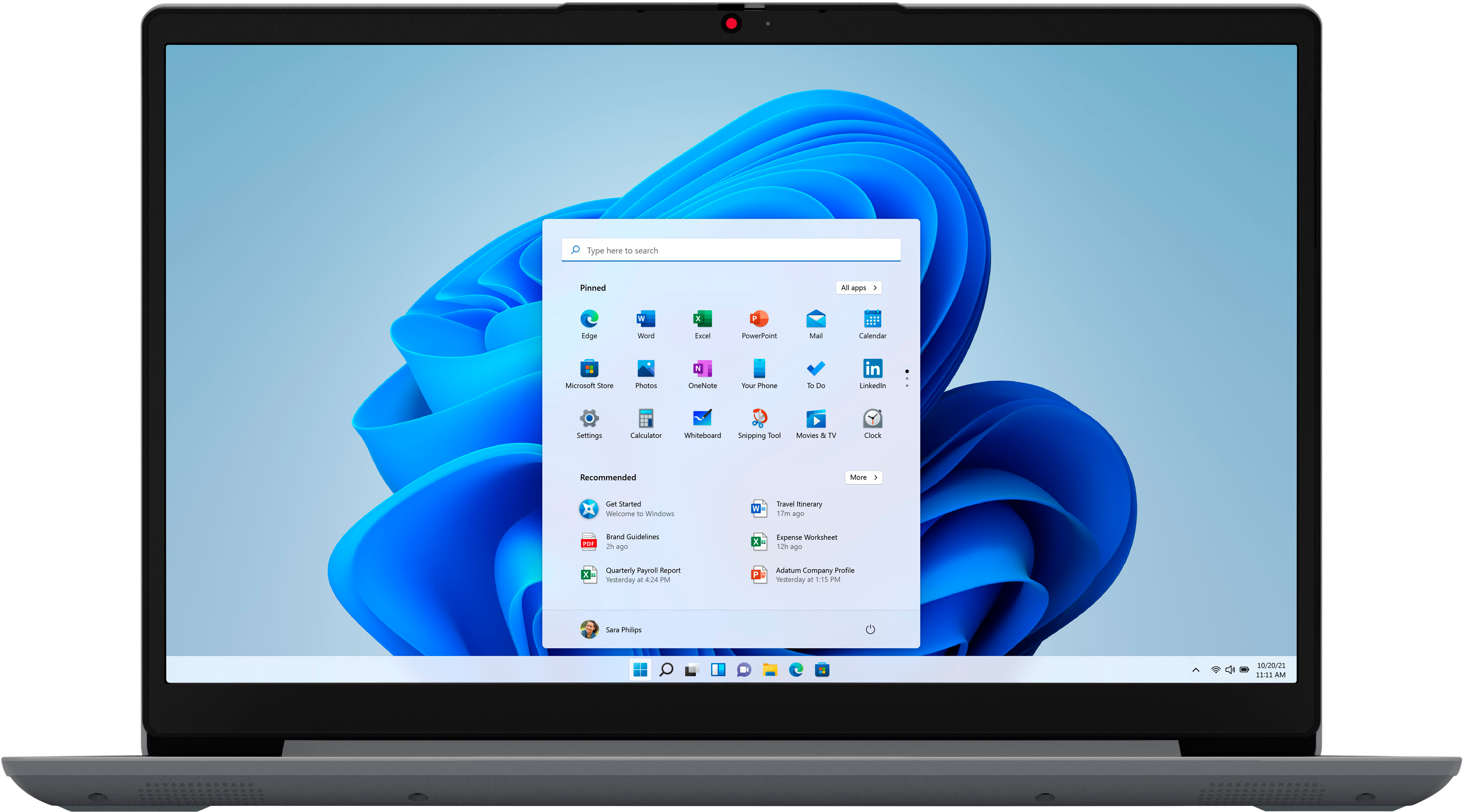
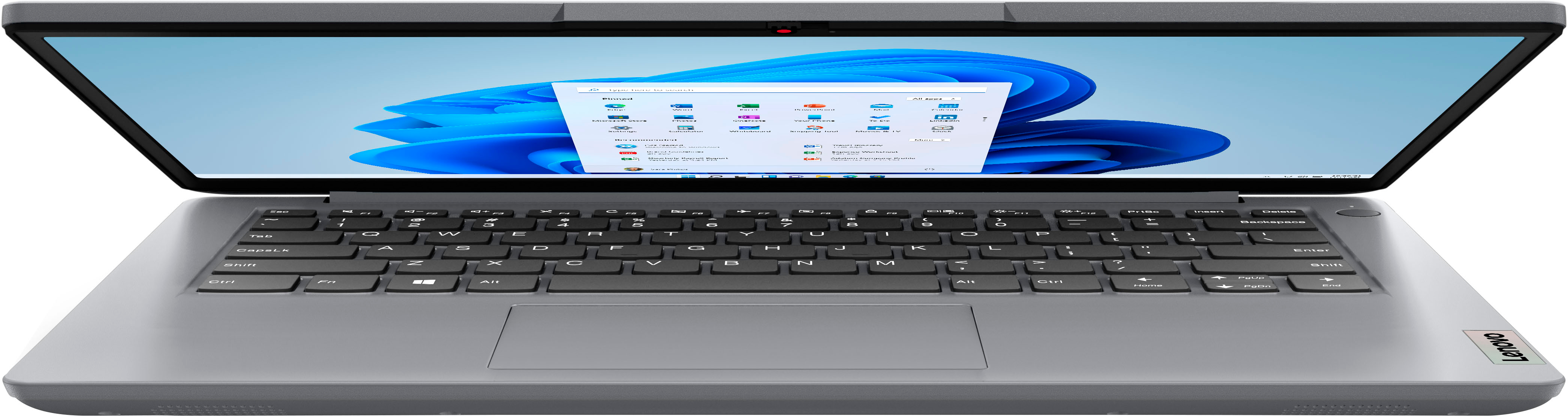
- A:Answer This entry-level, Lenovo IdeaPad 1i 14 Laptop, model number 82V6S00000, ships with Windows 11 S-Mode, 64-bit Operating System installed: Windows 11 S-Mode provides added security by only allowing APPs available ( and therefore certified by Microsoft) at the Microsoft Store. If you don't need the added security or you need to install APPs not available at the Microsoft Store, you can switch to standard Windows 11 Home 64-bit Operating System, at no additional cost. We always recommend you check the requirements and compatibility of any software you will be installing on your new computer, before you invest in any computer. Be sure your new computer can support the software you will need to use and your workload.
Answered by Lenovo Product Expert

Q: QuestionWill this boot from usb to run chrome or linux?
Asked by char.
- A:Answer Lenovo does not make this easy, but I did put Linux Mint Cinnamon (my favorite distro and de) on this machine. I tried to dual boot it and keep Windows, but Windows would not run/work. It complained that something was wrong and wanted to reset the system. I just chose to dump Windows and install only Linux MInt instead. Lenovo had it set up to delete the wifi card when I dumped Windows, so I had to find the means to install that missing driver, which complicated the move to Linux. (Wifi driver is: rtl8852be.) Now this Lenovo runs very fast with Linux on it. Have to warn anyone though that it was a chore. If you are an experienced Linux user, this machine can be converted. Want an easier experience, wait for good sale prices and buy Dell or ASUS. ASUS had sale prices the same a couple of months ago and I found it very easy to install Linux and it also dual boot installed properly. Lenovo and HP are doing much to thwart Linux.
Answered by glasscapt
Q: QuestionHow many USB ports are available in this model?
Asked by Anonymous.
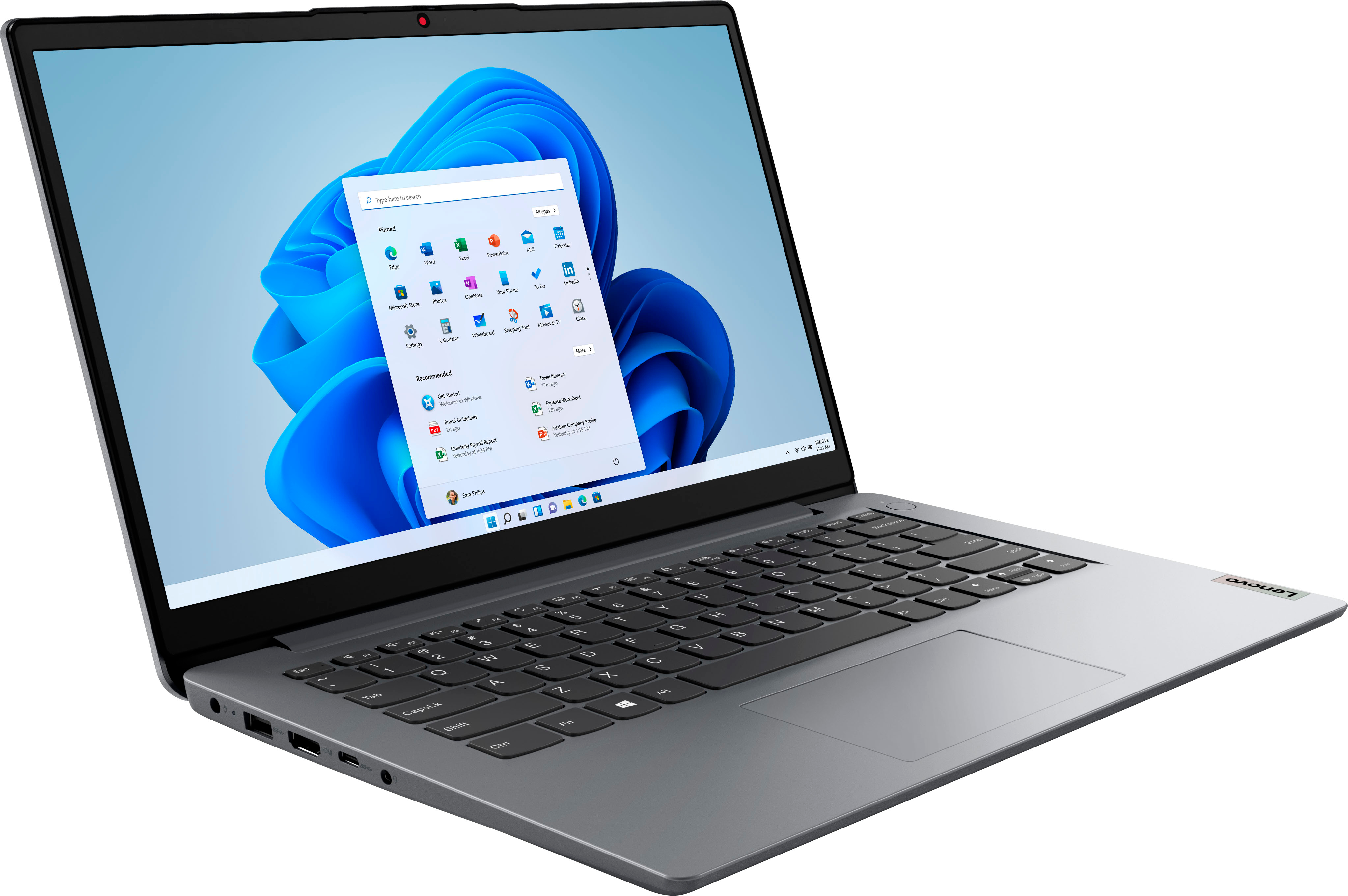
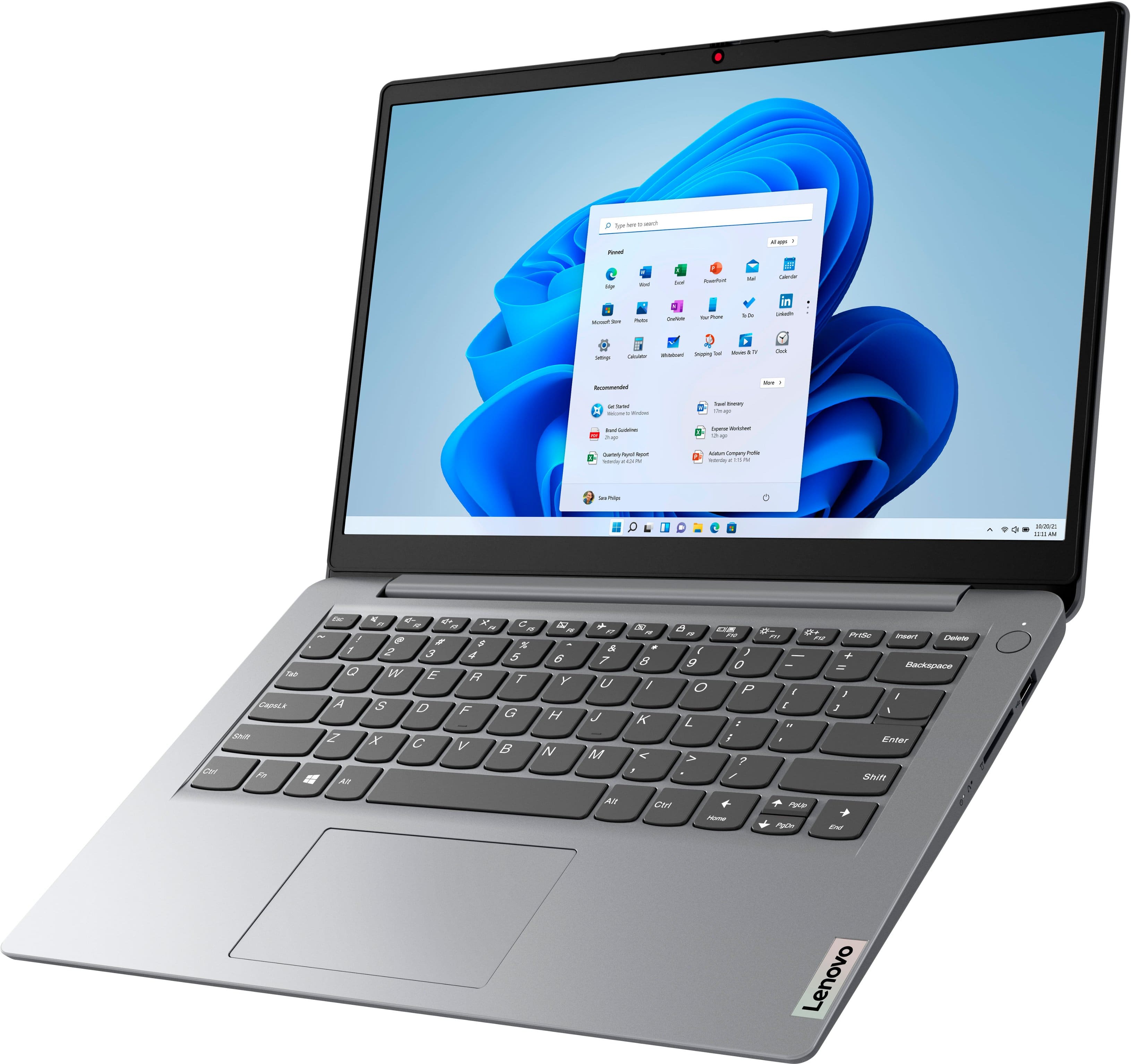
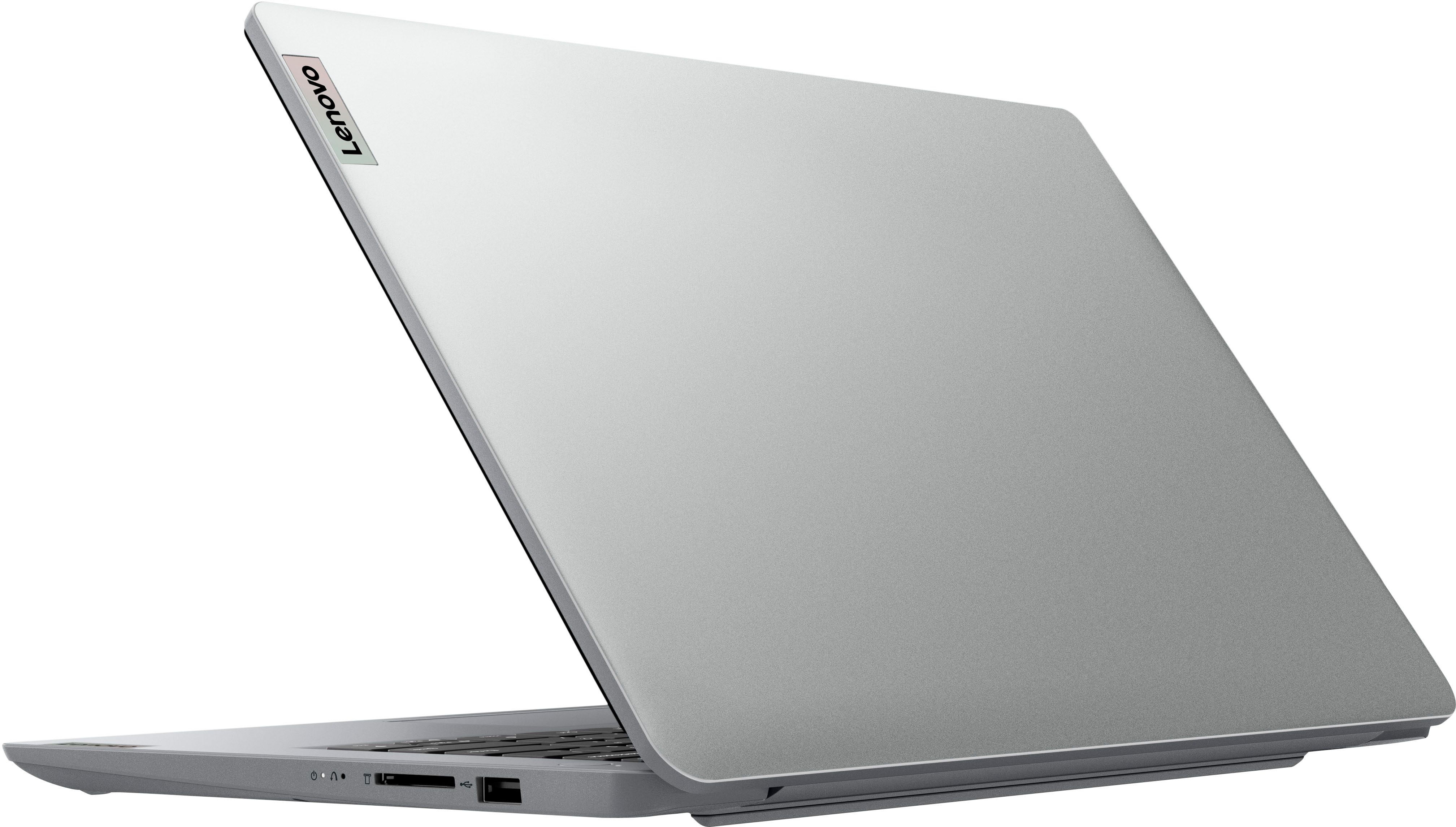
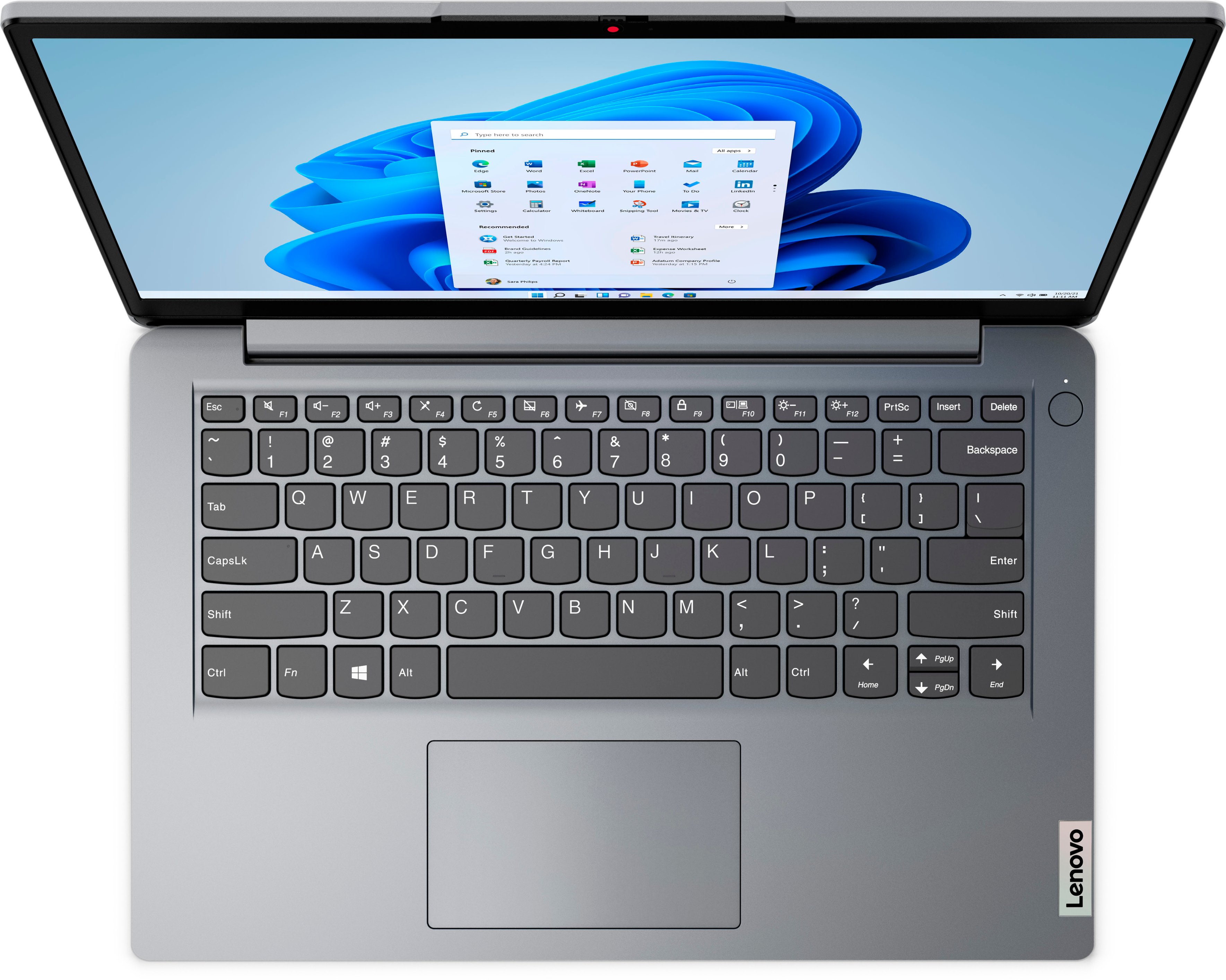
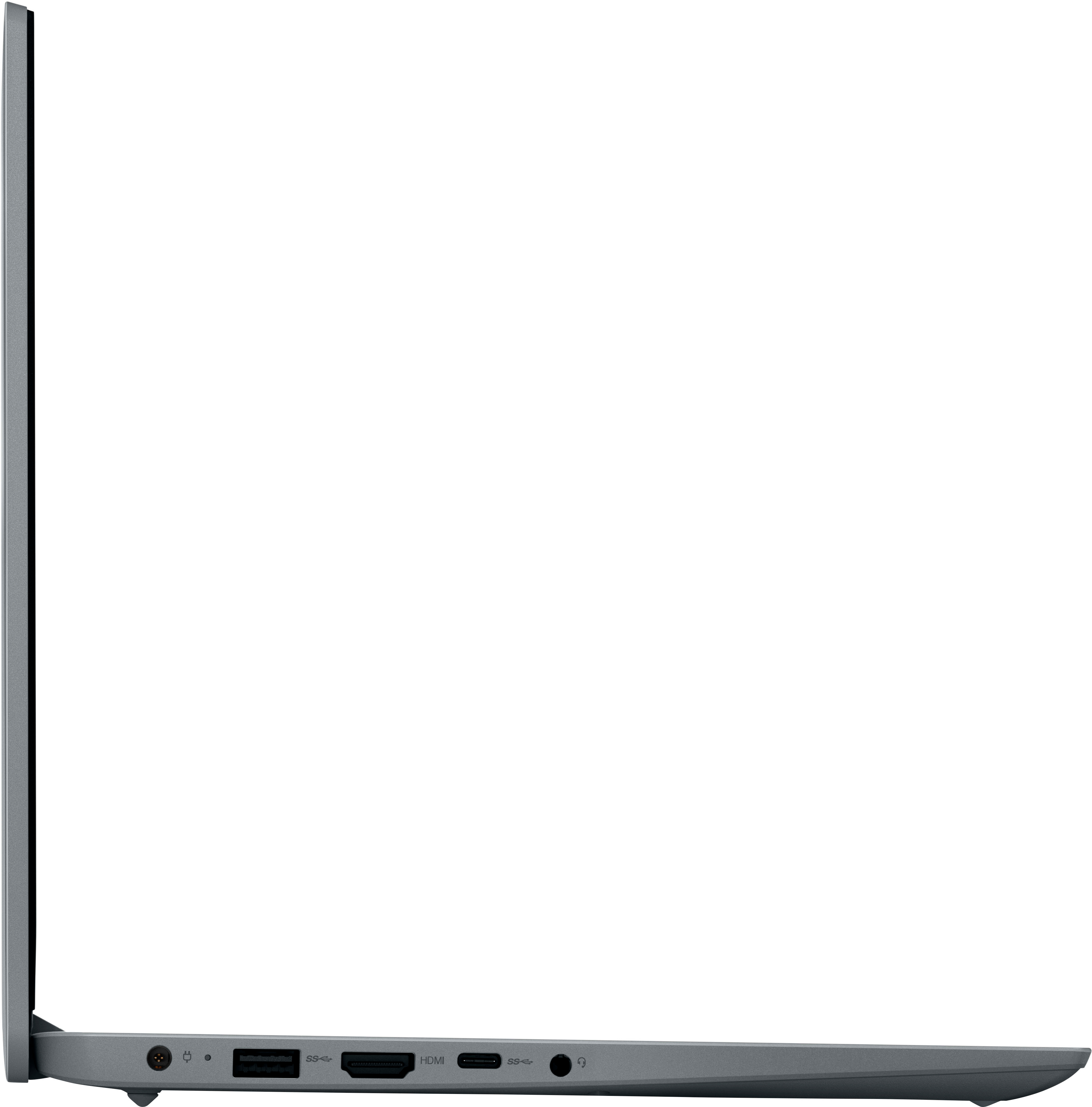
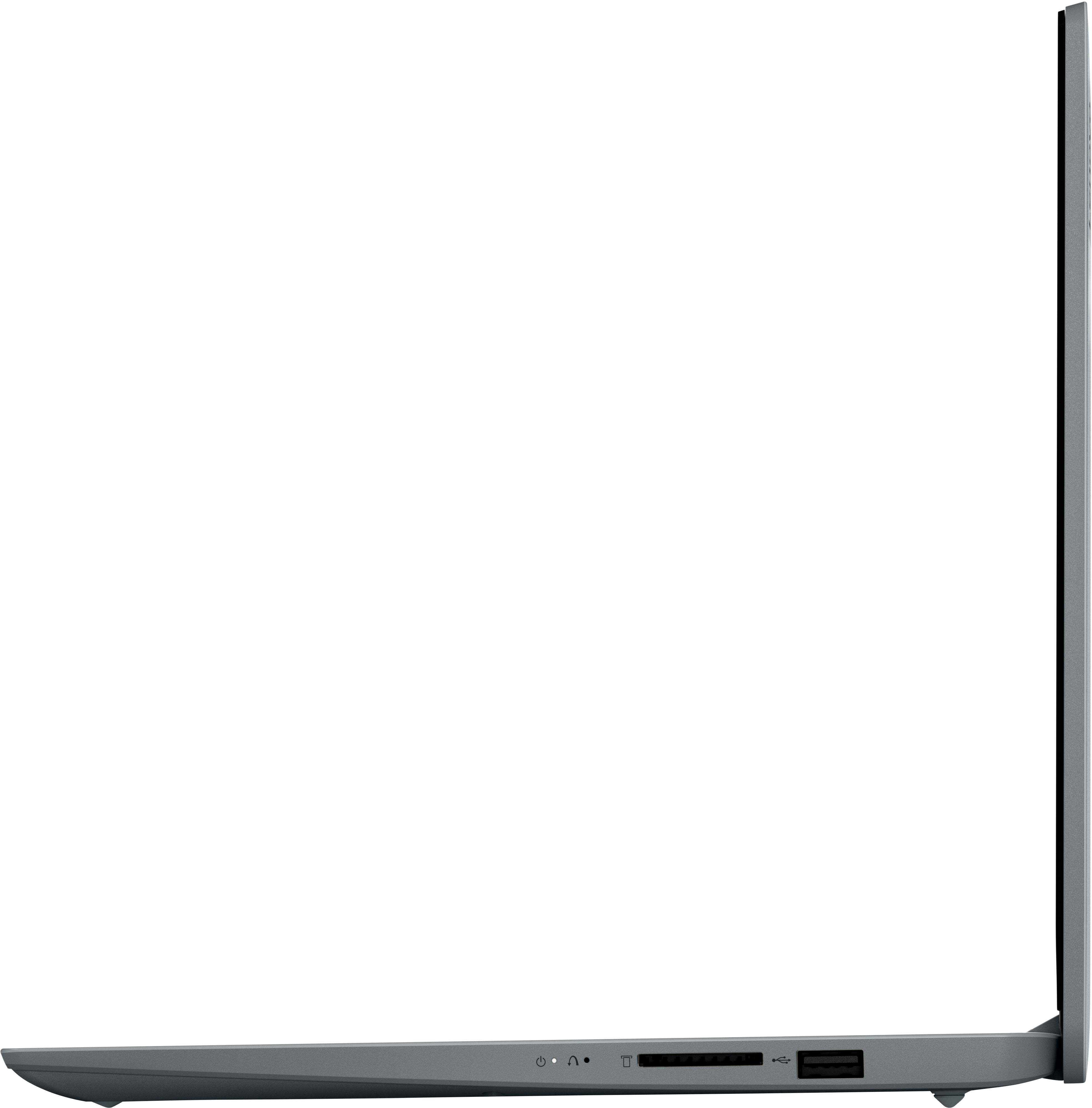
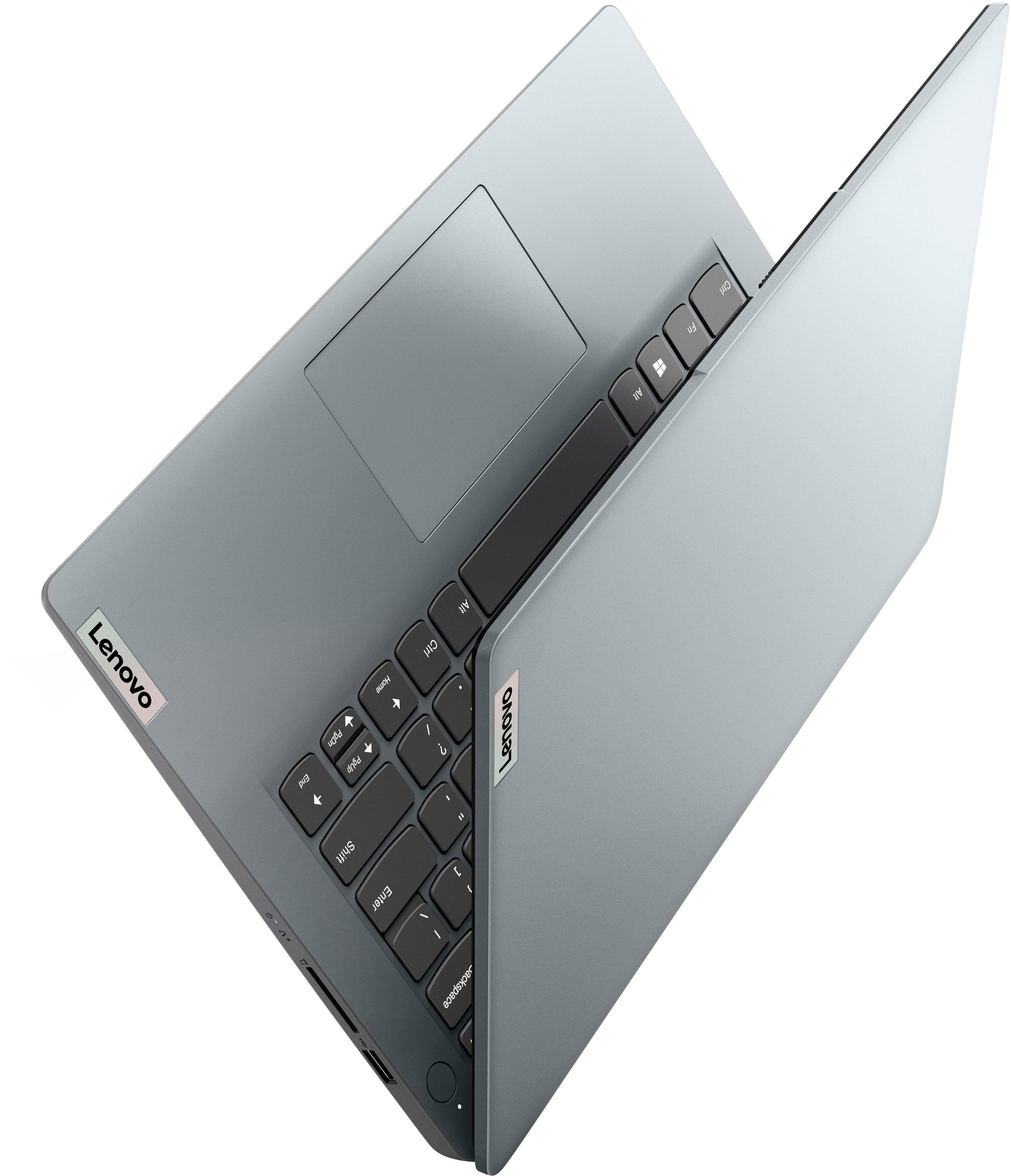
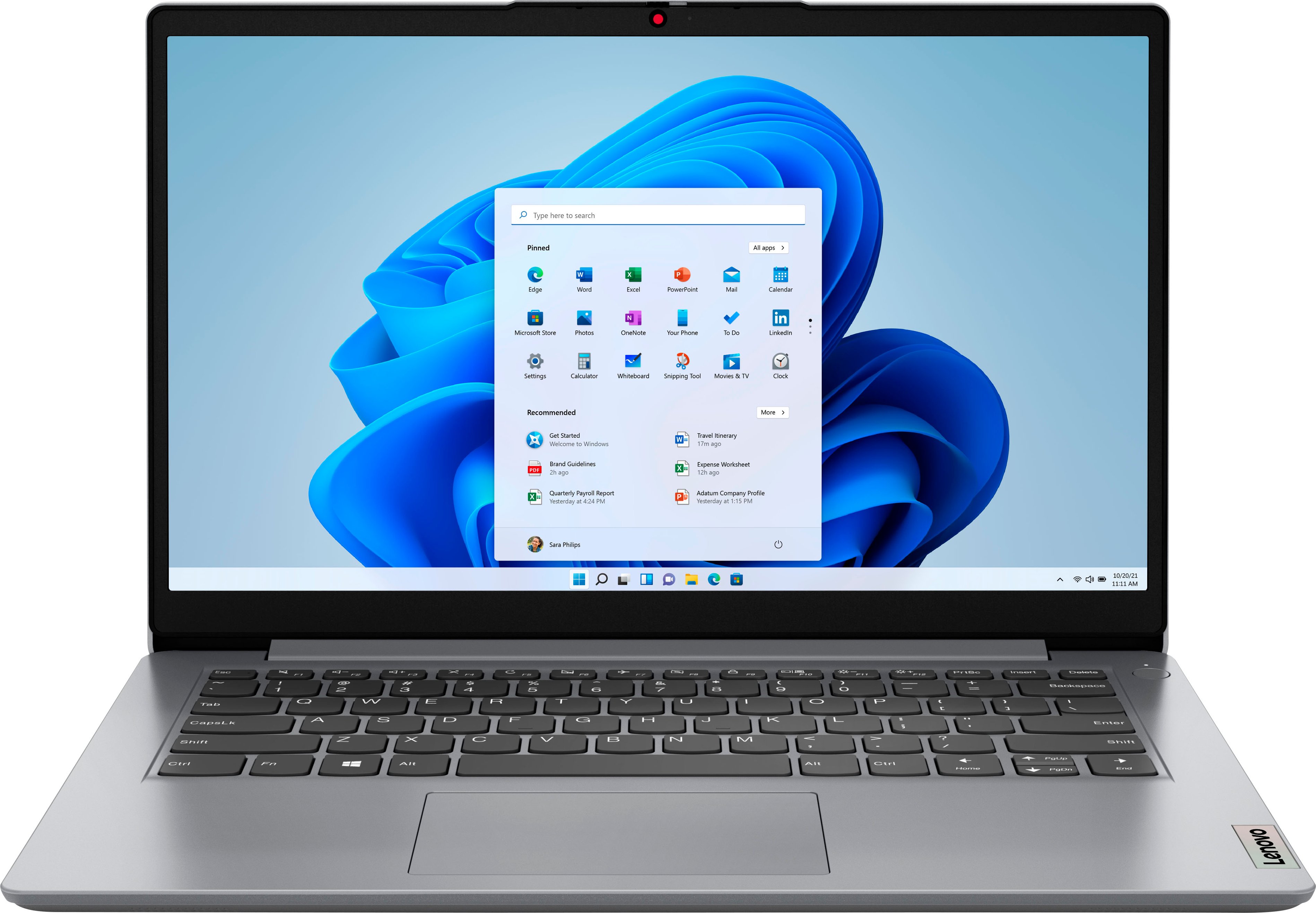
- A:Answer This entry-Level IdeaPad 1i 14 Laptop, model number 82V6S00000, ships with these ports: 1x USB 2.0, 1x USB 3.2 Gen 1, 1x USB-C 3.2 Gen 1 (support data transfer only), 1x HDMI 1.4b, 1x Card reader, 1x Headphone / microphone combo jack (3.5mm), 1x Power connector.
Answered by Lenovo Product Expert

Q: QuestionIs it possible to charge this laptop with a PD adapter through the USB-C side connection on the laptop.
Asked by Seacrest.
- A:Answer No. This entry-level, Lenovo IdeaPad 1i 14 Laptop, model number 82V6S00000, uses a dedicated, 45W round tip, device side (3-pin, USA compatible, wall side plug) AC adapter/charger, 100-240V, 50-60Hz, which is included with the laptop. The 1x USB-C 3.2 Gen 1 (support data transfer only) does not have Power Delivery In/Out capability.
Answered by Lenovo Product Expert

Q: QuestionIs the memory upgradable to 8 or 16 GB?
Asked by Oldfolks.
- A:Answer NO it is not
Answered by Brianbear1968
Q: QuestionDoes this computer have Word for basic writing documents?
Asked by Carrie.
- A:Answer This entry-level, Lenovo IdeaPad 1i 14 Laptop, model number 82V6S00000, ships with a 30-day trial of Microsoft Office 365 included as part of the Windows 11 S-Mode operating system. To keep the program active after the trial period, you will need to purchase a product key. You will not need to download any additional software.
Answered by Lenovo Product Expert

Q: QuestionCan you download and use this laptop for social media (Facebook, Instagram, Tiktok, YouTube) and is a mouse included with the laptop?
Asked by Kaymae72.
- A:Answer Yes, need to disable the S mode of Windows but it’s easy to do. Does not come with a mouse. Only the laptop and power charging cable.
Answered by Cheapolaptopbuyer
Q: QuestionDoes the SD card sit flush when inserted or stick out?
Asked by DigitalCurator.
- A:Answer It will stick out.
Answered by GadgetGirl99
Q: QuestionDoes this have remote desktop app on it? I want to use this to work remotely
Asked by God11420.
- A:Answer you can download chrome and install chrome remote desktop
Answered by Anonymous
Q: Questiondoes it use USB type C to charge ? and how is the battery life ?
Asked by Anonymous.
- A:Answer This entry-level, Lenovo IdeaPad 1i 14 Laptop, model number 82V6S00000, uses a 45W, round-tip AC adapter/charger which is included with the laptop. This entry-level IdeaPad 1i 14 ships with a 3CELL_42WH_INTERNAL, Lithium Polymer battery installed, which within this model configuration, has a battery life of up to 10 hours, depending on the work the device is performing. We always recommend you check the requirements and compatibility of any software you will be installing on your new computer, before you invest in any computer. Be sure your new computer can support the software you will need to use and your workload.
Answered by Lenovo Product Expert

Q: QuestionAre these self cooling or do you need a fan to go under the bottom?
Asked by Jeff.
- A:Answer This entry-level, Lenovo IdeaPad 1i 14 Laptop, model number 82V6S00000, is self-cooling and does not need an external cooling fan when used under normal light workloads. This Lenovo IdeaPad 1i 14 Laptop is an entry-level, light workload configuration. We always recommend you check the requirements and compatibility of any software you will be installing on your new computer, before you invest in any computer. Be sure your new computer can support the software you will need to use and your workload.
Answered by Lenovo Product Expert

Q: QuestionCan u print n fax wireless
Asked by Reg.
- A:Answer This entry-level, lenovo IdeaPad 1i 14 Laptop is compatible with any wireless printer and FAX that is compatible with the Chrome Operating System. We recommend you check with your printer/FAX manufacturer's web site for the compatibility and requirements of your specific printer/FAX. Once again, this Lenovo IdeaPad 1i 14 Laptop is an entry-level, light workload configuration. We always recommend you check the requirements and compatibility of any software you will be installing on your new computer, before you invest in any computer. Be sure your new computer can support the software you will need to use and your workload.
Answered by Lenovo Product Expert

Q: QuestionLaptop did not come with instructions, how do you set it up.
Asked by Anonymous.
- A:Answer Plug in the 45W round-tip AC adapter/charger that ships with your entry-level Lenovo IdeaPad 1i 14 Laptop. Let the laptop charge for approximately 15-minutes, then power on the computer. Windows 11 S-Mode, 64-bit Operating System provides step by step onscreen instructions for the activation and setup of Windows 11 S-Mode. If you have questions about your entry-level, Lenovo IdeaPad 1i 14 laptop, we recommend you contact Lenovo Tech Support for more information at: 866-426-0911.
Answered by Lenovo Product Expert

Q: QuestionCan i use a pen for this ideapad? If so which one?
Asked by Me.
- A:Answer No. This entry-level, Lenovo IdeaPad 1i 14 laptop is not compatible with any active pen or capacitive touch stylus. The screen is non-touch. We always recommend you check the requirements and compatibility of any software you will be installing on your new computer, before you invest in any computer. Be sure your new computer can support the software you will need to use and your workload.
Answered by Lenovo Product Expert

Q: Questionwhat is the noise level with this ? i know it has an SSD drive but does have any other internal parts that are mechanical that grids or spins that makes noise ? does it have fans ?
Asked by LiteGamer2022.
- A:Answer I have not encountered a fan with this computer. I think for the price it will have a small fan. It is super quiet for me. The only con for me is the display but for the price point I can deal with it.
Answered by GadgetGirl99
Q: Questiondoes it have ethernet connection
Asked by phil.
- A:Answer This entry-level, Lenovo IdeaPad 1i 14 Laptop, model number 82V6S00000, does not have an RJ-45 network/ethernet Jack, built in. You can connect this IdeaPad 1i 14 Laptop to a network/ethernet cable by using USB to ethernet adapter, which is sold separately, like this one: https://www.bestbuy.com/site/insignia-usb-to-ethernet-adapter-black/6483535.p?skuId=6483535
Answered by Lenovo Product Expert

Most-viewed items
- Doorbuster$429.99Your price for this item is $429.99
- $399.99Your price for this item is $399.99$749.99The comparable value for this item is $749.99
- Black Friday Deal$199.99Your price for this item is $199.99
- $489.00Your price for this item is $489.00$649.99The comparable value for this item is $649.99
- Black Friday Deal$629.99Your price for this item is $629.99
- Black Friday Deal$329.99Your price for this item is $329.99
- Black Friday Deal$999.99Your price for this item is $999.99
- Black Friday Deal$499.99Your price for this item is $499.99
- Black Friday Deal$399.99Your price for this item is $399.99
- Black Friday Deal$549.99Your price for this item is $549.99
- $499.99Your price for this item is $499.99$799.99The comparable value for this item is $799.99
- Black Friday Deal$319.99Your price for this item is $319.99
- Black Friday Deal$219.99Your price for this item is $219.99
- Black Friday Deal$999.99Your price for this item is $999.99
- Black Friday Deal$139.99Your price for this item is $139.99
- Black Friday Deal$499.99Your price for this item is $499.99
- Black Friday Deal$549.99Your price for this item is $549.99
- Black Friday Deal$679.99Your price for this item is $679.99
- Black Friday Deal$799.99Your price for this item is $799.99