A:AnswerHey bslot10,
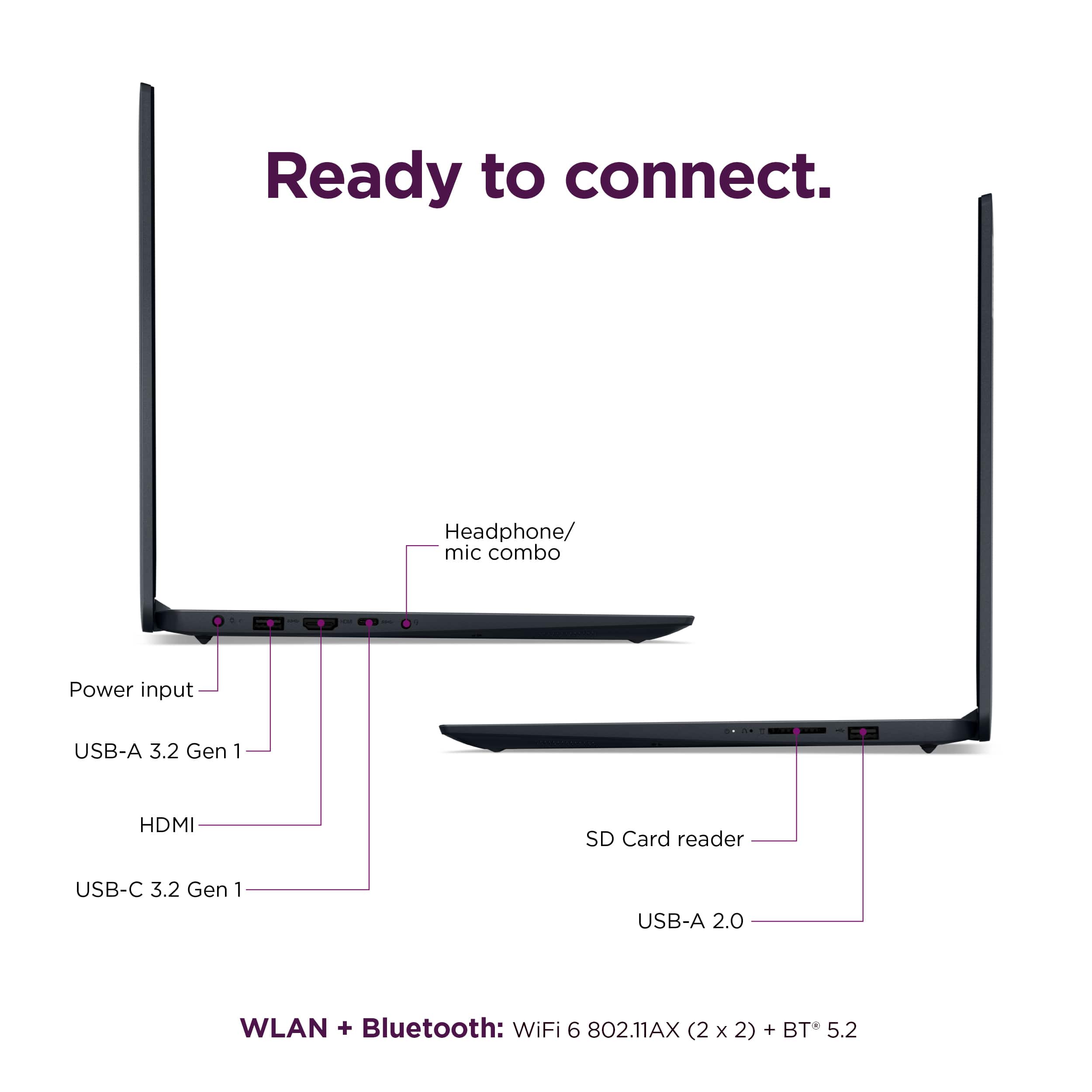
The part number for the included power adapter is: 5A11H02883, but to note, from the parts distributor, the power cord is not included.
Please feel free to reach out to us with any other questions!
A:AnswerHey Rob,
For the most accurate, up to date information regarding McAfee's security software, we recommend working with a Best Buy Blueshirt in store or virtually on their website.
Please feel free to reach out to us with any other questions!
A:AnswerYou need to find a USB-C hub. Docking stations are out and these lame USB hubs are in. https://www.lenovo.com/us/en/p/accessories-and-software/hubs/hubs_hubs/gx90t77924?orgRef=https%253A%252F%252Fwww.google.com%252F&cid=us:sem%7Cse%7Cgoogle%7Cpmax_non_pc%7C%7C%7CGX90T77924%7C18333294919%7C%7C%7Cshopping%7Cmix%7Cconsumer&gad_source=1&gad_campaignid=17414101395&gclid=CjwKCAiAw9vIBhBBEiwAraSATpdqpg1dWzZN2XmaApU-VDxHXCmYXE9jMDwNQ3H5TJ81WjZKt1xSUxoCrJ0QAvD_BwE
A:AnswerHey there,
The return conditions can vary on different factors. For details, we recommend visiting the following Best Buy webpage to view their return and exchange policies: https://www.bestbuy.com/site/help-topics/return-exchange-policy/pcmcat260800050014.c?id=pcmcat260800050014
Please feel free to reach out to us with any other questions!
A:AnswerHey bill,
We apologize for any confusion regarding this, and we appreciate your inquiry and attention to the matter. We wish to clarify that this IdeaPad 1i features Bluetooth 5.1 connectivity.
Please feel free to reach out to us with any other questions!
A:AnswerHey Endy,
The unit you may receive would likely be made in 2025. The year and manufacture the month of manufacturing varies for certain Lenovo product lines as manufacturing continues since the initial release date.
Please feel free to reach out to us with any other questions!
A:AnswerHey,
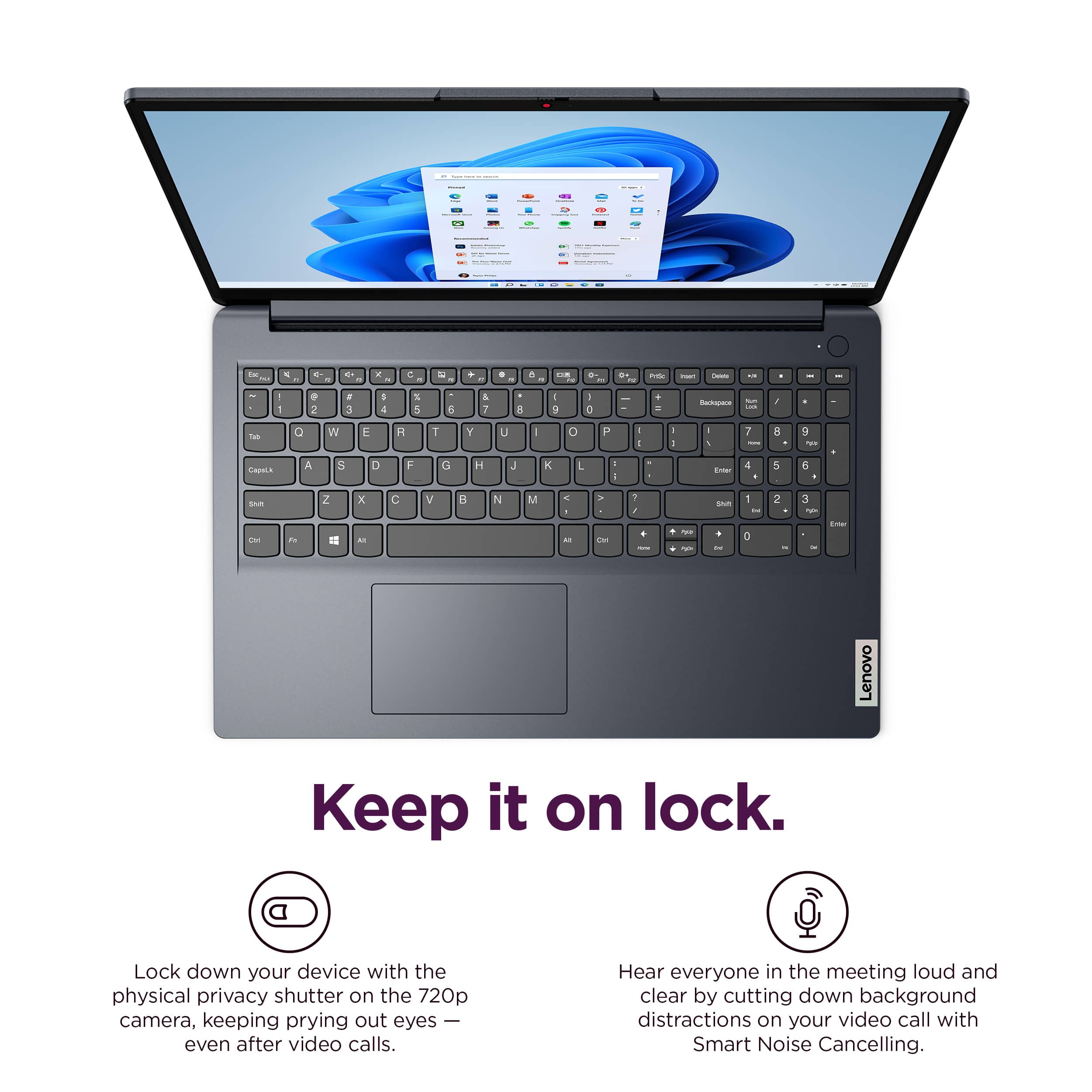
You can disable touch with this IdeaPad 1i. To learn how to do so, please visit the Microsoft Support webpage: https://support.microsoft.com/en-us/windows/enable-and-disable-a-touchscreen-in-windows-b774e29d-be94-990f-c20f-e02892e572fc, that's tied to this web address that details the process. Also, the IdeaPad 1 series does not feature keyboard backlighting. This is considered a premium feature that can be found on other devices higher in the product stack like certain IdeaPad 3 and IdeaPad 5 laptops.
Please feel free to reach out to us with any other questions!
A:AnswerHey JW,
You can use a wired or wireless mouse that connects via the system's USB-A ports. You can use a Bluetooth mouse with this IdeaPad 1i as well.
Please feel free to reach out to us with any other questions!
A:AnswerHi,
The IdeaPad 1i series does not feature a configuration with a backlit keyboard, as this is considered a premium feature, reserved for higher tier product lines like the IdeaPad 5.
Please feel free to reach out to us with any other questions!