Questions & Answers
- Model:
- 34UC88B
- |
- SKU:
- 5392607
Highly rated by customers for: Screen Size, Curvature, Sound Quality
Page Showing 1-10 of 10 questions
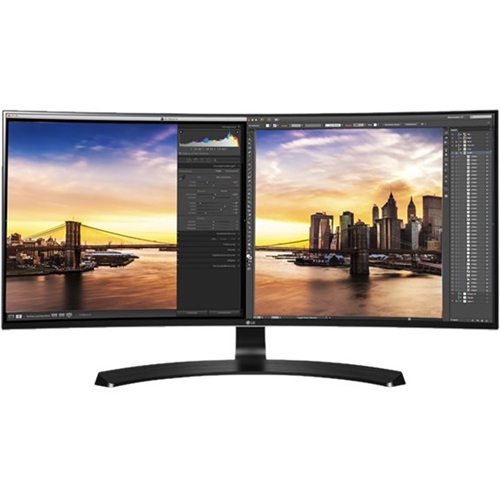
Q: QuestionWhat is the height of the monitor when on the stand shown in the picture?
Asked by Sam.
- A:Answer The LG 34'' Class 21:9 UltraWide® QHD IPS Curved LED Monitor (34'' Diagonal), Model # 34UC88-B has a height of 17.6" with the stand set on its lowest setting and a height of 22.4" when the it is adjusted to its highest setting...^IFV
Answered by LG Digital Customer Care

Q: QuestionWhat is the best wall mount for a LG-34UC88-B?
Asked by Farmboy.
- A:Answer The 34UC88B is compatible with mounts that use the VESA pattern 100 x 100. ^CP
Answered by LG Digital Customer Care

Q: QuestionCan this be used with a Mac?
Asked by BigK.
- A:Answer Yes, the 34UC88-B can be used with a Mac. ^CP
Answered by LG Digital Customer Care

Q: QuestionI have this monitor but want to get a second monitor widescreen NO curved which monitor would work well next to this one?
Asked by Enigma47.
- A:Answer Hello, please try to check the link (https://www.lg.com/us/monitors/lg-34GK950F-B-gaming-monitor0.^Venette
Answered by LG Digital Customer Care

Q: QuestionCan I use this as an alternate monitor for a MacBook Pro? I need to edit video with Premiere Pro. Thanks!
Asked by Ashley.
- A:Answer The LG 34'' Class 21:9 UltraWide® QHD IPS Curved LED Monitor (34'' Diagonal), Model # 34UC88-B features 2 x HDMI 2.0 inputs and a DisplayPort 1.2 input that you can connect to to use the monitor with your MacBook Pro. The monitor has a native resolution of 3440 x 1440 so your graphics card in your MacBook Pro should support that resolution and depending on what connectivity your MacBook Pro has, you may or may not need adapters or a conversion cable to make the necessary connections...^IFV
Answered by LG Digital Customer Care

Q: QuestionCan this monitor go vertical if a boom arm is holding it up?
Asked by Owen.
- A:Answer The LG 34'' Class 21:9 UltraWide® QHD IPS Curved LED Monitor (34'' Diagonal), Model # 34UC88-B is designed to display in landscape mode. It does not display in portrait mode...^IFV
Answered by LG Digital Customer Care

Q: QuestionCan this monitor be connected and extend the display of two different computers at once? A MacBook Air and a Dell.
Asked by Rytri140.
- A:Answer The 34UC88-B supports PBP (Picture-by-Picture) which is a function that splits the screen in half and allows you to display the output from two different source devices simultaneously on the left and right. Extending the display is a function that you can find in the Display Settings on your computer. If you right click on the desktop of a windows operating system, you can access the Display Settings from there. ^CP
Answered by LG Digital Customer Care

Q: QuestionWhat video card support 21:9 resolution?
Asked by vitaliyp.
- A:Answer About any of them do. Just depends on how much you're willing to spend. An easy way to get this info is just to look at the specifications.
Answered by Anonymous
Q: QuestionIs this a curved monitor?
Asked by Sam.
- A:Answer Yes, it is an UltraWide Curved screen. ^AC
Answered by LG Digital Customer Care

Q: QuestionWhat kind of screen cleaner can I use for this monitor?
Asked by Yaro.
- A:Answer To clean your monitor screen: Unplug the power cord, then wipe gently with a soft cloth in order to prevent scratching. Clean only with a dry cloth and don't spray water or other liquids directly on the TV, as electric shock could occur.Don't clean with chemicals such as alcohol, thinners, or benzene. ^CP
Answered by LG Digital Customer Care

Page 1, Showing 1-10 of 10 questions
Best-selling Best Buy
- Ultimate Deal$299.00$299.00
- Ultimate Deal$99.00$99.00
- $14.99$14.99The price was $19.00
- $640.00$640.00The price was $649.99
- $24.99$24.99The price was $29.99
- Ultimate Deal$299.99$299.99
- $59.99$59.99The price was $99.00
- $329.99$329.99The price was $469.99
- $14.99$14.99The price was $19.00














