Questions & Answers
- Model:
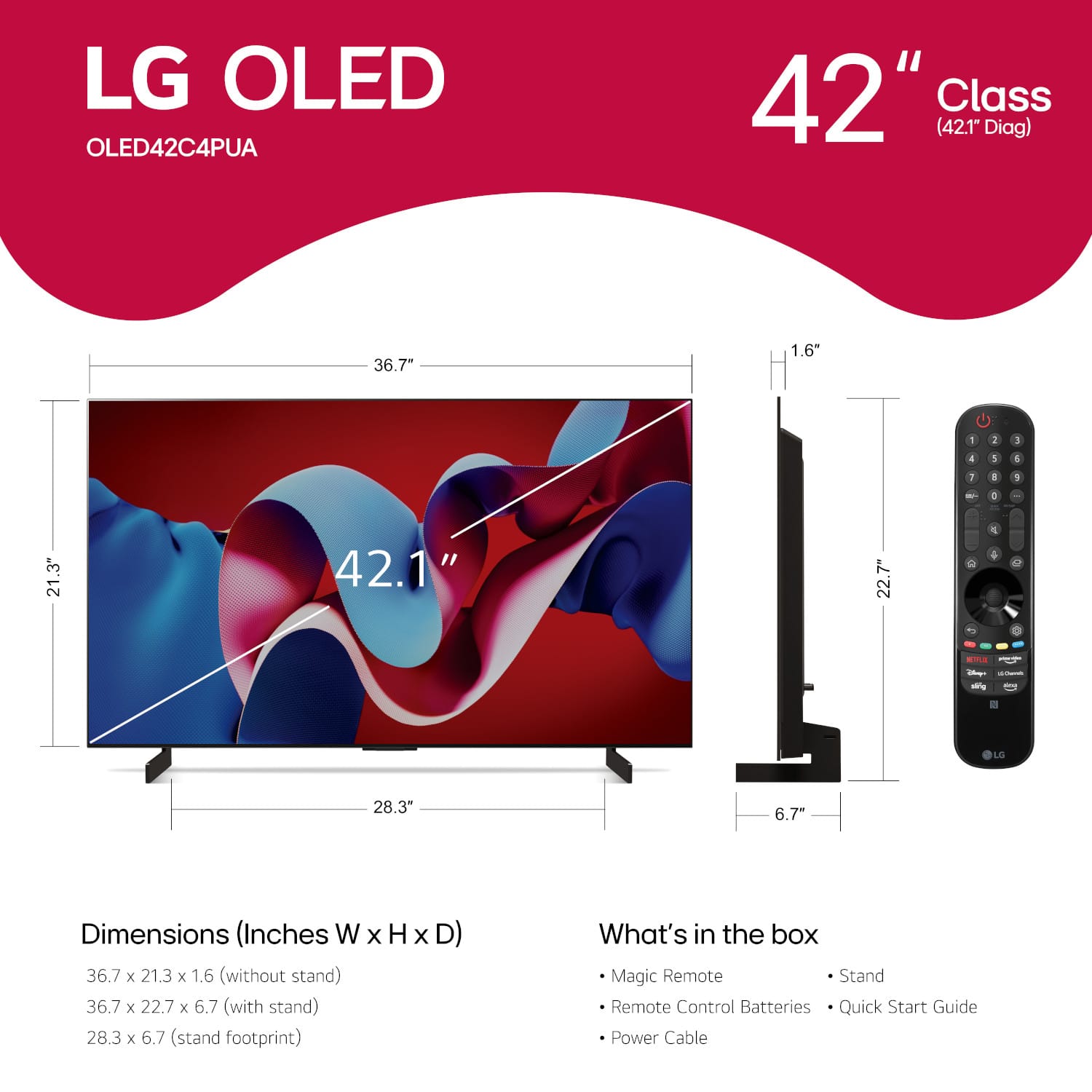
- OLED42C4PUA
- |
- SKU:
- 6578050
Highly rated by customers for: Picture Quality, Gaming, Refresh Rate
$949.99Your price for this item is $949.99
Clearance
Comp. Value: $999.99
The comparable value price is $999.99
Page Showing 21-31 of 31 questions
Q: QuestionDoes it work with ROKU sticks?
Asked by BiSm.
- A:Answer Yes, it works great with Roku stick and remote. That's how I have mine setup and love it!
Answered by ChrisL
Q: QuestionDoes this TV support Sennheiser wireless headphones where the base needs to be connected to the TV?
Asked by PB.
- A:Answer It supports most kinds of Bluetooth devices, whether they are external speakers or headphones, as well as offering, optical/digital out, which can go to a Sennheiser base station
Answered by user660057
Q: QuestionDoes this have variable refresh rate options, for PS5 and Xbox?
Asked by Dustin.
- A:Answer Yes it has a VRR option for gaming consoles.
Answered by jsparks118
Q: QuestionWill I be able to hook my Xbox up to this? Also how much nits of brightness does this TV have?
Asked by Samuel263.
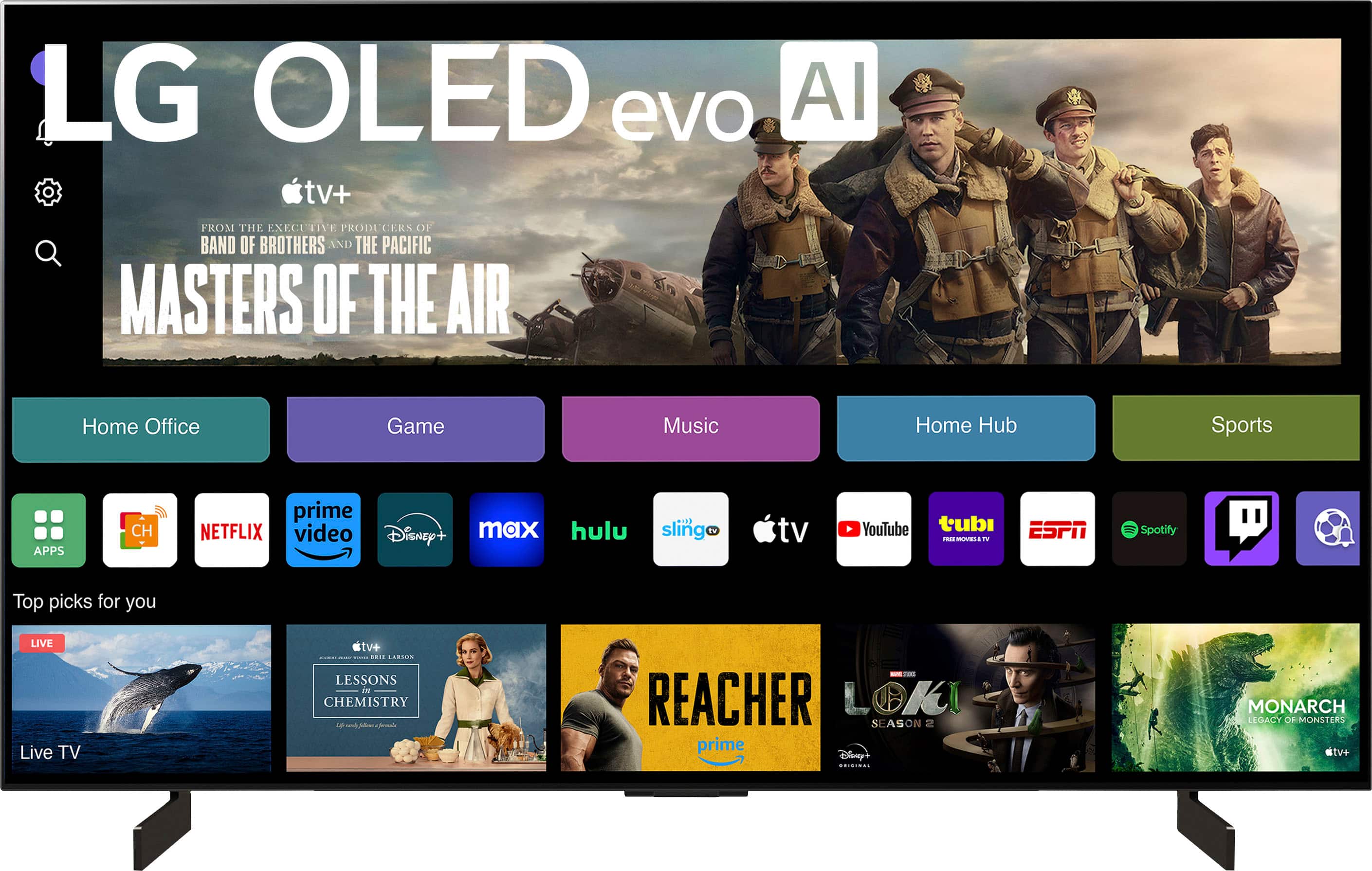
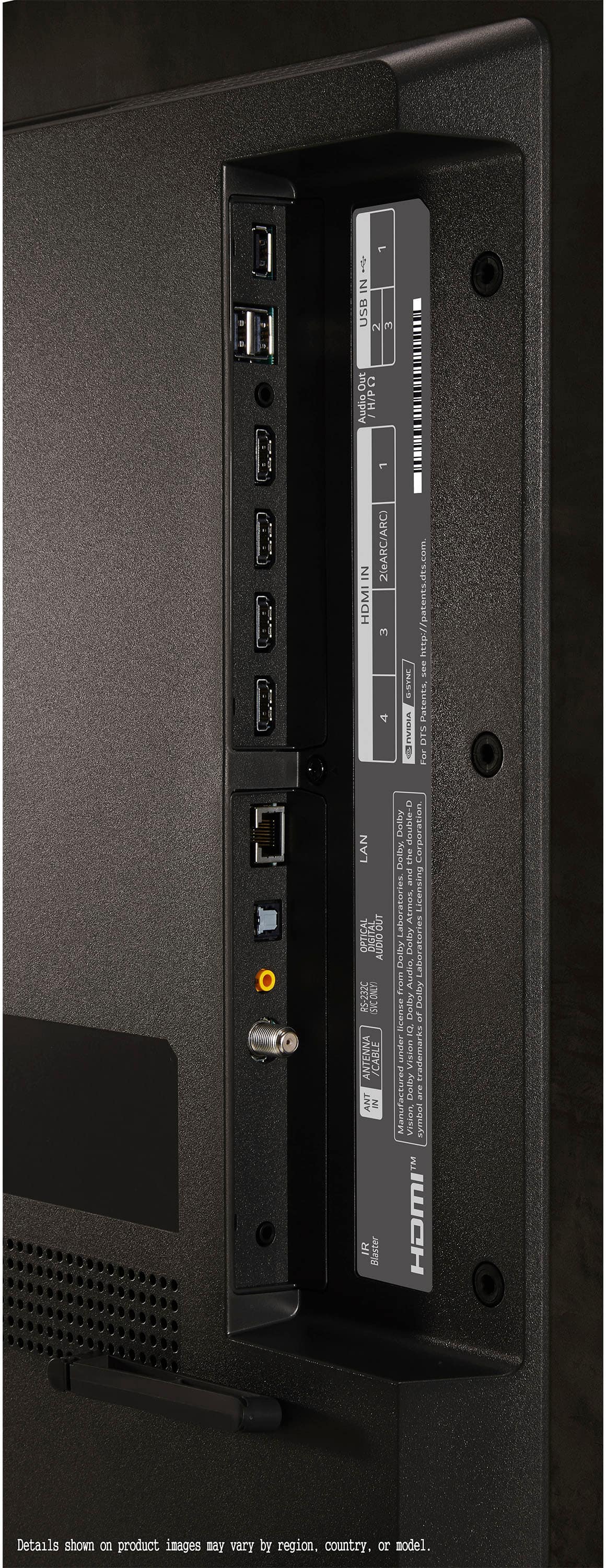
- A:Answer Yes—you can plug your Xbox straight into the C4 just like any modern console, and here’s the brightness rundown: - Xbox Compatibility • Four HDMI 2.1 ports, each supporting 4K @ 120 Hz, VRR, ALLM and Dolby Vision on Xbox Series X|S (and 4K @ 60 Hz on older Xbox One consoles). - HDR Peak Brightness (42″ model) • ~605 nits on a 1% window • ~646 nits on a 10% window • Full-screen (100%) hits ~115 nits. - SDR Brightness (42″ model) • Small highlights (10% window) around ~330 nits.
Answered by Debbie
Q: QuestionWas wondering, will this tv allow the ps5 to work its full capacity like 4k with 120fps?
Asked by Nick.
- A:Answer Hello there! Thank you for your inquiry about the OLED42C4PUA TV. Yes, this model supports 4K resolution at 120fps, making it fully compatible with the PS5 for an enhanced gaming experience. You'll be able to enjoy smooth graphics and vibrant visuals. If you have any further questions or need assistance, please send us a private message on Social Media @LGUSSupport, and our team will be more than happy to help you. We appreciate your interest! —Avril
Answered by LG Digital Customer Care

Q: QuestionWhen used as a desktop monitor, there is a noticeable green tint to white elements which are not directly in front of the user. It also appears when viewing the screen from any kind of angle. RTINGS.com mentioned this in their review. Is this normal?
Asked by Kyle.
- A:Answer Hello there. Thank you for your question about the OLED42C4PUA monitor. We understand you're noticing a green tint to white elements when viewing from angles, as mentioned in RTINGS.com’s review. OLED screens, including this model, can sometimes exhibit color shifts or tints due to their display technology and viewing angles. While some degree of color shift is normal with OLED panels, it should not be excessively noticeable. To ensure you have the best viewing experience, we recommend checking your display settings and ensuring that the monitor's color calibration is adjusted. Additionally, the angle and distance from which you're viewing the screen can impact color perception. If you continue to experience issues or have further concerns, please send us a private message on social media @LGUSSupport. Our team is here to assist you further! —Renzo
Answered by LG Digital Customer Care

Q: QuestionDoes this LG - 42" Class C4 Series OLED TV have the live TV pause feature? Thank you.
Asked by JAH.
- A:Answer Hi there! The LG OLED42C4PUA does not include a native live TV pause feature as part of its built-in functions. To use live TV pause, you'll need an external device such as a DVR or set-top box that supports this feature. If you have more questions or need further assistance, please send us a private message on Social Media @LGUSSupport. We’re here to help with any additional details you might need. Thank you for reaching out! —Avril
Answered by LG Digital Customer Care

Q: QuestionWill this tv Bluetooth to a motomation adjustable bed frame
Asked by Bednoise.
- A:Answer Here’s the short of it: the C4 is a full-blown Bluetooth 5.1 audio source, but whether it’ll pair straight to your Motomation bed depends on how the bed’s speaker module advertises itself. - LG’s 42″ C4 OLED Evo can stream sound out over Bluetooth (A2DP/aptX/AAC) to any headset, speaker or soundbar that supports the standard audio‐sink profiles. - If your adjustable base’s “Immersive Sound” system shows up as a generic Bluetooth speaker when it’s discoverable, you can pair it directly on the TV via Settings → Sound → Sound Out → Bluetooth Device. - Many bed-frame speakers, however, only pair with their companion app (i.e. they act as a source, not a sink). In that case you’ll need a little Bluetooth audio transmitter plugged into the TV’s optical, headphone jack or HDMI-ARC port—then pair the transmitter to the bed’s speakers. Bottom line: check the bed’s manual (or ask its maker) for “A2DP Bluetooth audio‐sink” support. If it’s there, pairing is as simple as any other speaker; if not, add a TV-side Bluetooth dongle.
Answered by Debbie
Q: Questioni see there is also a B4 model. whats the difference?
Asked by C4.
- A:Answer C4 is brighter than B4.
Answered by Anonymous
Q: QuestionHi. Is the ATSC tuner the latest version (ie, 3.0)?
Asked by mollysrunguy.
- A:Answer Thank you for your interest in the LG Smart webOS TV. The LG OLED42C4PUA television features a built-in over-the-air (OTA) HDTV tuner, but it is not specified whether this tuner supports the latest ATSC 3.0 standard. You can download its owner's manual through this link for more information: https://www.lg.com/us/support/product/lg-OLED42C4PUA.AUS. For additional assistance, please reach out to us on social media @LGUSSupport so we can help you further. ^Cris
Answered by LG Digital Customer Care

Q: QuestionIs there a burn-in warranty for this TV?
Asked by Mike.
- A:Answer Hello, Mike. Thank you for your question. The LG OLED TV model OLED42C4PUA does come with a manufacturer's warranty that covers defects in materials and workmanship. However, there's no coverage for burn-in (image retention). We recommend checking the specific terms of your warranty or contacting LG Customer Support for detailed information regarding burn-in coverage. If you have any other questions or need further assistance, please send us a private message on our social media platform via @LGUSSupport. Our team will be happy to help. ^Sam

Answered by LG Digital Customer Care

Page 2, Showing 21-31 of 31 questions
Top Rated
- Doorbuster$169.99Your price for this item is $169.99
- Black Friday Deal$999.99Your price for this item is $999.99
- Black Friday Deal$99.99Your price for this item is $99.99
- Black Friday Deal$899.99Your price for this item is $899.99
- Black Friday Deal$349.99Your price for this item is $349.99
- Black Friday Deal$329.99Your price for this item is $329.99
- Black Friday Deal$399.99Your price for this item is $399.99
- Black Friday Deal$299.99Your price for this item is $299.99
- $279.99Your price for this item is $279.99$399.99The comparable value for this item is $399.99
- Black Friday Deal$999.99Your price for this item is $999.99
- Black Friday Deal$1,399.99Your price for this item is $1,399.99
- Black Friday Deal$189.99Your price for this item is $189.99
- Black Friday Deal$499.99Your price for this item is $499.99
- $999.99Your price for this item is $999.99$2,199.99The comparable value for this item is $2,199.99
- Black Friday Deal$329.99Your price for this item is $329.99
- $549.99Your price for this item is $549.99$1,299.99The comparable value for this item is $1,299.99
- Black Friday Deal$379.99Your price for this item is $379.99
- Black Friday Deal$449.99Your price for this item is $449.99
- Black Friday Deal$549.99Your price for this item is $549.99
- Black Friday Deal$499.99Your price for this item is $499.99