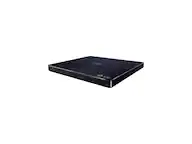
A:AnswerThis unit has a regional code printed on the rear of the unit. This unit can play only BD-ROM or DVD discs labelled same as the rear of the unit or “ALL”. ^CP
A:AnswerI am not sure about that, no guidance is offer in the manual for that. Please seek answers at https://lgcommunity.us.com. The LG Community Forum is a great resource for getting help from other LG customers. ^Daphane
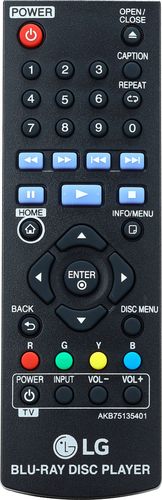
A:AnswerIf you have the original remote, point it towards your phone camera while holding down a button, if you can see a flash then the remote and the device is controlled by IR.
A:AnswerThis unit has a regional code printed on the rear of the unit. This unit can play only BD-ROM or DVD discs labelled same as the rear of the unit or “ALL”. ^CP
A:AnswerI am looking for a zoom feature on a player too.
I emailed Sony and they do not. An LG dvd player I had years ago did have a zoom feature. It allowed a bigger picutre without cutting of the captions. I fo not think it was a smart player though, so streaming content zooms would have the same hurlle.
The RokuTV does repositions the captions after a zoom, but you may what a better TV than Roku's clients offer.
A:AnswerThis unit has a regional code printed on the rear of the unit. This unit can play only BD-ROM or DVD discs labelled same as the rear of the unit or “ALL”. ^CP
A:AnswerThis unit has a regional code printed on the rear of the unit. This unit can play only BD-ROM or DVD discs labelled same as the rear of the unit or “ALL”. ^CP