“How do I get settings for small load and medium load? I need to conserve as much water as possible as water is expensive where I live,”
Answer This Question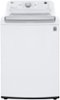
1-4 of 4 Answers
Hello there! Thank you for reaching out regarding the settings for small and medium loads on your WT7150CW washer. To conserve water while doing laundry, you can select the appropriate load size option. When you load your washer, look for the "Load Size" setting on the control panel. Here, you should find options for small, medium, and large loads. For smaller loads, select the "Small" option to minimize water usage, and for medium loads, choose the "Medium" setting. This adjustment will help ensure that the washer uses the least amount of water necessary for effective cleaning, allowing you to conserve resources while still getting your laundry done. If you have any more questions or need further assistance, please don’t hesitate to send us a private message on Social Media @LGUSSupport. Our team is here to help you with any inquiries you may have. We appreciate your interest in our products! —Avril
Sorry, there was a problem. Please try again later.This machine weighs the amount of the load to determine the amount of water used. It defaults to a lesser amount of water, but you can select "deep clean" and additional water is added to the wash cycle.
Sorry, there was a problem. Please try again later.It automatically senses the load and adjust the water.
Sorry, there was a problem. Please try again later.This washer adjusts automatically… at beginning of cycle. It knows by the weight
Sorry, there was a problem. Please try again later.