“Are you able to add both the Water Plus, as well as the soak functions for the same cycle? There is the Water Plus button. with the light illuminated when you press it. When you press the button for 3 sec., soak is activated. Can you have both?”
Answer This Question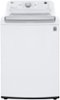
1-1 of 1 Answer
Hello there! We understand your inquiry about using both the Water Plus and Soak functions on your LG 5.0 cu ft High-Efficiency Top Load Washer (model WT7150CW). You can combine both options on most wash cycles. To do this: Select your desired wash cycle (for example, Normal or Heavy Duty). Activate Soak by pressing and holding the Soak button for 3 seconds until its indicator light turns on. Press the Water Plus button once so its light also illuminates. Close the lid fully and then press Start/Pause to begin the cycle. Troubleshooting tip: If one of the option lights doesn’t stay on, cancel the cycle by pressing Start/Pause, then re-select your cycle and options within 8 seconds—this ensures the washer’s control board registers both selections. Also, confirm the lid is completely closed; the washer won’t accept option changes if the lid sensor isn’t engaged. https://www.bestbuy.com/site/lg-5-0-cu-ft-high-efficiency-top-load-washer-with-6motion-technology-white/6464959.p?skuId=6464959 For any further assistance or if you’d like us to walk through this step-by-step, please send us a private message on social media @LGUSSupport and our team will be more than happy to explore possible solutions. We appreciate your patience as we work together to get your washer running just the way you need! —Renzo
Sorry, there was a problem. Please try again later.