A:AnswerThe keyboards that have been tested for compatibility with LG TVs that will work with the LG 55 inch Class 4K Smart UHD TV w/AI ThinQ® (54.6'' Diag), Model # 55UM7300PUA are: LOGITECH K360, LOGITECH K400, LOGITECH K750, LG Electronics MKS-1200, LG Portable & Bluetooth® Wireless Rolly Keyboard™ 2, Model # KBB-710 and the LG Portable & Bluetooth® Wireless Rolly Keyboard™, Model # KBB-700...^IFV
A:AnswerHi Gary. The ATT Now app is not a compatible app that can be downloaded and installed on the LG 55 inch Class 4K Smart UHD TV w/AI ThinQ® (54.6'' Diag), Model # 55UM7300PUA...^IFV
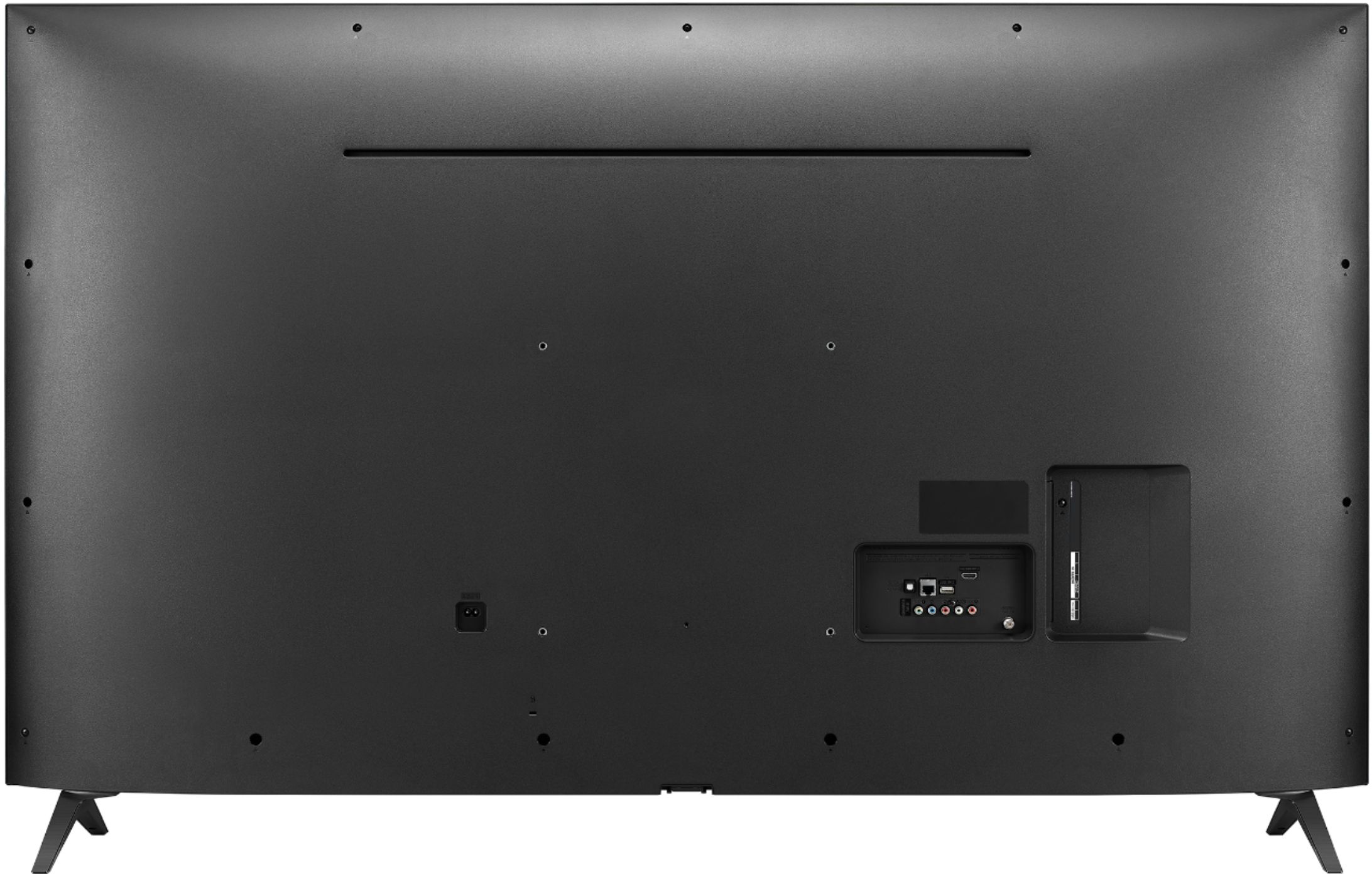
A:AnswerThe metric measurement for the width of the VESA standard screws that will fit into the VESA bolt holes on the LG 55 inch Class 4K Smart UHD TV w/AI ThinQ® (54.6'' Diag), Model # 55UM7300PUA is M6 (i.e. 6mm) The length of the screw will depend on the depth of your current wall mount. You can measure the length of the screws that you have for the wall mount to determine what length is specific to your wall mount or check the installation that came with your wall mount to see what length of screws it came with. Wall mounts usually come with 2-3 sets of screws of varying length with spacers you can use if the screws are too long...^IFV
A:AnswerThe LG 55 inch Class 4K Smart UHD TV w/AI ThinQ® (54.6'' Diag), Model # 55UM7300PUA has a VESA Wall Mount Interface Pattern of 300 x 300 mm. The metric measurement for the width of the VESA standard screws for the VESA bolt holes is M6 (i.e. 6mm) which is the outside diameter of the threads. The length of the screw will depend on the depth (or thickness of the wall mount you use). New Wall Mounts will come with 2-3 sets of screws with the appropriate width and varying lengths with spacers you can use if the screws are too long. If you are looking to replace lost screws for an existing wall mount, you will need to measure it's depth to determine the length required for the mount...^IFV
A:AnswerYou will need to contact Verizon Fios to sign up with them for their cable service and they will provide you with a cable Set-Top box that they will connect to the LG 55 inch Class 4K Smart UHD TV w/AI ThinQ® (54.6'' Diag), Model # 55UM7300PUA so you can get On Demand for Fios through the Set-Top box...^IFV
A:AnswerThe Content Share function on the LG 55 inch Class 4K Smart UHD TV w/AI ThinQ® (54.6'' Diag), Model # 55UM7300PUA allows you to enjoy videos, music and photos saved on your PC. If you have Windows 7 or later installed on your PC, you can play music, video, photos, etc. on your TV without needing to install a separate program. Both the TV and your PC must be connected to the same network. You can use SmartShare PC Software to connect the music / videos / photos saved on the PC to your home network and play them on your TV. SmartShare PC Software can be downloaded and installed from the LG website (www.lg.com)...^IFV
A:AnswerWe do not have information regarding accessories that you are looking for as this is not something we produce. Our TVs are designed for use within the US. For best assistance with your inquiry, we recommend reaching out to Best Buy directly. Their phone number is 1-888-BEST BUY (1-888-237-8289). ^CP
A:AnswerHi Daryl. The LG 55 inch Class 4K Smart UHD TV w/AI ThinQ® (54.6'' Diag), Model # 55UM7300PUA is not a dual voltage TV. It has a power rating of 120 VAC, 50/60Hz. None of our 2019 models are dual voltage except for the smaller screens (28" or smaller) that come with an AC/DC Adapter that has an input voltage of 100-240V ~ 50/60Hz...^IFV