
Main Content

Questions & Answers

$999.99
Save $200
The comparable value is $1,199.99
Page Showing 1-20 of 58 questions
  • QuestionDoes this TV support screen mirroring?

    • Answer Yes, this TV supports screen mirroring.
    This question and answer was generated by AI based on customer and product data.
  • QuestionDoes this TV support Dolby Atmos?

    • Answer Yes, this TV supports Dolby Atmos surround sound.
    This question and answer was generated by AI based on customer and product data.

  • QuestionWhat is the refresh rate for this TV?

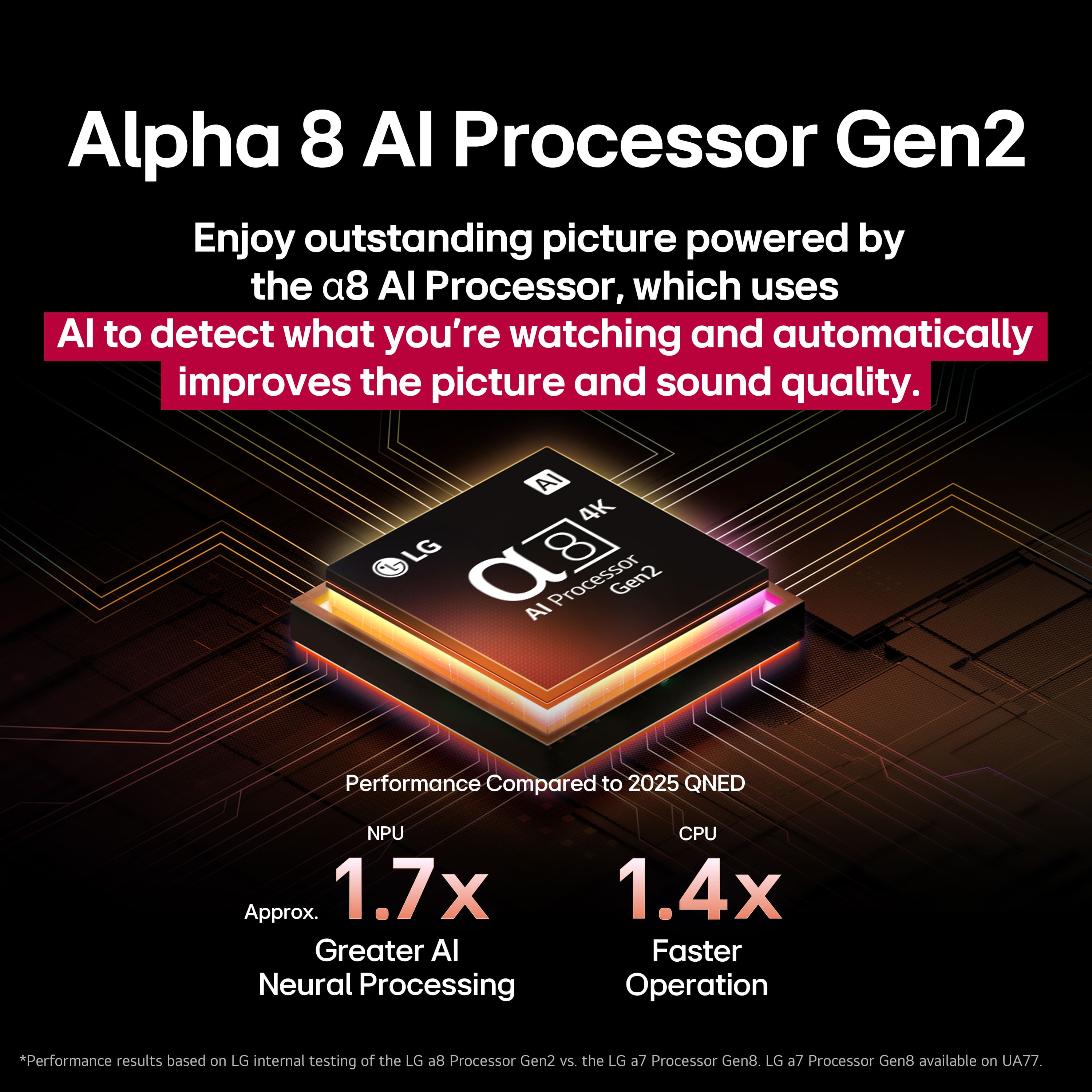
    • Answer The refresh rate of this TV is 120Hz.
    This question and answer was generated by AI based on customer and product data.

  • QuestionIs the TV able to be used indoors?

    • Answer Yes, this TV is designed for indoor use.
    This question and answer was generated by AI based on customer and product data.

  • QuestionDoes this TV have built-in speakers?

    • Answer Yes, this TV has built-in speakers.
    This question and answer was generated by AI based on customer and product data.

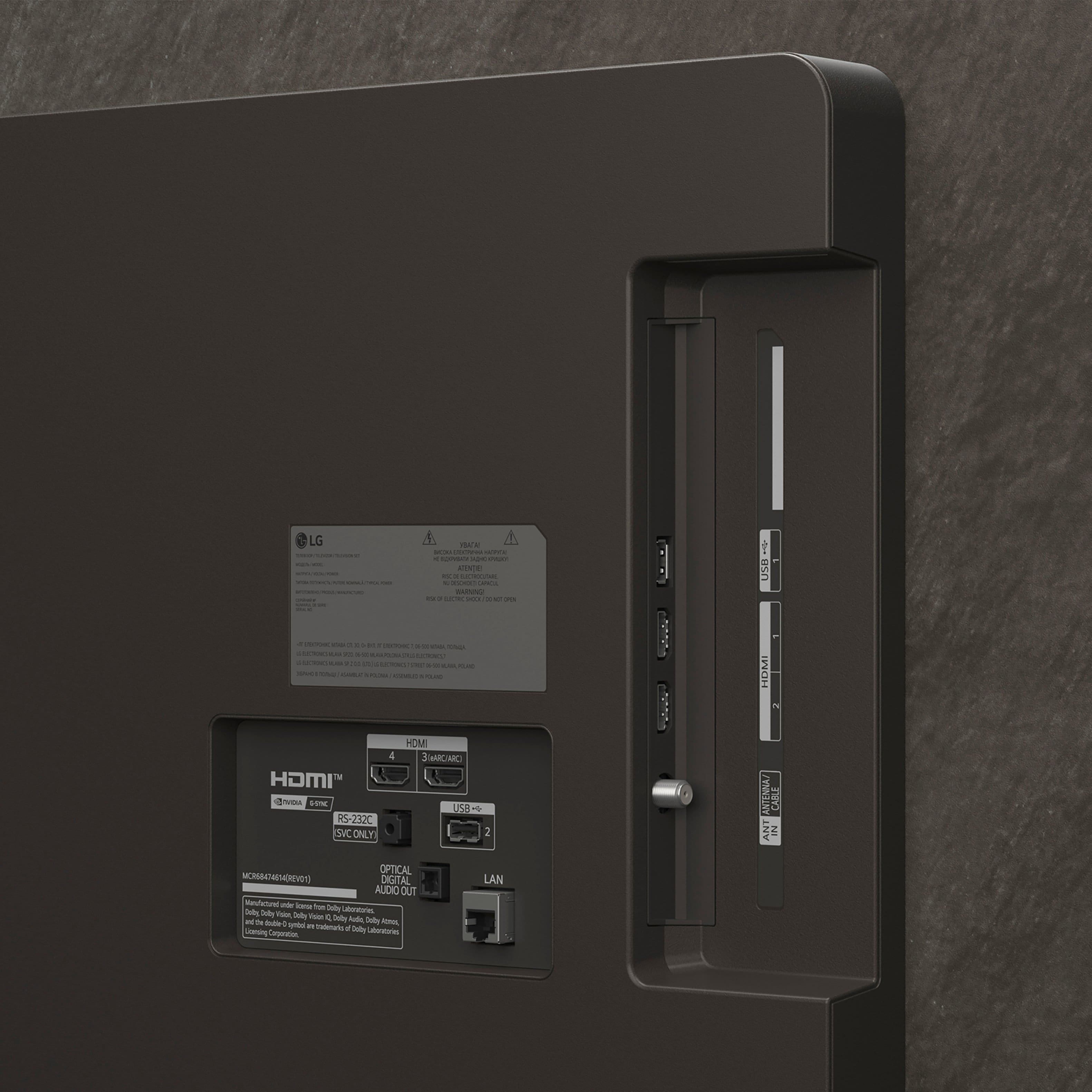
  • QuestionHow many HDMI inputs does this TV have?

    • Answer This TV has a total of four HDMI inputs.
    This question and answer was generated by AI based on customer and product data.

  • QuestionCan I share content from my mobile to this TV?

    • Answer Yes, you can share content from your mobile device to this TV.
    This question and answer was generated by AI based on customer and product data.

  • QuestionDoes this TV have Dolby vision?

    Asked by Anonymous.

    • Answer Yes! This TV has Dolby Vision and Dolby Atmos.

      Answered by Konnori

  • QuestionDoes this come with a wall mount? If not, which is the recommended model?

    Asked by Stan.

    • Answer No wall mount including . I bought it

      Answered by LANP

  • QuestionHow big is the box

    Asked by Jay.

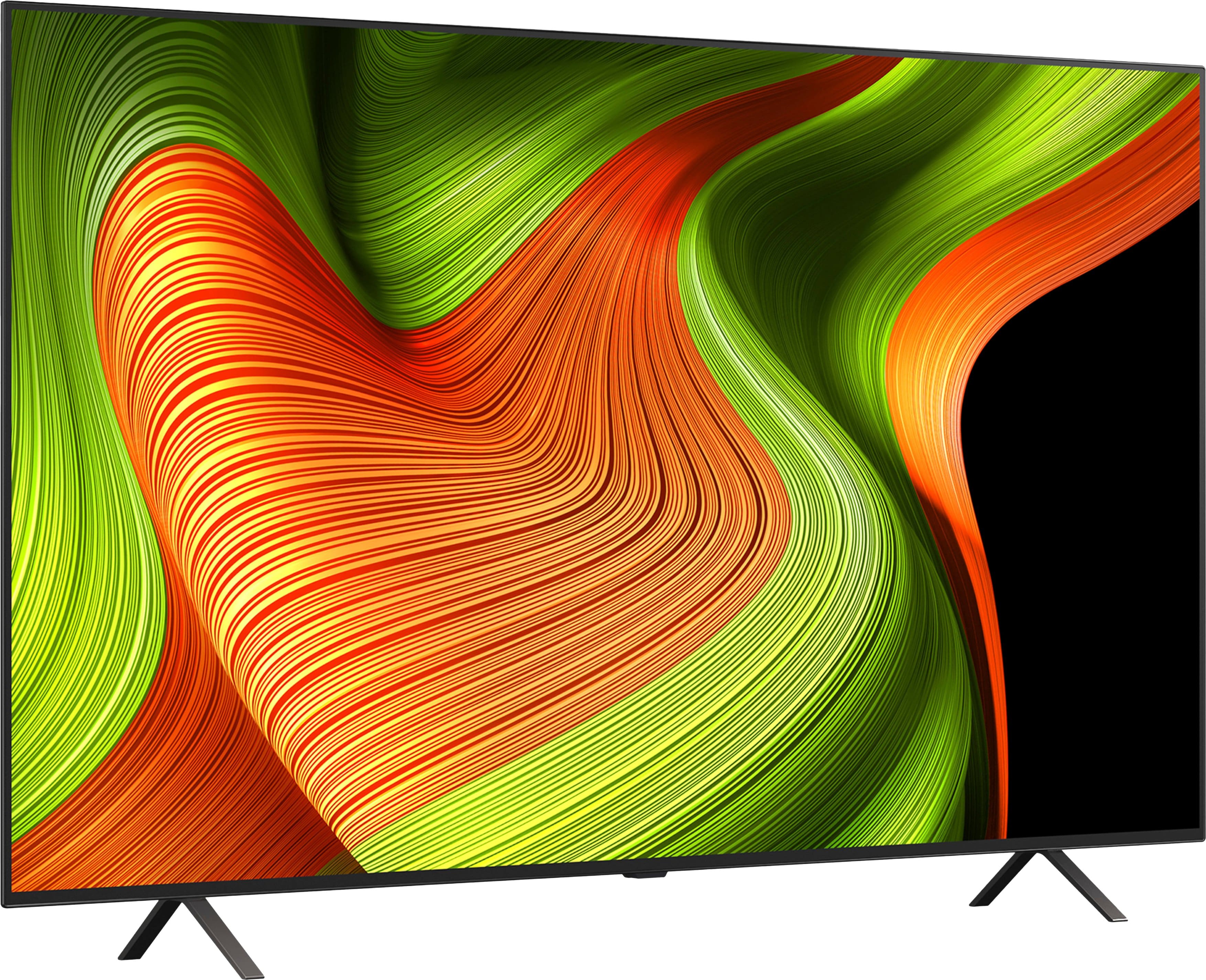
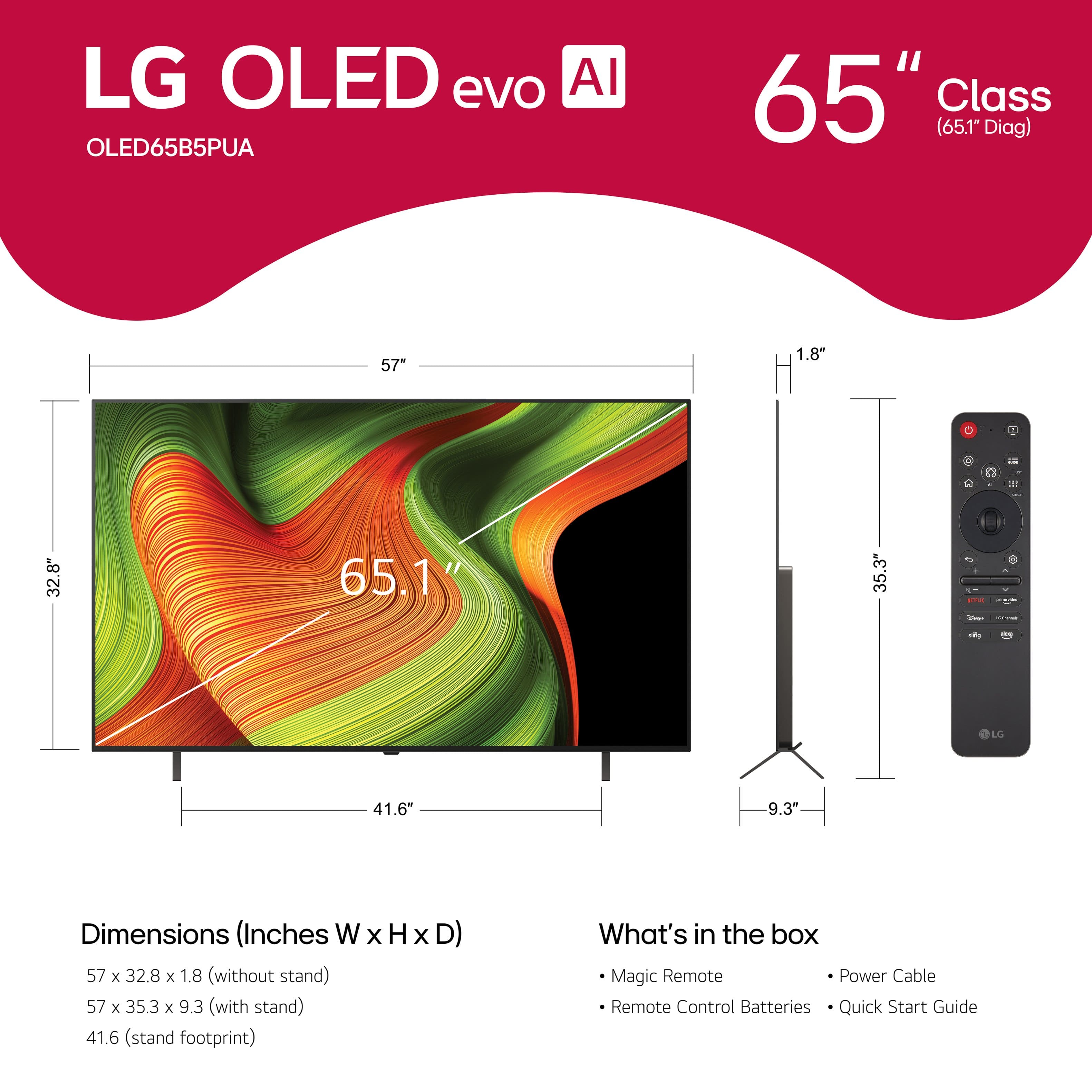
    • Answer For the box dimensions for this LG 65" Class B5 Series OLED AI 4K UHD Smart webOS TV (2025) Model # OLED65B5PUA, please click on Specifications, then scroll down to Box Dimension on the pop-up page...^Ivan.

      Answered by LG Digital Customer Care

  • QuestionDoes this TV require internet for setup and local source only use, or can I use this completely offline right out of the box?

    Asked by Waluigi.

    • Answer The LG 65" Class B5 Series OLED AI 4K UHD Smart webOS TV (2025), Model # OLED65B5PUA, does not require internet for setup. It can can still function without being online, offering several traditional and offline capabilities. If you prefer OTA (Over-the-Air) TV Programming, you can connect an indoor or outdoor antenna to the F-Type, 75-Ohm coaxial connector on the back of the TV labeled 'Antenna/Cable In', and use the Auto Tuning function that automatically searches and remembers channels that are available for viewing, and are being broadcast at the time you search for them, or you can use the Manual Tuning to manually search and save channels, and searching and check the signal strength of the digital broadcasting. However, without internet access, you will miss out on features like streaming services and online content updates. Platforms like Netflix, Hulu, and Amazon Prime have become essential for many viewers, offering a wide array of movies, TV series, and exclusive content. Without internet access, these services remain out of reach, limiting your ability to enjoy the vast libraries they provide. Setting up a smart TV without internet connectivity is generally straightforward. The initial setup typically involves selecting the preferred language, setting the time and date, and choosing the input sources. An internet connection enhances the setup process by allowing automatic updates and app installations, and keeping the software updated, which often includes bug fixes, new features, and security patches that protect the TV from vulnerabilities, but it is not necessary for the initial configuration...^Ivan.

      Answered by LG Digital Customer Care

  • QuestionWhat are the fps for this model?

    Asked by SB.

    • Answer FPS (Frames Per Second) and Hz (Hertz) measure different aspects. FPS refers to the number of frames generated by the graphics card per second, indicating how many images are displayed on the screen, while Hz measures the refresh rate of the TV, indicating how many times per second the display updates with a new image. Hz is what is always listed for TVs, and the LG 65" Class B5 Series OLED AI 4K UHD Smart webOS TV (2025), Model # OLED65B5PUA, has a native 120 Hz Refresh Rate like all other LG OLED TVs...^Ivan.

      Answered by LG Digital Customer Care

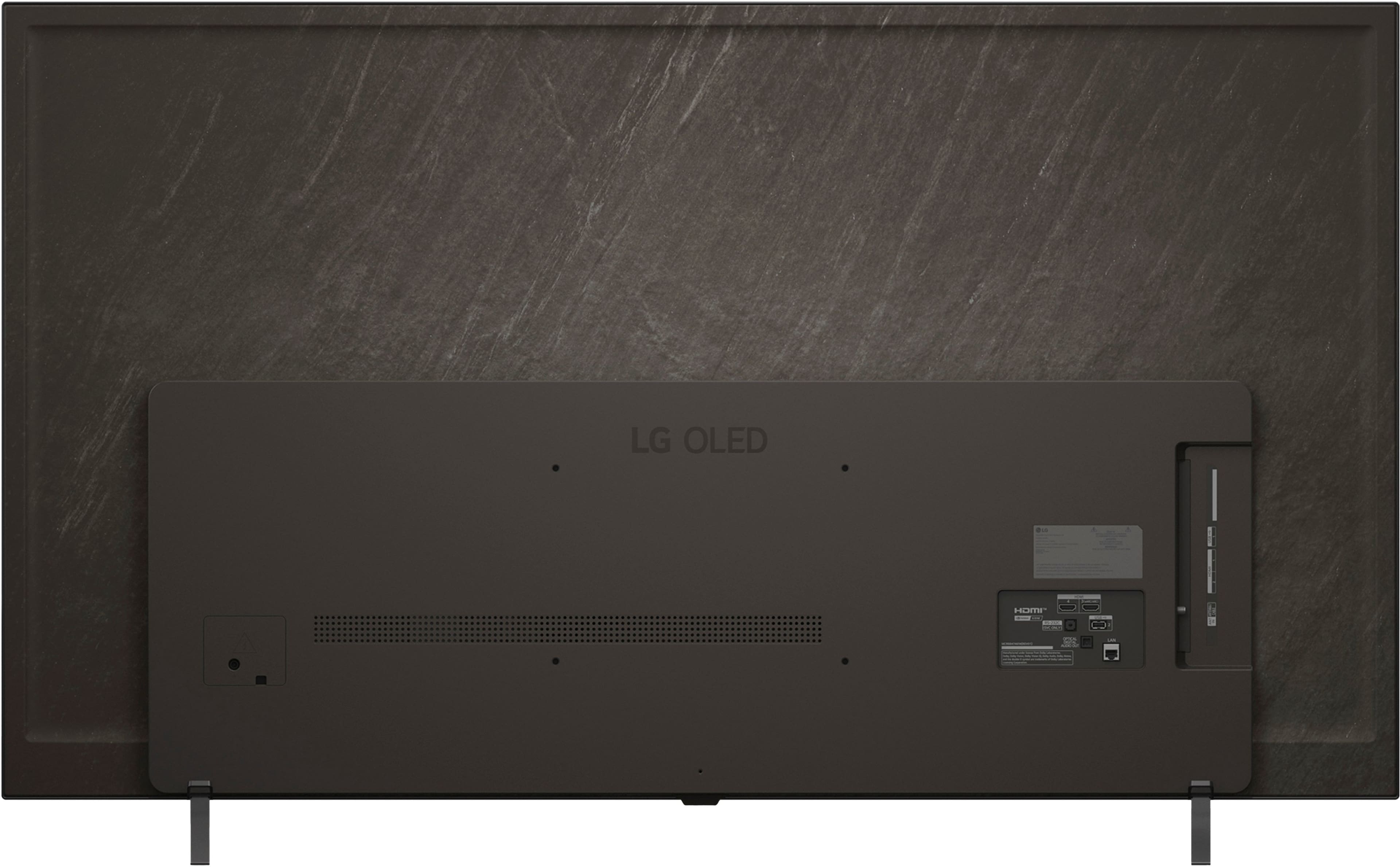
  • QuestionDoes LG make shorter legs for the OLED65B5AUA? I am trying to place in my tv cabinet … Thank you!

    Asked by Ron.

    • Answer I don't think so. You will need a cabinet or table at least 43 inches long.

      Answered by Computerhack

  • QuestionDoes this model come with HDMI 2.1?

    Asked by Pedro.

    • Answer Yes! This TV has 4 HDMI ports. All 4 are HDMI 2.1. Hope this helps!

      Answered by Konnori

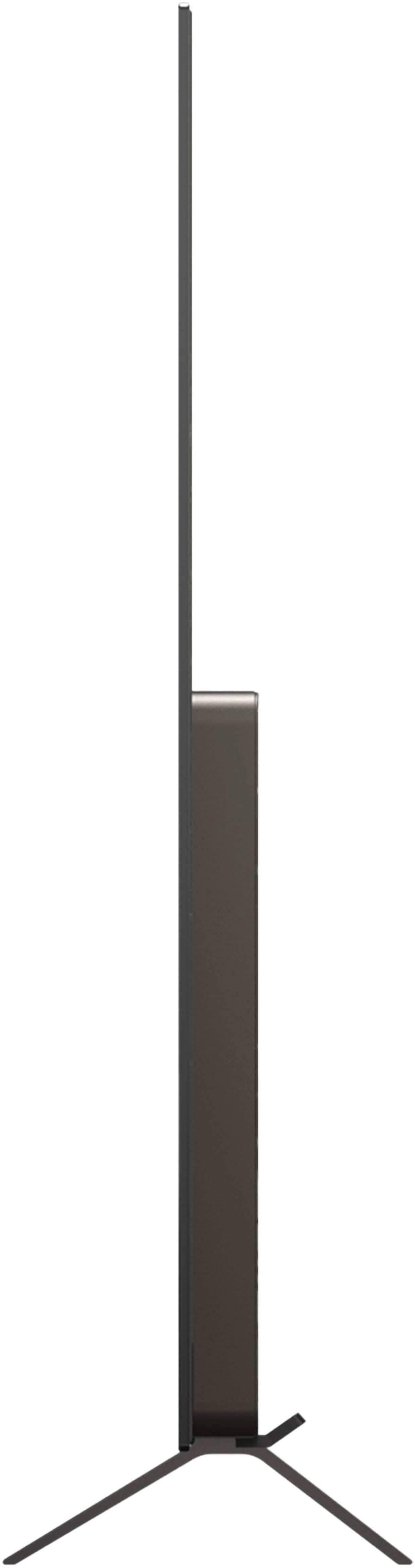
  • QuestionAre the legs on the stand adjustable?

    Asked by Pc.

    • Answer No. Legs don’t appear to adjustable.

      Answered by RosemaryP

  • Questionwould i get any stations without cable tv

    Asked by Anonymous.

    • Answer The LG - 65" Class B5 Series OLED AI 4K UHD Smart webOS TV (2025), Model # OLED65B5PUA, has an F-Type, 75-Ohm, Coaxial Connector on the back labeled 'Antenna/Cable In' to which you can connect an indoor or outdoor antenna so you can receive OTA (Over-the-Air) TV programming with an antenna. You can use the Auto Tuning feature in the TV's settings menu to automatically search and save channels that are available for viewing that are being broadcast at the time of the search, or use the Manual Tuning feature to manually search and save channels and also check the signal strength of digital broadcasting...^Ivan.

      Answered by LG Digital Customer Care

  • QuestionI have a 54” tv stand and a 60” tv legs are almost at the both ends of stand. My question is, will this tv fit on that stand ? what is space between both legs tips? Picture I posted that space is marked with red line.

    Asked by Mona.

    • Answer The LG 65" Class B5 Series OLED AI 4K UHD Smart webOS TV (2025), Model # OLED65B5PUA, does not use stand legs. It has a stand base that is not as wide as the TV stand legs. To the left of the main image of the TV on its product detail page, click on the third thumbnail image for the top that has a ruler icon on it, which shows an image of the TV and the stand width of 41.6". You can also find the stand width listed in the Specifications on the page under 'Dimensions'...^Ivan.

      Answered by LG Digital Customer Care

  • QuestionCan i connect my sonos system to this tv?

    Asked by Kevin.

    • Answer Hi there, Kevin! Thanks for reaching out about your LG TV (OLED65B5PUA). You can use your Sonos system with this TV, and the most common way is through the TV’s HDMI eARC/ARC port, which allows audio to pass directly to compatible Sonos soundbars like the Beam, Arc, or Ray. You can explore the full feature list and support details here: https://www.bestbuy.com/product/lg-65-class-b5-series-oled-ai-4k-uhd-smart-webos-tv-2025/JJ8VPZTKWV. If you’d like us to take a closer look or need further assistance, feel free to email us at [email protected] and our team will be glad to help. - Avril

      Answered by LG Digital Customer Care

  • QuestionMy LG 65" Class B5 Series OLED AI 4K UHD Smart WEBOS tv(2025) is not coming on but there is a red light blinking?

    Asked by Atlien.

    • Answer The blinking red light on your LG - 65" Class B5 Series OLED AI 4K UHD Smart webOS TV (2025), Model # OLED65B5PUA, indicates a power supply failure, (main board) malfunction, or a stuck firmware update. It is a safety mechanism indicating the TV cannot boot properly, often caused by a failed power board (e.g., faulty capacitors) or a corrupt update loop. You can try unplugging the TV, for at least 10–30 minutes, then press and hold the physical power button on the TV for 30–60 seconds to drain residual electricity before plugging it back directly into your wall outlet, to see if that resolves the issue. Unplug all HDMI devices (game consoles, soundbars) as a faulty device or cable can cause a boot loop. If the light blinks slowly, the TV might be updating; wait at least 10 minutes...^Ivan.

      Answered by LG Digital Customer Care

  • QuestionAre these specs good to run the ps5? Trying to upgrade from my old Samsung with lower specs

    Asked by Flark.

    • Answer Hi there, Flark! Thanks for reaching out about the LG TV (OLED65B5PUA). This TV offers features that pair really well with a PS5, including a 120Hz refresh rate, low input lag, and HDMI 2.1 support for smooth, responsive gameplay. You can explore the full specs here: https://www.bestbuy.com/product/lg-65-class-b5-series-oled-ai-4k-uhd-smart-webos-tv-2025/JJ8VPZTKWV. If you’d like help comparing settings or getting the best gaming setup, feel free to email us at [email protected]. - Avril

      Answered by LG Digital Customer Care