



Appliances Presidents’ Day SaleEnds 2/25. Limited quantities. No rainchecks.Shop now

Main Content

Questions & Answers

Your price for this item is $1,996.99
The comparable value price is $3,699.99
Page Showing 1-20 of 61 questions
  • QuestionWhat is the refresh rate of this LG TV?

    • Answer This LG TV has a 120Hz refresh rate.
    This question and answer was generated by AI based on customer and product data.
  • QuestionHow many HDMI inputs does this TV have?

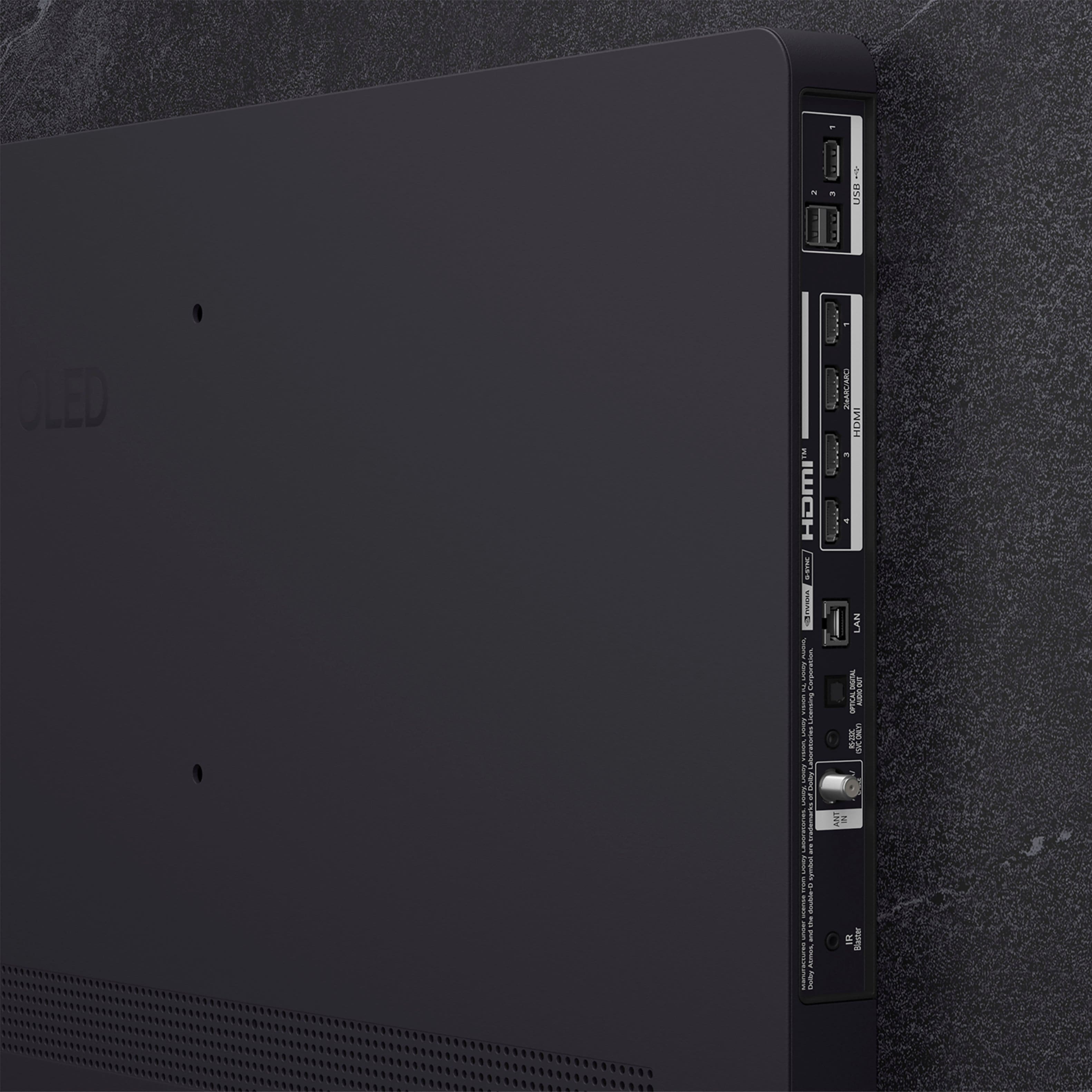
    • Answer This TV is equipped with four HDMI inputs.
    This question and answer was generated by AI based on customer and product data.
  • QuestionDoes this TV include a wall mount?

    • Answer No, this TV does not come with a wall mount included.
    This question and answer was generated by AI based on customer and product data.
  • QuestionWhat type of display does this LG TV have?

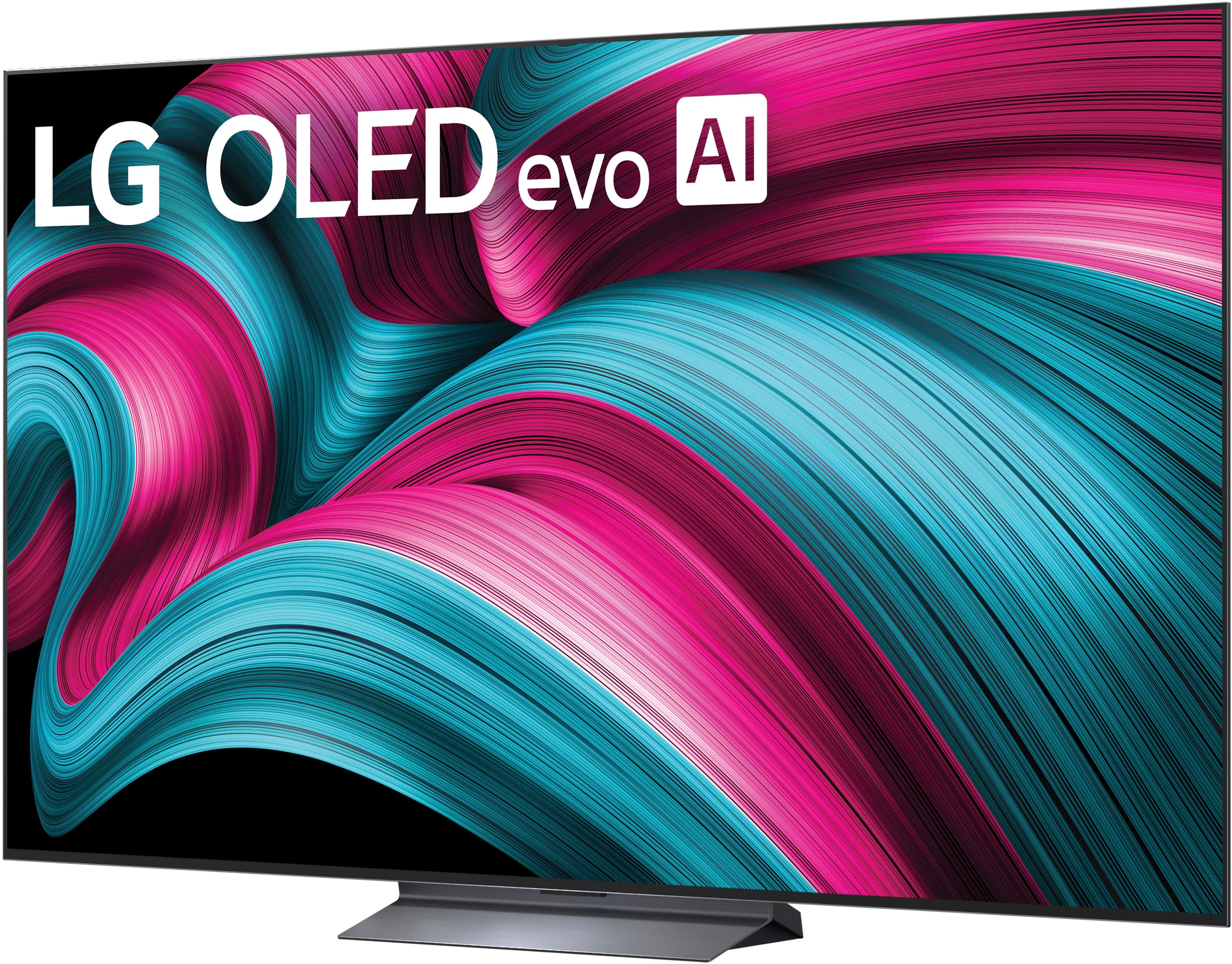
    • Answer This LG TV uses an OLED evo display with over 8.3 million self-lit pixels.
    This question and answer was generated by AI based on customer and product data.
  • QuestionDoes this TV support Dolby Atmos?

    • Answer Yes, this TV supports Dolby Atmos for an immersive audio experience.
    This question and answer was generated by AI based on customer and product data.
  • QuestionWhich AI processor is used in this LG TV?

    • Answer This LG TV is equipped with the Alpha 9 AI Processor Gen8.
    This question and answer was generated by AI based on customer and product data.
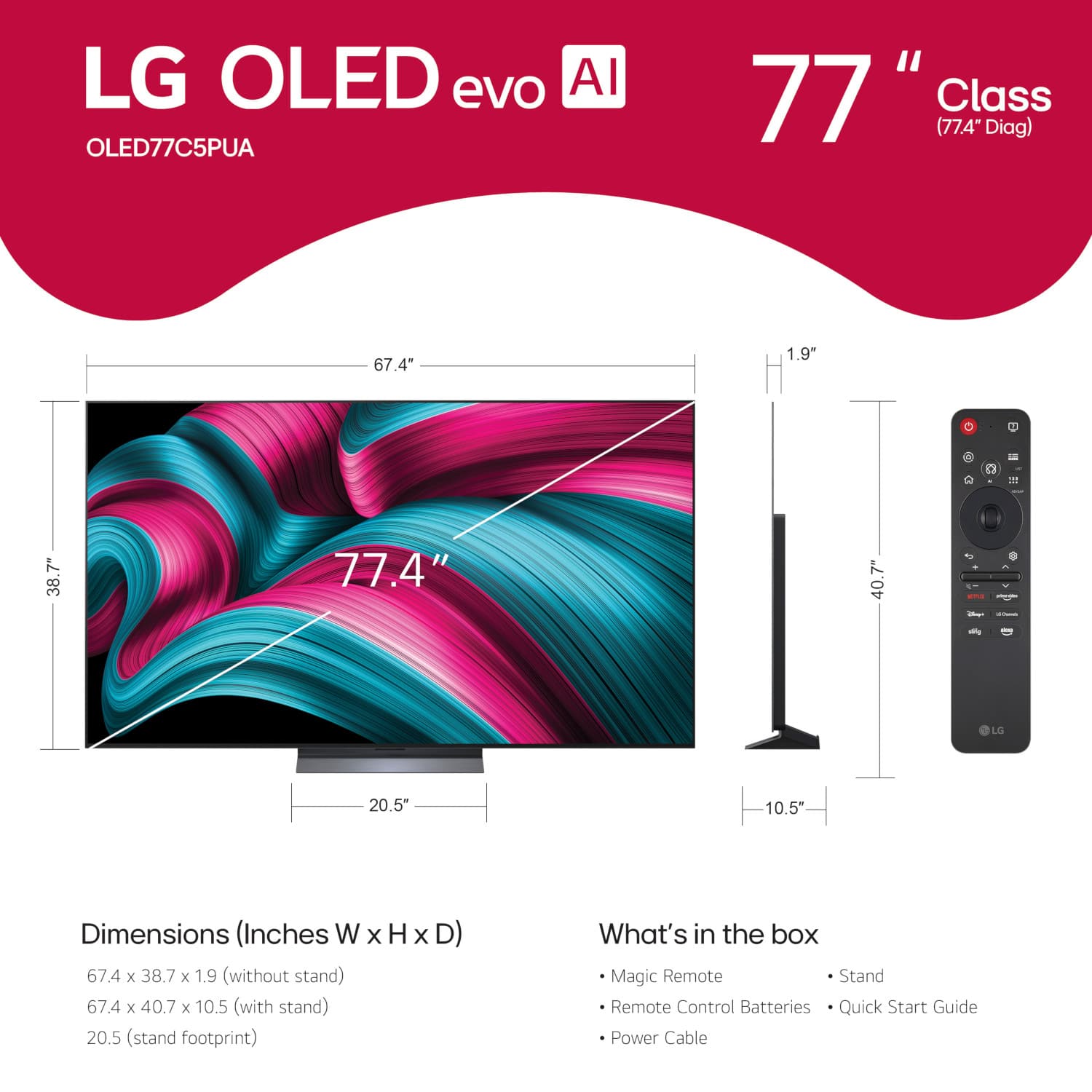
  • QuestionWhat are the dimensions of the box for the 77” model…need to see if it can fit in my vehicle.

    Asked by Anonymous.

    • Answer If you click on 'Specifications' on Best Buy's product detail page for the LG 77" Class C5 Series OLED evo AI 4K UHD Smart webOS TV (2025), Model # OLED77C5PUA, and scroll down to 'Box Dimensions' the dimensions are listed as: Height - 44.5 inches, Width - 76.3 inches, Depth - 9 inches, and Cubic Dimension - 30558 inches...^Ivan.

      Answered by LG Digital Customer Care

  • QuestionHow long is the warranty on the screen and what's it include? Thanks

    Asked by BP.

    • Answer The LG 77" Class C5 Series OLED evo AI 4K UHD Smart webOS TV (2025), Model # OLED77C5PUA, comes with a Limited Manufacturer's Warranty of One (1) year from the date of original retail purchase that covers Parts and Labor ((internal/functional parts only), including the screen. It does not have a Five (5) year OLED Display Panel warranty like the LG OLED evo AI G5 4K Smart TV series where the screen is covered and you will be responsible for labor from years 2 - 5...^Ivan.

      Answered by LG Digital Customer Care

  • QuestionWas this TV a floor model in the Best Buy stores?

    Asked by Tony.

    • Answer You will need to contact Best Buy about whether the LG 77" Class C5 Series OLED evo AI 4K UHD Smart webOS TV (2025), Model # OLED77C5PUA was a floor model in any specific Best Buy store Not all Best Buy stores carry LG OLED TVs; only those with Magnolia stores do. LG OLED TVs are available at Best Buy locations that have the Magnolia store branding, while other locations may not have them in stock...^Ivan.

      Answered by LG Digital Customer Care

  • QuestionIs this good for gaming? Ya the 77 inches

    Asked by TukTukBlu.

    • Answer Hi there. Thank you for your interest in our products. We understand your inquiry regarding the OLED77C5PUA TV. To answer your question, yes, this model is excellent for gaming. It features a refresh rate of up to 144Hz, NVIDIA G-Sync compatibility, FreeSync, and a response time of less than 0.1ms. https://www.bestbuy.com/product/lg-77-class-c5-series-oled-evo-ai-4k-uhd-smart-webos-tv-2025/JJ8VPZTRLJ If you have any further questions about its features, please send us a private message on Social Media @LGUSSupport, and our team will be more than happy to assist you. —Renzo

      Answered by LG Digital Customer Care

  • QuestionWhat is a very good sound system for this tv, 77 oled c5.

    Asked by Randy.

    • Answer There are several different options that are a great match for the 77-inch Class LG OLED evo AI C5 4K Smart TV 2025, Model # OLED77C5PUA like the SC9S LG Soundbar C for TV with Dolby Atmos® and Synergy Bracket 3.1.3 channel, Best OLED matching, the S90TR LG Home Theater Soundbar with Dolby Atmos® and Rear Speakers, 7.1.3 channel, Best OLED matching, or the LG Soundbar with High Res Audio HDMI 5.1.3 channel, Model # S90QY...^Ivan.

      Answered by LG Digital Customer Care

  • QuestionYes. What is the installation cost, to mount on a living room wall?

    Asked by Anonymous.

    • Answer I believe it was $250. But when we bought the $49.99 annual Best Buy membership, it made it "free".

      Answered by MorgenA

  • QuestionHow do I hook up my DVD player?

    Asked by Anonymous.

    • Answer Hi there. Thank you for sharing your inquiry with us. We understand you're looking to connect your DVD player to your new LG OLED77C5PUA TV. Your LG OLED77C5PUA TV has 4 HDMI inputs, which is the most common and recommended way to connect a DVD player for the best picture and sound quality. Here's a simple troubleshooting step: Connect via HDMI: Use an HDMI cable to connect the "HDMI OUT" port on your DVD player to any of the "HDMI IN" ports on the back of your LG TV. Make a note of which HDMI port you used (e.g., HDMI 1, HDMI 2). Select the Input: Turn on both your TV and your DVD player. On your LG TV remote, press the "Input" or "External Input" button (it often looks like a rectangle with an arrow pointing into it). From the list of inputs that appears on your TV screen, select the HDMI input number you connected your DVD player to. If your DVD player is an older model and doesn't have an HDMI output, it might use component (red, green, blue for video, and red, white for audio) or composite (yellow for video, red and white for audio) cables. While your OLED77C5PUA primarily uses HDMI, there are adapters available if needed to connect older devices. https://www.bestbuy.com/site/lg-77-class-c5-series-oled-evo-ai-4k-uhd-smart-webos-tv-2025/6621825.p?skuId=6621825 Your feedback is important, and we'd like to assist you further. Please send us a private message on Social Media @LGUSSupport and our team will be more than happy to explore possible solutions. We appreciate your patience. —Renzo

      Answered by LG Digital Customer Care

  • QuestionCan you get a replacemen for this remote? its awful

    Asked by wi.

    • Answer Hi there. Thank you for sharing your experience with us. We understand your inquiry regarding the remote control for your OLED77C5PUA. The compatible Magic Remote for this TV is the model MR25, and replacements are available for purchase through our official website or authorized parts distributors. https://www.lg.com/us/tv-home-theater-accessories/lg-mr25ga-magic-remote If you have any further questions about its features, please contact us on [email protected], and our team will be more than happy to assist you. —Renzo

      Answered by LG Digital Customer Care

  • QuestionMy tv is on 24/7 do i have to worry about burn in?

    Asked by Cloud90.

    • Answer Hi, there. Thank you for reaching out about your LG TV (OLED77C5PUA) model. We appreciate you sharing how you use your TV and understand the importance of keeping your screen in great condition. LG OLED TVs are designed with built‑in features to help reduce the risk of image retention or burn‑in, even with extended use. The TV automatically runs Pixel Refresher and Screen Shift functions to maintain panel health. As a helpful step, you can also enable the Screen Saver option in settings, which activates when static content is detected. This helps minimize the chance of burn‑in during continuous 24/7 operation. For more information, visit https://www.lg.com/us/support/help-library/lg-tv-troubleshooting-image-burnin--20152745607830. If you need further assistance with your settings, please send us an email at [email protected]. We're here to help. ^Juvy

      Answered by LG Digital Customer Care

  • QuestionWhere is the physical POWER SWITCH on this tv?

    Asked by jamieLee.

    • Answer Hello there, JamieLee. We understand your inquiry about the location of the physical power switch on your OLED77C5PUA TV. For this model, the physical power control is a joystick button located on the bottom center of the TV, beneath the screen. This multi-purpose button allows you to perform basic functions such as turning the TV on or off, changing the channel, adjusting the volume, and accessing the input source. To simply turn the TV on or off, you can press the joystick button inward (towards the back of the TV). We understand that accessing manual controls is sometimes necessary. Your inquiry is valuable, and we'd like to assist you further. https://www.bestbuy.com/product/lg-77-class-c5-series-oled-evo-ai-4k-uhd-smart-webos-tv-2025/JJ8VPZTRLJ If you have any further questions about the TV's controls or features, please send us a private message on Social Media @LGUSSupport, and our team will be more than happy to assist you. —Renzo

      Answered by LG Digital Customer Care

  • QuestionDoes it have a clock that can be programmed to turn on and off?

    Asked by Mbrg.

    • Answer Yes. It has a power on timer where you can select the time, the input, volume and days of the week you want it to function. The off time can be set too. There's also the typical sleep timer up to 4 hours which can be disabled.

      Answered by RyanC

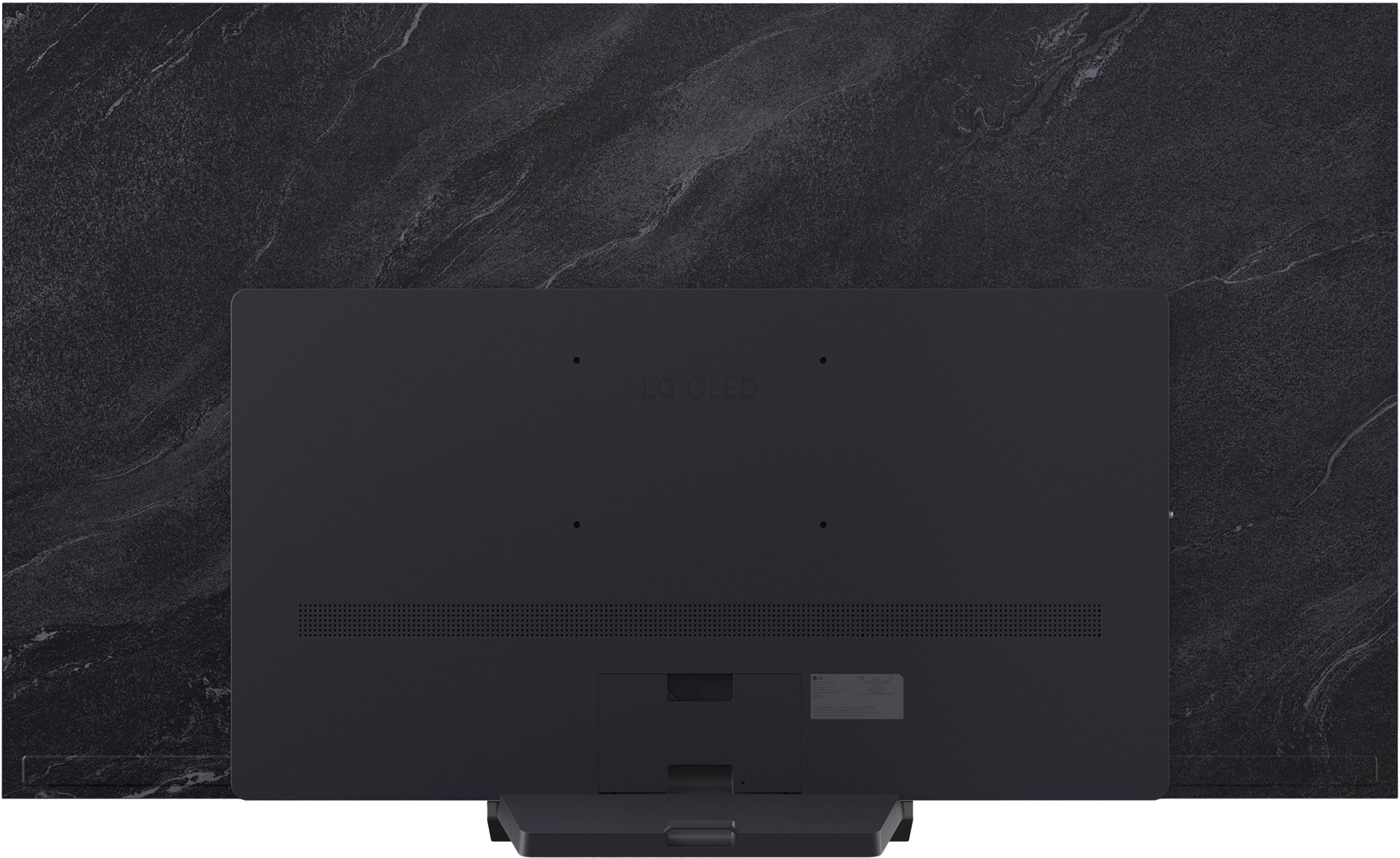
  • Questioncan i use a wall mount on a current tv that I have on this TV?

    Asked by mount.

    • Answer Our current wall mount did not line up.

      Answered by BettyR

  • QuestionCAN I RECORD PROGRAMS ON THIS SET?

    Asked by donaldg.

    • Answer You cannot record programs on the LG 77" Class C5 Series OLED evo AI 4K UHD Smart webOS TV (2025), Model # OLED77C5PUA. It does not have recording capability and you will need a DVR to record programs that you can playback on the TV...^Ivan.

      Answered by LG Digital Customer Care

  • QuestionI have a 65" LG OLED #OLED65G1PUA that uses the center wall mount from LG that makes TV hug the wall like a picture frame. Does LG make a larger TV that uses this same mount if I bought a new LG TV so I can use the existing mount?

    Asked by David.

    • Answer Information for the LG 65" G1 evo Series Smart OLED 4K UHD TV with HDR, Model # OLED65G1PUA has long since been archived and we will need to research to see if the special flush wall mount that allows you to mount the TV flush to your wall like a picture frame is the same mount as what was used for the G2, G3, G4, and the current G5 LG OLED evo AI G5 4K Smart TV 2025 series, or if it has the same mount pattern and specifications to fit on the 83" The 83", 77", 65" and 55" screen sizes for the G2, G3, G4, and G5 series all use the same flush mount, but the mounts have different model numbers, but the same mount pattern, so if your existing flush mount for your 65" G1 OLED fits, the 83" G5 OLED would be the largest screen size you could use it with. Please allow us some time to research this for you...^Ivan.

      Answered by LG Digital Customer Care