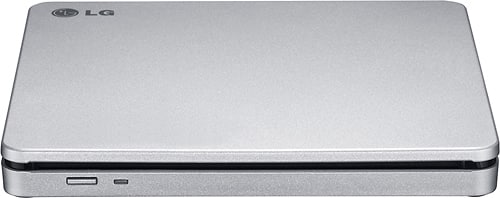
A:AnswerHi there, Don. We understand your inquiry about the LG 8x External SuperMulti Blade Drive, model # AP70NS50. This drive is designed to read and write DVDs and CDs, but it does not have the capability to play Blu-ray movies. It is a DVD±RW/CD-RW drive and is not equipped with a Blu-ray laser.
https://www.bestbuy.com/site/lg-8x-external-double-layer-dvdrw-cd-rw-supermulti-blade-drive-silver/1802033.p?skuId=1802033
Your feedback is important, and we'd like to assist you further. Please send us a private message on Social Media @LGUSSupport and our team will be more than happy to explore possible solutions. We appreciate your patience. —Renzo
A:AnswerHello there, Helen. Thank you for sharing your experience with us. We understand your inquiry about the read speed for your LG 8x External Double-Layer DVD±RW/CD-RW SuperMulti Blade Drive, model AP70NS50.
This drive has a maximum CD-ROM read speed of 24x. While it's designed for efficient performance, it is not specified to read CDs at 52x.
https://www.bestbuy.com/site/lg-8x-external-double-layer-dvdrw-cd-rw-supermulti-blade-drive-silver/1802033.p?skuId=1802033
Your feedback is important, and we'd like to assist you further. Please send us a private message on Social Media @LGUSSupport and our team will be more than happy to explore possible solutions. We appreciate your patience. —Renzo
A:AnswerHello there! We understand your inquiry about the LG AP70NS50 external DVD±RW drive. Although LG’s official specifications list compatibility with Mac OS® X, Windows 7, Windows 8, Windows Vista, and Windows XP, Windows 11’s built-in driver support generally makes most USB optical drives plug-and-play. While Windows 11 wasn’t available at the time this model was released, here are a few points to keep in mind based on official LG guidance and typical Windows behavior:
Plug-and-Play Compatibility
Windows 11 includes generic USB mass-storage and optical-drive drivers that should automatically recognize the AP70NS50 once you connect it to a free USB port (preferably USB 2.0 or higher). No additional LG drivers are required for basic read/write functionality.
Firmware and System Requirements
Although the original documentation doesn’t explicitly list Windows 11, the drive’s firmware supports standard DVD±RW command sets that Windows 11 understands.
We recommend ensuring your Windows 11 installation is up to date: go to Settings > Windows Update and verify you have the latest patches. This helps Windows maintain the most current driver database.
Quick Troubleshooting Step
If the drive does not appear immediately after connecting:
Open Device Manager (Press Windows key + X, then choose Device Manager).
Expand “DVD/CD-ROM drives” and see if “LG AP70NS50” (or a generic DVD-RW device) appears.
If you see a yellow exclamation icon, right-click the device, select Update driver, and choose “Search automatically for drivers.” This should prompt Windows 11 to load the correct generic driver.
If it still isn’t recognized, try a different USB port (preferably directly on the PC rather than through a hub), or test the drive on another Windows 11 system to isolate whether it’s a port-specific issue.
Use Cases and Limitations
The AP70NS50 supports reading and writing CD-R/RW, DVD+R/RW, and DVD−R/RW media at the speeds indicated (up to 8x DVD write). In Windows 11, you’ll be able to use File Explorer or any third-party burning software to rip, play, or burn discs.
Because Windows 11 handles most optical-drive functions natively, things like disc playback, data file access, and third-party burning applications (e.g., Nero, ImgBurn, or Windows Media Player) should work just as they did on earlier Windows versions.
When to Reach Out for Further Assistance
Should you encounter any unexpected behavior—such as read/write errors, failure to detect the drive, or slow performance—feel free to send us a private message on social media at @LGUSSupport. We can then gather additional details (like your Windows 11 build number, any error codes, or whether you’re using a USB hub) and work with you directly to find a solution tailored to your setup.
https://www.bestbuy.com/site/lg-8x-external-double-layer-dvdrw-cd-rw-supermulti-blade-drive-silver/1802033.p?skuId=1802033
We appreciate you choosing LG and are confident that the AP70NS50 will operate smoothly under Windows 11. If you need step-by-step guidance or run into any hurdles, please send us a private message on social media @LGUSSupport so we can assist you promptly. —Renzo
A:AnswerHello there! Thank you for your question. Yes, the LG AP70NS50 External DVD Drive is compatible with your MacBook, as it supports Mac OS® X along with other operating systems like Windows.
For easy connectivity, it connects via USB 2.0 (480 Mbps), and it should work smoothly with your MacBook if you have a USB port available.
https://www.lg.com/us/burners-drives/lg-ap70ns50-external-dvd-drive#pdp_specs
We understand your need for compatibility and are happy to assist you further if needed. Please send us a private message on Social Media @LGUSSupport, and we’d be happy to provide more details.
We appreciate your patience. —Renzo
A:AnswerHello there, Chris. Yes, the LG AP70NS50 external DVD drive can be used to rip CDs and convert them into MP3 files or other audio formats on your MacBook. You will need CD ripping software like iTunes, Audacity, or a third-party program that supports this feature. Once you insert the CD, the software will allow you to select the desired format (e.g., MP3) and rip the files.
https://www.lg.com/us/burners-drives/lg-ap70ns50-external-dvd-drive#pdp_specs
Please send us a private message on Social Media @LGUSSupport if you need further assistance or have any additional questions. We're here to help!
A:AnswerHi there, Keith. Thank you for reaching out about the LG AP70NS50 External DVD Drive. We understand that you're interested in using it to play movies on your TV.
This external DVD drive is primarily designed to connect to a computer via USB, allowing you to play DVDs or Blu-rays directly from your computer. Unfortunately, it does not have TV connectivity built-in, meaning it cannot directly connect to your television to play DVDs.
To play movies on your TV, you would need a DVD/Blu-ray player or a device like a media streaming box (such as a Roku or Chromecast) that connects to your TV. You could also connect the external DVD drive to your computer and use HDMI to link your computer to your TV, effectively allowing you to watch movies on the TV through your computer.
https://www.lg.com/us/burners-drives/lg-ap70ns50-external-dvd-drive#pdp_specs
If you need any further guidance or assistance, feel free to send us a private message on Social Media @LGUSSupport, and we'd be happy to assist you further!
—Renzo
A:AnswerHello there, Chad. Thank you for your question. The LG AP70NS50 External DVD Drive connects via USB 2.0 with a high-speed transfer rate of 480Mbps (60MB/s). This makes it compatible with most systems that have a USB 2.0 port.
If you're connecting this to a newer device, ensure it has a USB 2.0 port or higher (USB 3.0) for optimal performance.
https://www.lg.com/us/burners-drives/lg-ap70ns50-external-dvd-drive#pdp_specs
If you have any further questions or need assistance, feel free to send us a private message on Social Media @LGUSSupport, and we’d be happy to help!
We appreciate your interest in our product!
—Renzo
A:AnswerHello there, Susan. Thank you for your inquiry about the LG External DVD Drive, Model AP70NS50. We understand you’re looking to connect this drive to your 2023 16" MacBook Pro. This model connects using a USB 2.0 cable, but it does not support USB-C directly. To use it with your MacBook, you would need a USB-C to USB-A adapter to connect it via the USB 2.0 port.
https://www.lg.com/us/burners-drives/lg-ap70ns50-external-dvd-drive#pdp_specs
If you have further questions, feel free to send us a private message on social media @LGUSSupport, and we’ll be happy to assist! —Renzo
A:AnswerThank you for reaching us regarding LG Portable DVD Rewriter. No, the LG AP70NS50 external DVD drive does not have the capability to burn music to CD from various sources like YouTube. You can download its owner's manual through this link for more information: https://www.lg.com/us/support/product/lg-AP70NS50.AUSR10B. If problem persist, please reach out to us on social media @LGUSSupport so we can help you further. ^Cris
A:AnswerThank you for raising your concern regarding LG Portable DVD (AP70NS50) model. If you get the error message "Cyberlink PowerDVD does not support this media format," it means there's an issue with the DVD format. Here's how to fix it:
•Update Cyberlink PowerDVD to the latest version for more format support.
•Try using a different media player that might play the DVD correctly.
•Check the format of the DVD to make sure it's compatible with Cyberlink PowerDVD.
•Update the drivers for your LG AP70NS50 external DVD drive to prevent compatibility issues.
If problem persist, please reach out to us on social media @LGUSSupport so we can help you further. ^Cris
A:AnswerThank you for your interest in the LG uperMulti Blade Drive - Silver (AP70NS50) model. The LG AP70NS50 external DVD drive is compatible with macOS Sonoma 14.x on certain Mac models, including MacBook Air 2018 and later, MacBook Pro 2018 and later, Mac Mini 2018 and later, Mac Pro 2019 and later, iMac 2019 and later, and Mac Studio 2022 and later. The LG AP70NS50 external DVD drive is also compatible with Windows 10 and 11. You can download its owner's manual through this link for more information: https://www.lg.com/us/support/product/lg-AP70NS50.AUSR10B. ^Cris
A:AnswerThank you for your interest in the LG 8x Portable DVD Rewriter with M-DISC™ (AP70NS50) model. Yes, the LG AP70NS50 is capable of burning CDs. It supports burning CDs at 24x speeds. You can download its owner's manual through this link for more information: https://www.lg.com/us/support/product/lg-AP70NS50.AUSR10B. ^Cris
A:AnswerThe LG 8x Portable DVD Rewriter with M-DISC™, Model # AP70NS50 will write (i.e. burn) to CD-R, and CD-RW discs. You will need to contact the manufacturer for your car's system or check it's manual to see what type of discs it will read...^Ivan
A:AnswerIt requires a PC and is not standalone nor does it have a headphone jack. Therefore, you would connect the speakers to your PC and not directly to this device.