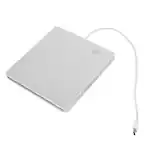
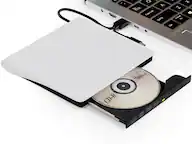
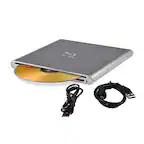
A:AnswerDrive AP70NS50 is fully compatible with Windows 11. System requirements for CPU Pentium IV 2.4 GHz or Higher(with USB 2.0) for basic performance (Recommended for optimal performance: Pentium IV 3.2 GHz or Higher). Memory 256 MB or larger (Recommended: 512 MB). Hard disk 20 GB or more free space. (The free space needed for writing depends on the quantity of data.) ^Daphane
A:AnswerHi. You should go to your settings and define what you want to do went a CD is inserted. If you plug the device for a first time it may promt to decide what do, for example, open ITunes, Windows Player, open files, etc. I recommend you go to Google and search the general instructions to update the settings in Windows 10. Regards.
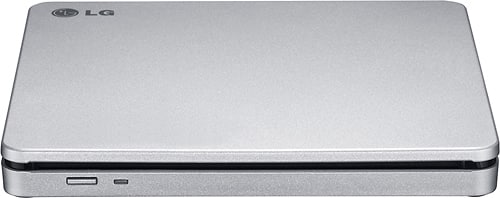
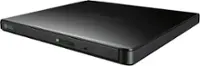
A:AnswerAs a DVD drive, the LG - 8x External Double-Layer DVD±RW/CD-RW SuperMulti Blade Drive - Silver, Model # AP70NS50 cannot play Blu-ray DVDs. 4K UHD Blu-ray, Blu-ray, and DVD technologies are backward compatible, meaning that each technology can play all the technologies that preceded it, so a 4K UHD Blu-ray Player can play 4K UHD Blu-ray, Blu-ray, DVD and CD discs, a Blu-ray Player can play Blu-ray, DVD and CD discs and a DVD Player can play DVD and CD discs...^IFV
A:AnswerThe USB port on the LG - 8x External Double-Layer DVD±RW/CD-RW SuperMulti Blade Drive - Silver, Model # AP70NS50 is a USB 2.0 port. USB 3.1 is backward compatible with earlier versions of USB. You won't get the fast data transfer speeds of the new USB 3.1 standard, but you won't have a problem using the device...^IFV
A:AnswerThe LG - 8x External Double-Layer DVD±RW/CD-RW SuperMulti Blade Drive - Silver, Model # AP70NS50 is compatible with Mac OS X v.10.5.4 or Higher, Direct X 9.0 or Higher Operating Systems...^IFV
A:AnswerThat will depend on how badly scratched the disc is and how deep the scratches are. The laser-lens pickup on the LG - 8x External Double-Layer DVD±RW/CD-RW SuperMulti Blade Drive, Model # AP70NS50 may not be able to read the information on the disc if it is deeply scratched. The data on a DVD is encoded in the form of small pits and bumps in the track of the disc. The pits on a DVD appear as pits on the aluminum side, but on the side that the laser reads from, they are bumps. You could try using a Disc Scratch Remover or even try toothpaste to buff out the scratches to see if that works. Chapstick, toothpaste, peanut butter, shoe polish, window cleaner, petroleum jelly, banana peels, and some other materials are purported to work for repairing a scratched disc, but they all have one commonality: Oil. The oils in these substances will help fill in some of the gaps left from scratching, even after they’ve been wiped clean. These oils provide a path for the laser to travel straight to the data and back. You could try slightly heating it. Polycarbonate has a very low melting point and becomes very malleable with only a bit of warmth. A desk lamp will do just fine, and you can just hold the disc through the ring in the middle up to the bulb. You don’t need to bend or flatten it, either — we’re just hoping that a little bit of heat will correct any minor scratches in the imprinted data and make the disc easier to read...^IFV
A:AnswerYou were looking at the LG slim DVD/CD player/recorder, is that correct? This is an external computer device, meant for a stable environment. I would suggest something like the Insignia™ - Portable CD Player, which has anti-shock technology, for about the same price. It can take the bouncing around in a car, without skipping a beat. To play DVD's for the back seat, there are portable devices out there, I assumed you were trying to play CDs. I had used a portable anti-shock CD player, it worked well. But I now use my phone for music on long trips. Hope this helps.
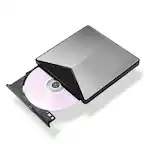
A:AnswerYes, this unit can replace the disc drive of a laptop or desktop computer. The LG 8x Portable DVD Rewriter with M-DISC™, Model # AP70NS50 is compatible with the Windows 7, Windows 8, Windows Vista™, Windows XP, Windows 10 and Mac OS® X v.10.5.4 or Higher, and Direct X 9.0 or Higher Operating Systems. ^CP