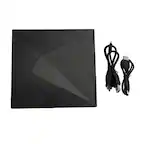
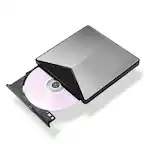
A:AnswerThank you for reaching us regarding LG Portable DVD. The LG SP80NB80 portable DVD writer is not officially compatible with Windows 11. You can download its owner's manual through this link for more information: https://www.lg.com/us/support/product/lg-SP80NB80.AVAR10B. For additional assistance, please reach out to us on social media @LGUSSupport so we can help you further. ^Cris
A:AnswerThe unit works fine on Windows 11 - just plug it in and go. The Nero burning software that is included is very old and will not load on Windows 11.
A:AnswerThank you for reaching us regarding LG Portable DVD. The LG SP80NB80 external DVD writer is not officially compatible with Windows 11. You can download its owner's manual through this link for more information: https://www.lg.com/us/support/product/lg-SP80NB80.AVAR10B. For additional assistance, please reach out to us on social media @LGUSSupport so we can help you further. ^Cris
A:AnswerThank you for your interest in the LG Slim Portable DVD (SP80NB80) model. Yes, you can copy music from your CDs to your computer using the LG SP80NB80 external DVD writer. You can download its owner's manual through this link for more information: https://www.lg.com/us/support/product/lg-SP80NB80.AVAR10B. ^Cris
A:AnswerHi there, thank you for reaching out regarding your Lenovo laptop and the need for an external CD drive. The SP80NB80 is a compatible external CD/DVD drive that should work well with your laptop. It connects via USB, making it easy to set up and use for reading CDs with your embroidery machine. If you have any further questions or need assistance with the setup, please feel free to send us a private message on social media @LGUSSupport, and our team will be happy to help. We appreciate your time! —Avril
A:AnswerThere are no USB outlets on this drive. It needs / uses the computer power to operate. I can however upload pictures from an SD card to the DVD player via my laptop
A:AnswerThank you for your interest in the LG Slim Portable DVD Writer DVD Disc Playback & DVD M-DISC™ Support (SP80NB80) model. The LG SP80NB80 external DVD drive does not have region code restrictions for DVD disc playback. You can download its owner's manual through this link for more information: https://www.lg.com/us/support/product/lg-SP80NB80.AVAR10B. ^Cris
A:AnswerHi there! Thank you for your inquiry about the SP80NB80. Yes, you can download a tax program on this device, but you'll need to download it to your computer first. Then, you can write it onto a CD using the DVD drive. If you have any further questions or need assistance, please send us a private message on Social Media @LGUSSupport, and our team will be happy to help you. We appreciate your engagement! —Avril