A:AnswerThe USB Direct Recording feature is a powerful and easy to use function that allows you to directly extract audio tracks from CDs & transfer them to a USB device. Just insert a CD and make your own MP3 music file collection. It is not designed to record shows from a DVR or live TV. ^CP
A:AnswerIf you're in need of some guidance with using your DVD player, please head to our support page at @LGUSSupport on Twitter or you can give us a call at 800-243-0000 so a specialist can help out. ^CP
A:AnswerYou will want to verify with Best Buy if the LG DVD Player with USB Direct Recording, Model # DP132 is multi region or not. Manufacturers of DVD and Blu-ray players and player software are required by their license to include region coding functionality so this unit will be coded for region 1 unless it was distributed from outside of the U.S. The unit will have a regional code stamped on the back of the unit and the regional code should also be on the carton that the unit is shipped in...^IFV
A:AnswerThe LG DVD Player with USB Direct Recording, Model # DP132 is a DVD Player so it cannot play Blu-ray DVDs. It has a Composite Video Out port and an Analog Audio 2ch Output (Red/White/Yellow RCA Barrel ports) in the back for connecting to a TV that features that type of connectivity...^IFV
A:AnswerMovies, music and photo files can be played on a USB drive. For details of operations on each file, refer to the relevant pages in the owners manual located here - http://www.lg.com/us/support-product/lg-DP132#manuals You can do direct recording from the CD player to the USB drive on the LG - DVD Player with USB Direct Recording - Black, Model # DP132. The recording format is MP3 Files and the Encoding Bit rates are: 128 Kbps / 160 Kbps / 192 Kbps / 256 Kbps / 320 Kbps. Your only inputs for this unit are the RCA stereo ports (Red/White) and the Video (Yellow). You cannot convert VHS to MP3 Files or DVD, nor are you able to record TV Programs to the Flash drive. ^CP
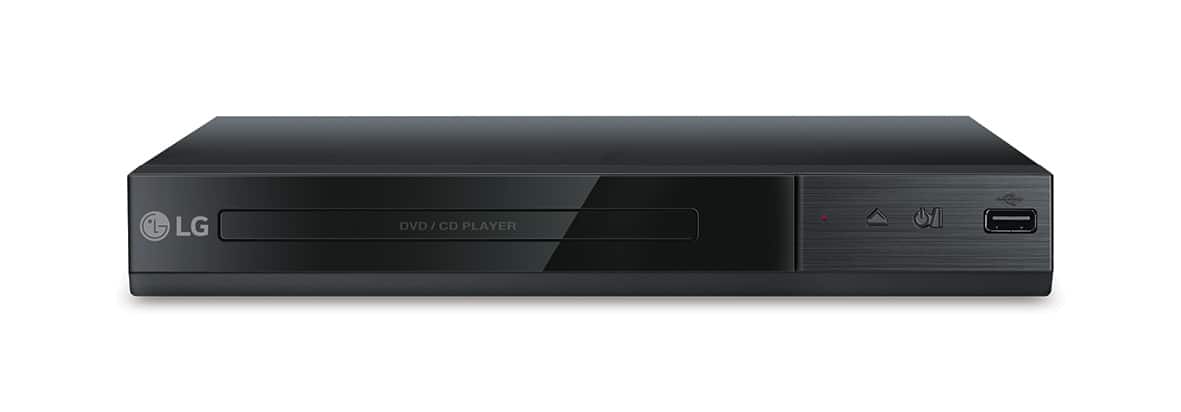
A:AnswerThis is a DVD player. It is not a disc drive. We have many disc drives available at Best Buy. If you need assistance finding a drive that fits your needs best, give our computer specialists a call at 800-243-0000. ^CP
A:AnswerThanks very much for the quick reply ;)
But there is only 1 picture, not from the back where this information is displayed. This information isn’t shared in the specifications either... So how can I know?
In the meantime I did some more research and learned about the “ALL” sticker, this player is restricted ;)
A:AnswerThe DP132 has the following input/outputs: Analog Audio 2ch Output, Composite Video Out, USB 2.0. It is possible to connect the DVD player to a soundbar using the analog audio output. ^CP