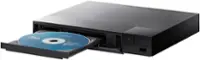
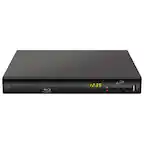
A:AnswerThe Blu-Ray Disc™ Player with Streaming Services and Built-in Wi-Fi®, Model # BP350 memorizes the last scene from the last disc that is viewed. The last scene remains in memory even if you remove the disc from the unit or switch off the unit. If you load a disc that has the scene memorized, the scene is automatically recalled.The Last Scene Memory function for a previous disc is erased once a different disc is played. This function may not work depending on the disc. On BD-ROM discs with BD-J, the last scene memory function does not work. This unit does not memorize settings of a disc if you switch off the unit before commencing to play it...^IFV

A:AnswerMine hasn’t been delivered & set up yet. It was my understanding I didn’t need a cable outlet. We’re going to use my regular electrical outlet & my internet/WiFi connection for the TV & blu Ray DVD player to view internet provided programs & DVDs.
A:AnswerNo, as a matter of fact many of the applications on the this DVD that we’re advertised on the Best Buy page were not part of the applications that are offered on this player
A:AnswerBritbox is not a compatible app that can be downloaded and installed on the LG Blu-ray Disc™ Player with Streaming Services and Built-in Wi-Fi®, Model # BP350, however, the Amazon Prime Video app is a preinstalled app on the player. Only Amazon Prime members can add BritBox...^IFV
A:AnswerRegrettably, the LG Blu-ray Disc™ Player with Streaming Services and Built-in Wi-Fi®, Model # BP350 only comes with preinstalled Premium Content Providers apps and does not have the capability of downloading and installing additional compatible apps. The Sling TV app was not available at the time that this Blu-ray Player was released...^IFV
A:AnswerRegrettably, Hulu ended their support for their app on the LG Blu-Ray Disc™ Player with Streaming Services and Built-in Wi-Fi®, Model # BP350 and for most DVD and Blu-ray players as of July 2019 as they were getting ready to roll out a new app. ^Daphane
A:AnswerWe hate to hear that, but would love to be able to help. We would be happy to see what's going on. You can contact our Customer Support by any of the below options:
Phone: 1-800-243-0000
LiveChat: https://www.lg.com/us/support/chatbot
Email: https://www.lg.com/us/support/email-appointment
Facebook Messenger: https://www.facebook.com/LGUSA/
Twitter: @LGUSSupport
The LG Community Forum is also a great resource for getting help from other LG customers: https://lgcommunity.us.com ^CP
A:AnswerWe hate to hear that, but would love to be able to help. We would be happy to see what's going on. Drop us a line on Twitter at @LGUSSupport or on Facebook https://www.facebook.com/LGUSA/ so we can get more info and see what we can do. ^CP
A:AnswerHi Caroline. Manufacturers of DVD and Blu-ray players and player software are required by their license to include region coding functionality. The LG Streaming Audio Wi-Fi Built-In Blu-ray Player, Model # BP350 is coded for region 1 and will not play DVD discs that are coded for region 2. It will play discs that are region free which will be indicated by a "0" or "All" on the disc...^IFV
A:AnswerIf you have already unplugged and replugged, and you have checked the source/input and it still is not reading your dvds then yes I would exchange.