“I have 4 model RN5 speakers and I’m trying to sync them all together for an event that I’m hosting. How do I connect them? Everything that I’ve read online says there is a Party Sync feature in the app, but no such function exists.”
Answer This Question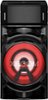
1-1 of 1 Answer
Hi there, Derick. Thank you for reaching out and for sharing your experience with us. We understand that you're trying to sync all four RN5 speakers for your event. Based on the information provided, the Wireless Party Link feature should be what you're looking for. This allows you to connect multiple LG XBOOM devices, such as the RN5 speakers, to sync the audio across all of them. To get started, follow these steps: Ensure all your RN5 speakers are powered on and in Bluetooth mode. Open the XBOOM App (available on Android or iOS). In the app, look for the Wireless Party Link option to connect the speakers. This will sync them together for a multi-speaker experience. Once paired, you can control the audio and lighting settings for all the connected speakers. Please note that Party Sync specifically may not appear in the app, but the Wireless Party Link will serve the same purpose for syncing multiple devices. LG TV – How to Use LG Wireless Sound Sync - https://www.lg.com/us/support/help-library/lg-tv-how-to-use-lg-wireless-sound-sync--20150637961106 For further assistance, please send us a private message on Social Media @LGUSSupport, and we’d be happy to guide you through the setup or explore other solutions. We appreciate your patience and are excited to help make your event a success! —Renzo
Sorry, there was a problem. Please try again later.