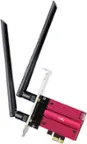
A:AnswerNo, Luchia. This adapter is only compatible with computers running on the following operating systems: Windows XP, Windows Vista, Windows Vista 64-bit, Windows 7, Windows 7 64-bit, Windows 8, and Windows 8 64-bit, Windows 10 64-bit.
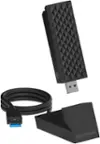
A:AnswerHi, BillJ. The Linksys WUSB6300 supports of up to 1.2Gbps internet speeds which can provide your computer a faster and more reliable internet connection. However, we must consider distance and interference. Often, the signal gets reflected, refracted, or absorbed by the obstructions like thick walls or ceilings. It would be best if the router is within the line of sight of the computer.
A:AnswerThis product is a Wi-Fi adapter. It will work fine so long as you are within range of a Wi-Fi network. If you are not in range of a Wi-Fi network you have access to, this product will not help you.
A:AnswerHi, according to the Linksys company, it should work with any computer that has wifi capabilities. You may want to check your computer model specs online before purchasing.
A:AnswerNot an answer to this question but to the response given: yes, by laptop has wireless, but it's an 802.11N, and is prone to disconnect when other wi-fi devices are present.
A:AnswerHi, Fraank. If your computer does not have an internet connection to download the drivers, you can either use a flash drive and download the drivers from another computer or temporarily connect an ethernet cable from the computer to your router just to download the drivers. Should you need further assistance, email your contact details and the link to this post at LinksysCares@linksys.com so you can be properly assisted.
A:AnswerYou have to download and install the setup software and drivers for it to work. You can either use the included CD or you can get them from linksys website if you don’t have a cd drive. Instructions should’ve been included with it. https://www.linksys.com/support-article?articleNum=148558