“can a wifi router be hook up to wifi modem I need to extend my wifi because the modem is not strong”
Answer This Question
1-10 of 11 Answers
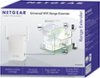
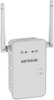
This is a Range Extender for an existing wireless router.
Sorry, there was a problem. Please try again later.Some routers can be configured to act as an access point, but the AC1200 will extend your modem's WiFi signal and should do what you need. You would not connect the AC1200 to your modem. The setup wizard programmed in the AC1200 will detect the modem's WiFi network and bridge the network between the two WiFi devices wirelessly.
Sorry, there was a problem. Please try again later.If you mean a combo - cable modem with a built-in wireless router, then the answer is yes as long as combo router has wired ports. Connect a cable between the switch ports (typically 1-4) on BOTH devices and disable the DHCP server on the 2nd/extended router to ensure all IP addresses are assigned by the primary combo/wifi modem. Depending on your 2nd/extended wifi router, you may have to: 1. First connect and configure it with the cable going into the WAN port (some older routers will only let you configure it if it can 'see' the internet). 2. Some routers (e.g., ASUS) have a setting for router or access point that you may also set to AP if you're just going to use it for a wifi extender.
Sorry, there was a problem. Please try again later.Try one of the following below if you don't think a range extender will work well but, has to be placed halfway between the Wi-Fi modem in a high location to work well. If you have metal siding or a lot or concrete or cement in your structure the signal will not amplify enough so I would use a power line bridge for the wireless signal and the Wi-Fi will be strongest right next to your area you need the signal boosted.
I would recommend:
Sorry, there was a problem. Please try again later.This doest exactly that with no setup issues. My modem immediately recognized it. I now have uninterrupted wifi throughout the home. It's GREAT!
Sorry, there was a problem. Please try again later.Absolutely a great solution, and easy set up.
Sorry, there was a problem. Please try again later.I added the Linksys Range Extender to boost my wifi signal and it works extremely well. You might try that first.
Sorry, there was a problem. Please try again later.This is the reason I bought the wifi extender. All I did was plug it in and it started working. Put it in a room that does not get the wifi signal.
Sorry, there was a problem. Please try again later.Mine is connected to my WiFi router.
Sorry, there was a problem. Please try again later.I haven't tried hooking a wireless router to another wireless router, but if you have 2 routers, I would suggest using a switch from the Modem and connecting both wireless routers to the switch. If you want to connect all wireless devices to the same wireless router, I would suggest using a wireless range extender rather than 2 wireless routers - that way all the devices could talk to each other
Sorry, there was a problem. Please try again later.