1-1 of 1 Answer
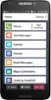
We are sorry to hear that you are experiencing an issue with the Bluetooth setting on your Jitterbug Smart2. Please follow these simple steps to turn off the Bluetooth setting. 1. From the Home Screen, TAP Phone Settings 2. TAP Internet & Devices 3. TAP Bluetooth 4. TAP the switch to turn ON or OFF the Bluetooth setting. If you continue to experience an issue with this setting, please contact our Customer Service team for additional support. For step-by-step instructions, please visit the Support page of our website and reference page 70 in the User Guide for the Jitterbug Smart2.
Sorry, there was a problem. Please try again later.