“I got the JB2 for my mom. She said there are “contact names”scrolling across the top of her screen and she is unable to retrieve other messages. How can I stop this please?”
Answer This Question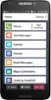
1-1 of 1 Answer
Hello, to view messages on the Jitterbug Smart2 please tap on the “Text Messages” option from the main menu. You will be presented with a list of messages, and you will have the ability to select a particular message of your choice. If you need to clear notifications on the Jitterbug Smart2, please swipe your finger down from the top of the screen and tap on the option to “Clear All”. For more details on the Jitterbug Smart 2 please visit the Support page on our website.
Sorry, there was a problem. Please try again later.