“When in text mode how do I answer an incoming phone call? swiping doesn't get to incoming call if I'm in another mode.”
Answer This Question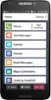
1-1 of 1 Answer
Great question! To answer a phone call on your Jitterbug Smart2 phone you press and hold your finger on the Phone Icon button and drag your finger up to answer or down to dismiss. You may also show a green bar on the very top of your phone that will allow you to answer a phone call if your on text mode. If you need further assistance contact Customer Service at 1(800) 733-6632, between the hours of 6am-6pm, Pacific time.
Sorry, there was a problem. Please try again later.