“Need to use Harmony 650 to set up new Samsung TV Have Harmony 650 but have trouble setting up the TV and on another TV with a Harmony 650, cannot find certain data such as "my current recording schedule"”
Answer This Question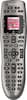
1-6 of 6 Answers
You don't provide much detail about your TV or or PVR/DVR configuration, but in general, you can use the Logitech MyHarmony setup software to "teach" the 650 any button on your device's original remote, and you can use the MyHarmony software to create custom command sequences that you can then map to any button on the 650. For example, I created a custom command sequence on the 650 to jump to the Plex channel on my Roku box with a single press of a button. Hope this helps.
Sorry, there was a problem. Please try again later.The current recording schedule button or List button is usually a function on your DVR not your TV. I don't recall if you can reprogram individual buttons on this model remote.
Sorry, there was a problem. Please try again later.Not sure which DVR you are using. I have both a DirectTV and Comcast DVR. Both are found under the MENU button. With both of mine it automatically programed it that way.
Sorry, there was a problem. Please try again later.Definitely, I've got 3 Samsung TV's configured so far.
Sorry, there was a problem. Please try again later.My recording schedule is found under "list" on the top right. I hope this helps.
Sorry, there was a problem. Please try again later.From what I've experienced this remote finds all my devices even ones that I didn't think it could. I would make sure you check your entry and see what models are offered. Again I haven't had any issues.
Sorry, there was a problem. Please try again later.