“Can you set timers for TV and Stereo and Direct TV box?”
Answer This Question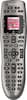
1-2 of 2 Answers
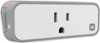
Only if your TV has that feature. The remote doesn't have its own timer function for devices. The remote will either automatically include a "sleep" menu button when you add your device, or if it does not, you can add one using the remote to remote button cloning method (again, assuming your TV has a sleep feature.) Then you just select that menu item or press the assigned button same as you would on the original tv remote. If your TV doesn't have a timer function, then you could get an ihome wifi plug, plug your tv into it, then program it on your phone to turn off and on.
I would recommend:
Sorry, there was a problem. Please try again later.This model logitech remote itself does not have clock and timer functions. Therefore it can't activate a device (such as a DVR) to start recording a certain channel at a certain time.
Sorry, there was a problem. Please try again later.