“Programming it.... I am trying to figure out if this remote will be good for my Samsung Smart TV. Its remote has a special button for the "Hub", on the harmony there is a button called Guide which when I am NOT watching DirecTV, perhaps could be programmed to be this Hub button? Is that how it works? There doesn't seem to be a whole lot of buttons to program, unless those 5 on the top are programmable? Can they be changed to things I need for Samsung Smart stuff? Referring to Watch TV, Watch a Movie, Listen To Music. All of those seem useless to me, can they be programmed tow hatever function I want? Not sure this thing is going to work, any Samsung Smart owners out there have any input, or anybody at all on these questions. Thanks, guiess its a matter of figuring it out once I get it, or returning it if it doesn't seem to be what I am hoping for.”
Answer This Question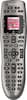
1-6 of 6 Answers
I don't have a Samsung Smart TV, but the top buttons are customizable to a limit. They are designed for activities, for example; "Watch a movie" can be setup so that pushing that button will turn on your TV, your Sound System, your Blu-ray player, and change the inputs for you automatically. You can also customize the LCD menu, as well as make each button below that perform a different function for each independent device. If you do program the remote to do this, be sure to select the device you are trying to control via the LCD screen. Once you select your device, the remote will automatically change the buttons based on how you customized it. Meaning with a little tweaking in the Logitech program, you can accomplish your goal of using one button to perform two different functions on separate devices. (Without having both the Hub and DTV Guide coming up at the same time)
Sorry, there was a problem. Please try again later.You can change button functions very easily. All is done online. Your configuration is save and is easy to change or update.
Sorry, there was a problem. Please try again later.I have the samsung smart as well as the harmony and it works great. Once you start using the harmony software it should become apparent how to do what you want. You can use the default remote setup that is sent to the remote from the computer or progam each individual button to send a command to whichever device that you want.
Sorry, there was a problem. Please try again later.The 650 is a learning remote, so it will learn your Samsung remote's items. (I have a 55" Samsung Smart TV). On the Logitech webpage you sign up for MyLogitech, register your device and navigate. ALL the controls not automatically transferred (you'll get a USB wire with the remote) will be there as options. It will seem daunting, at first. It will require some trial and error, but within 20 minutes you'll be an expert programmer. The 650 will control TV, Receiver, DVD, TiVo, other DVR, etc. Again, don't let the Logitech navigation page frighten you...if I can get through it, believe me, anyone can.
Sorry, there was a problem. Please try again later.I just bought Samsung Smart TV and yes the top buttons are programmable so I have Direct tv, Cable, Blue Ray, programmed on the top and then another button takes me to a sub screen where I have a VCR hooked up, smart hub and the rest also..............above......works great.
Sorry, there was a problem. Please try again later.The remote is very easy to program. You hook it up to your computer and you can customize it the way you want, and add or delete buttons. I love how easy this remote is to program.
Sorry, there was a problem. Please try again later.