“Are there buttons for everything common? I was looking at it carefullly in the local B.B. and I couldn't see buttons for thing like: Return (back), Recall (previous channel) CC or the vrious 8 devices. The Sony 8-Device unit has these at less than half the price. What gives?”
Answer This Question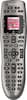
1-8 of 8 Answers
Yes, it does. The reason you didn't see the buttons for Return (back), Recall (previous channel), etc. is because they're symbols. To go back to the previous channel you were watching there's a horizontal arrow that hooks around. In order to see the devices you have to program them into the remote first. Read my review dated 5/1/15. The Geek Squad guy programmed mine for me when they came and hooked-up my new Sony TV. He explained how everything worked and what I could and couldn't do with it and the only thing I can't do is operate my PS3 with the fast forward, reverse buttons, etc. He explained to me that I would have to use the controller, but as far as turning it on and off, i.e., the PS3, I can do that. The remote is seriously the TRUTH!!! As far as the cost is concerned I didn't spend over $60.00 for it, which I think was great. They do have a more expensive one though that may be a bit more sophisticated. I can operate this universal remote exactly like I operated each remote I had for the individual devices I had. It's great and you won't go wrong if you purchase it. Believe me it's worth it especially if you have to use 3 different remotes like I did before I brought this one.
Sorry, there was a problem. Please try again later."Return" is the little arrow making a U-turn. Most of the commands that you mention are on the screen and you can access them with the buttons on each side of the screen. Also, the four color buttons can be programmed to perform any function.
Sorry, there was a problem. Please try again later.There are buttons for the commands you mention, and if there is not a button for something you want, you can program any button with commands from the remote for the specific device you are using. The software allows you to do that.
Sorry, there was a problem. Please try again later.Depending on the remote whose comands you are emulating, you may not have a need for both a recall and a return. However, that particular button is there. It's the return arrow. And if you need a button for a particular activity, you can add a custom button to appear on the screen above.
Sorry, there was a problem. Please try again later.Yes. It has all the features like a regular remote control like the Comcast remote control but you have to get used to it because the buttons are all over the place. Gator76 the recall button is the arrow right under the channel up and down button.
Sorry, there was a problem. Please try again later.The Sony doesn't have macros. For example; if you have a tv, cable box, Blu-ray and a sound bar. You can program the watch tv button to turn all the devices on, set the tv to hdmi1, the volume control will control the sound bar and the channel button will control the cable box. Same idea for watch movie.
Sorry, there was a problem. Please try again later.The buttons are actually all there, but you might not know it until you experiment a bit. For example, we have cable, and the Xfinity button is actually the "Menu" button on the remote. Also, the button with the counterclockwise arrow acts as the "Return" function. In addition, you can go into the Devices function (on the screen), and many of the items you may want to change are there. For example, on the cable device, the Xfinity button is there. And on our Visio TV device, every input is listed there, if we want to change inputs manually.
Sorry, there was a problem. Please try again later.This remote is awful. The worst harmony I have ever purchased. The buttons get caught under the case and stick, it will not control my items correctly either. I purchased the harmony home which costs $118 on sale but it works beautifully, which I thought this model,would have done
Sorry, there was a problem. Please try again later.