A:AnswerThe Hub is required. This remote is wireless (not infrared) and transmits to the hub, which then generates the necessary IR flashes to control your components.
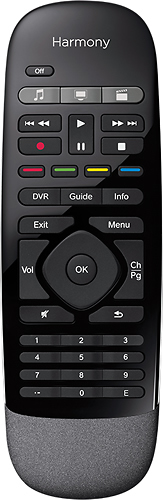
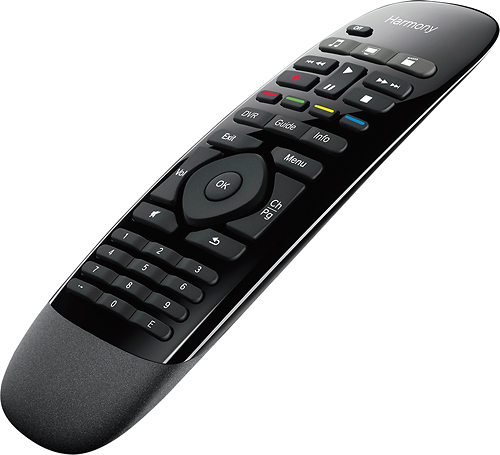
A:AnswerNo. The buttons are all solid black rubber/plastic; they do, however, have high contrast colors so they can be made out in low light, but not in the dark. The lack of light is probably a big reason why a single coin-type battery is supposed to last more than a year on these remotes.
A:AnswerYes. Simple set up. Just be sure when you are setting up the OFF sequence you add a return/home screen tap otherwise what you are watching will sometimes keep playing even if you switched devices or turned stuff off. I haven’t found a way to make the Apple TV go to sleep by pushing the off function. I have to let it wait till it’s been in active for a few minutes and cut itself off.
A:AnswerNot to be considered the final answer, but I do not believe it is possible. I have the hub, this remote, and the hue lights. The only "thing" this remote can do is kick off an activity (eg. watch tv) and control an activity once it has been launched (eg. change the volume/channel). I even tried to create a hue only activity for the hub that I could assign to one of the buttons, but the Harmony iPhone application nor the Windows application would allow me to create an activity with only Hue lights. So, I don't think you can use this remote, or stated better, I tried several ways to get it to work and could not.
A:AnswerMost likely, yes. Locate the model numbers for your devices, and search the Logitech Harmony device database, at: support.myharmony.com/en/compatibility
If not found, you may review the Logitech support article for adding devices not found in their Harmony database, at: support.myharmony.com/en/adding-a-device-thats-not-found-in-the-harmony-database
If interested, the product manual for this Logitch Harmony Smart Control Remote can be found here: cdn.cx-images.dynamite.myharmony.com/mh/ssv2/usermanual/smartcontrol-usermanual-en.pdf
I've always had good luck with Logitech Harmony remotes, so hopefully something here answers your question.
A:AnswerThe remote is an accessory to the hub. It will not work independently. I bought the hub and remote for my parents because they are old and don't like complicated tech. Once I set it up, which took about a half hour, they feel in love with it.
A:AnswerI use both the harmony elite and the companion add on together on the same hub. The companion remote has limited functionality. The help function is not available and there are only 3 activities available, like watch TV, watch blu-ray, and watch Netflix. These are programmable, of course. Device functions are not available, only activity functions. However there are programmable buttons.
I only bought it for the physical number pad.
The elite remote is available by itself without the hub, but it has a different name when you get it as a stand alone item.
A:AnswerNo, the remote only works with Harmony Ultimate, Harmony Smart Keyboard and Harmony Ultimate Hub, Apple® iPhone® 4S, iPad® 3rd generation, iPad mini, iPod® touch 5th generation and Android smartphones and tablets with Android 4.0 or higher.
A:AnswerYes, this universal remote is compatible with more than 270,000 components, including most cable and satellite TV boxes, Apple® TV, Roku, SONOS, Amazon Fire TV, Philips hue, Xbox One, PlayStation 3 and TV-connected PC or Mac.