Questions & Answers
- Model:
- 6GQ-01354
- |
- SKU:
- 6344087
Q: QuestionI'm trying to cancel auto-renewal so I can control which credit card is used at the time of the charge. But when I log into my Microsoft Account to manage the subscription, it redirects me to the Best Buy site and there is no option to cancel auto-renewal
Asked by Bethany.
- A:Answer Exact same thing happened to me
Answered by Kirbyworks
Q: QuestionI have auto renewal for Office 365 Professional Plus. Since the hard drive on my old laptop crashed, I need to install on my new laptop, but I do not have the product license key #. How can I retrieve my Best Buy Office 365 for download.
Asked by Beastie.
This question was asked about the related product: Microsoft - 365 Family, 1-year subscription, 5 PCs/Macs (Product Key Card)
- A:Answer Log into your account and your license will be there.
Answered by mccstr
Q: QuestionCan an external dvd player work on this laptop?
Asked by Anonymous.
This question was asked about the related product: Microsoft - 365 Family (Up to 6 People) (12-Month Subscription) - Activation Required - Windows, Mac OS, Apple iOS, Android [Digital]
- A:Answer Your review is linked to MS Office for some reason, so I cannot see which laptop you are connecting the DVD drive to. The short answer is that external DVD drives should work with any laptop that has a USB port (assuming that is the DVD connection type). Most are plug-n-play, so try that first. You may need to find and install the driver. If so, start by finding the DVD in your device manager. Hit the Windows key or click the Window in the Task Bar, type "Device", select Device Manager. If you see your DVD drive listed, double-click on its name, then select the Driver tab in the new dialog box. Click the Update Drive button and select "Search Automatically for Updated Driver Software". That should do it, but you may need to restart in order for the drive to work properly.
Answered by RikTheRealtor
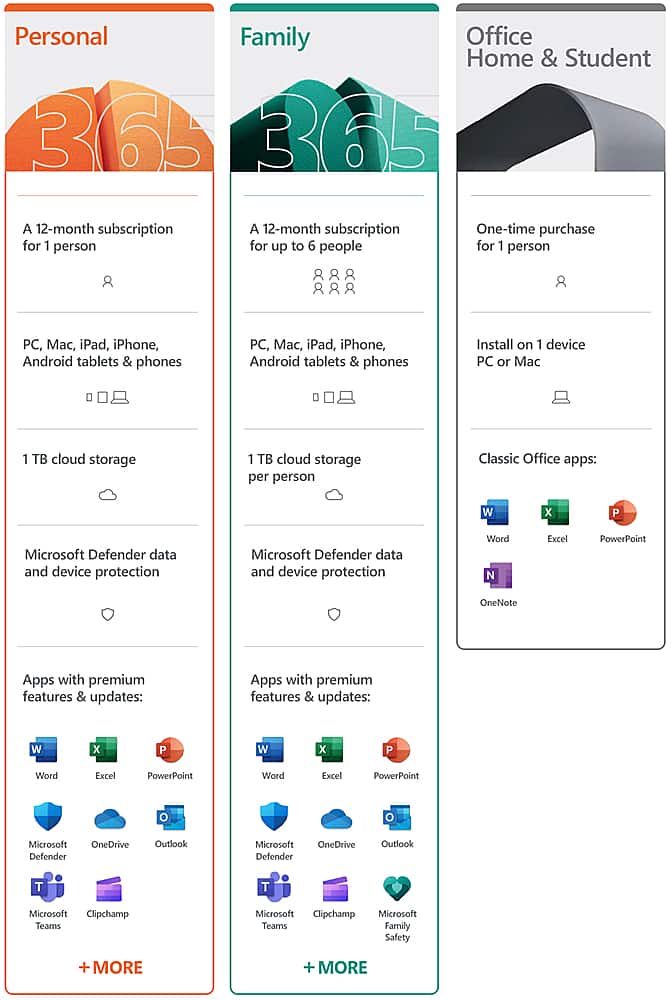
Q: QuestionDoes this give access to six different accounts or one account? I have all of my word documents under my account and don't want my family's documents all under one account.
Asked by JFryeTheGuy.
This question was asked about the related product: Microsoft - 365 Family (Up to 6 People) (12-Month Subscription) - Activation Required - Windows, Mac OS, Apple iOS, Android [Digital]
- A:Answer Each user will have individual accounts. You send an invite to each family member.
Answered by RikTheRealtor
Q: QuestionPurchased the 6 computer usage but when tried to download on second computer it says that the product code has already been used.
Asked by Subscription.
This question was asked about the related product: Microsoft - 365 Family (Up to 6 People) (12-Month Subscription) - Activation Required - Windows, Mac OS, Apple iOS, Android [Digital]
- A:Answer I AM NOT THAT FAMILIAR WITH BUT I HAVE IT ON 4 COMPUTERS, AND WHEN I OPEN OFFICE I PUT IN MY OFFICE USERNAME AND PASSWORD, AND IT AUTOMATICALLY LOADS THE SOFTWARE AND THE DOCUMENTS I HAVE.
Answered by DANNY
Q: QuestionHow do I buy this product
Asked by BigG.
- A:Answer You could buy on line or in store but always go through Best Buy
Answered by Hottunaman
Q: QuestionWhat is the Microsoft Family Safety app?
Asked by MicrosoftFAQ.
This question was asked about the related product: Microsoft - 365 Family (Up to 6 People) (12-Month Subscription) - Activation Required - Windows, Mac OS, Apple iOS, Android [Digital]
- A:Answer Microsoft Family Safety empowers families to help protect their loved ones with physical and digital safety in one app.
Answered by MicrosoftOutreachTeam

Q: QuestionWhat is Money in Excel?
Asked by MicrosoftFAQ.
This question was asked about the related product: Microsoft - 365 Family (Up to 6 People) (12-Month Subscription) - Activation Required - Windows, Mac OS, Apple iOS, Android [Digital]
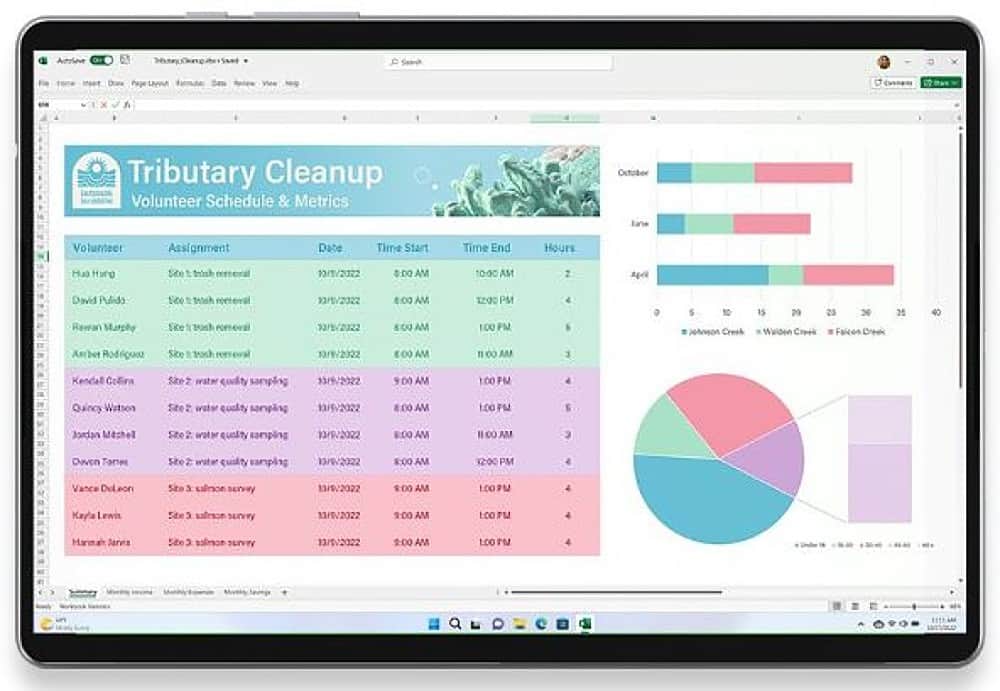
- A:Answer Money in Excel is a new solution that makes it easy to manage, track and analyze your finances all in one place - Excel.
Answered by MicrosoftOutreachTeam

Q: QuestionWhat is Microsoft Editor?
Asked by MicrosoftFAQ.
This question was asked about the related product: Microsoft - 365 Family (Up to 6 People) (12-Month Subscription) - Activation Required - Windows, Mac OS, Apple iOS, Android [Digital]
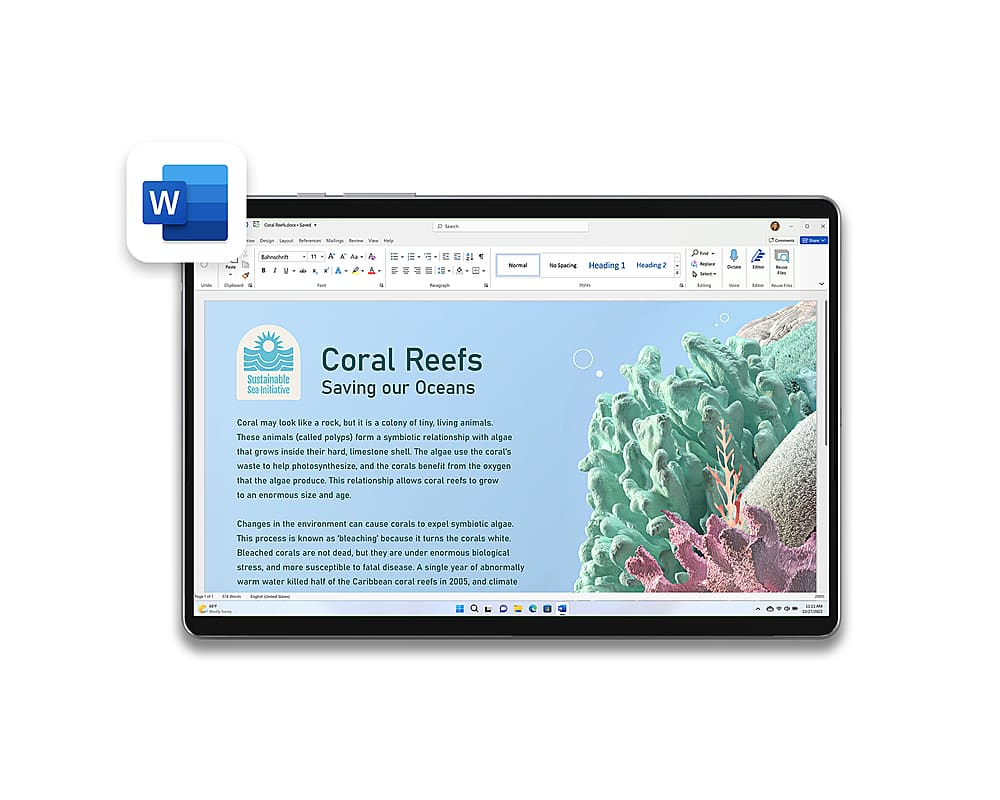
- A:Answer Editor helps you put your best foot forward as you write with capabilities, such as spelling and basic grammar. With Microsoft 365 you also get advanced grammar and style refinements such as ways to write with more clarity and conciseness, suggestions for more formal language, new vocabulary suggestions and more.
Answered by MicrosoftOutreachTeam

Q: QuestionI already bought a pre-paid subscription for Office 365. What happens now?
Asked by MicrosoftFAQ.
This question was asked about the related product: Microsoft - 365 Family (Up to 6 People) (12-Month Subscription) - Activation Required - Windows, Mac OS, Apple iOS, Android [Digital]
- A:Answer Any pre-paid subscriptions will be converted to Microsoft 365 at redemption.
Answered by MicrosoftOutreachTeam

Q: QuestionWill my files transfer over from Office 365?
Asked by MicrosoftFAQ.
This question was asked about the related product: Microsoft - 365 Family (Up to 6 People) (12-Month Subscription) - Activation Required - Windows, Mac OS, Apple iOS, Android [Digital]
- A:Answer Yes, you will be able to open Office 365 files in Microsoft 365.
Answered by MicrosoftOutreachTeam

Q: QuestionIs this 32 or 64 bit?
Asked by MicrosoftFAQ.
This question was asked about the related product: Microsoft - 365 Family (Up to 6 People) (12-Month Subscription) - Activation Required - Windows, Mac OS, Apple iOS, Android [Digital]
- A:Answer It can be installed as either.
Answered by MicrosoftOutreachTeam

Q: QuestionWill M365 work with the new macOS Catalina?
Asked by MicrosoftFAQ.
This question was asked about the related product: Microsoft - 365 Family (Up to 6 People) (12-Month Subscription) - Activation Required - Windows, Mac OS, Apple iOS, Android [Digital]
- A:Answer Yes, Microsoft 365 will. We will always support the 3 most recent macOS versions.
Answered by MicrosoftOutreachTeam

Q: QuestionDoes this work on iPhone?
Asked by MicrosoftFAQ.
This question was asked about the related product: Microsoft - 365 Family (Up to 6 People) (12-Month Subscription) - Activation Required - Windows, Mac OS, Apple iOS, Android [Digital]
- A:Answer Yes, though the installation is a little different. First download the Microsoft 365 App you would like from the Appstore. Then Tap the app to launch it. Sign in with your Microsoft Account or Office 365 work or school account and tap Next. You are good to go.
Answered by MicrosoftOutreachTeam

Q: QuestionDoes this work on Android?
Asked by MicrosoftFAQ.
This question was asked about the related product: Microsoft - 365 Family (Up to 6 People) (12-Month Subscription) - Activation Required - Windows, Mac OS, Apple iOS, Android [Digital]
- A:Answer Yes, though the installation process is a little different. Open the Google Play Store and search for the Microsoft 365 apps you want to install. Click Install. Once your app(s) are installed, launch the app you want to open. Sign in with your personal Microsoft Account or your account associated with your Office 365 subscription.
Answered by MicrosoftOutreachTeam

Q: QuestionCan I share this with others that do not live in my region?
Asked by MicrosoftFAQ.
This question was asked about the related product: Microsoft - 365 Family (Up to 6 People) (12-Month Subscription) - Activation Required - Windows, Mac OS, Apple iOS, Android [Digital]
- A:Answer Yes, you can. Only the original account needs to be in the region.
Answered by MicrosoftOutreachTeam

Q: QuestionWhat region is this for?
Asked by MicrosoftFAQ.
This question was asked about the related product: Microsoft - 365 Family (Up to 6 People) (12-Month Subscription) - Activation Required - Windows, Mac OS, Apple iOS, Android [Digital]
- A:Answer The North American region.
Answered by MicrosoftOutreachTeam

Q: QuestionCan I install this on multiple computers/devices?
Asked by MicrosoftFAQ.
This question was asked about the related product: Microsoft - 365 Family (Up to 6 People) (12-Month Subscription) - Activation Required - Windows, Mac OS, Apple iOS, Android [Digital]
- A:Answer Yes, you can install it on all your devices. For PCs follow the instructions here: https://aka.ms/AA4rq32 For Chromebook and Android devices follow the instructions here: https://aka.ms/AA4rinm For iPad and iPhone follow the instructions here: https://aka.ms/AA4rinc
Answered by MicrosoftOutreachTeam

Q: QuestionI purchased office about a month ago for $69.95 thinking my wife and I could both use it but now I find that only I can use it so now how do I add her on?
Asked by Jeff.
This question was asked about the related product: Microsoft - 365 Family (Up to 6 People) (12-Month Subscription) - Activation Required - Windows, Mac OS, Apple iOS, Android [Digital]
- A:Answer If you are looking to share Microsoft 365 Family with her all you need to do is log into your Microsoft account here: https://account.microsoft.com/services/office/sharing and send her an invitation. She can then accept the invitation you sent and create a Microsoft account and install Microsoft 365 Family on her device.
Answered by MicrosoftOutreachTeam

Q: QuestionDoes 365 also allow me to have an outlook email address?
Asked by PGB45066.
This question was asked about the related product: Microsoft - 365 Family (Up to 6 People) (12-Month Subscription) - Activation Required - Windows, Mac OS, Apple iOS, Android [Digital]
- A:Answer Yes, it does.
Answered by MicrosoftOutreachTeam

Best-selling Best Buy
- Ultimate Deal$299.00$299.00
- Ultimate Deal$299.99$299.99
- $59.99$59.99The price was $99.00
- $14.99$14.99The price was $19.00
- Ultimate Deal$99.00$99.00
- $24.99$24.99The price was $29.99
- $329.99$329.99The price was $469.99
- $14.99$14.99The price was $19.00
- Ultimate Deal$139.99$139.99