Questions & Answers
- Model:
- 222-00001
- |
- SKU:
- 6430235
Q: QuestionWhat is the dpi? Is it adjustable?
Asked by Mike.
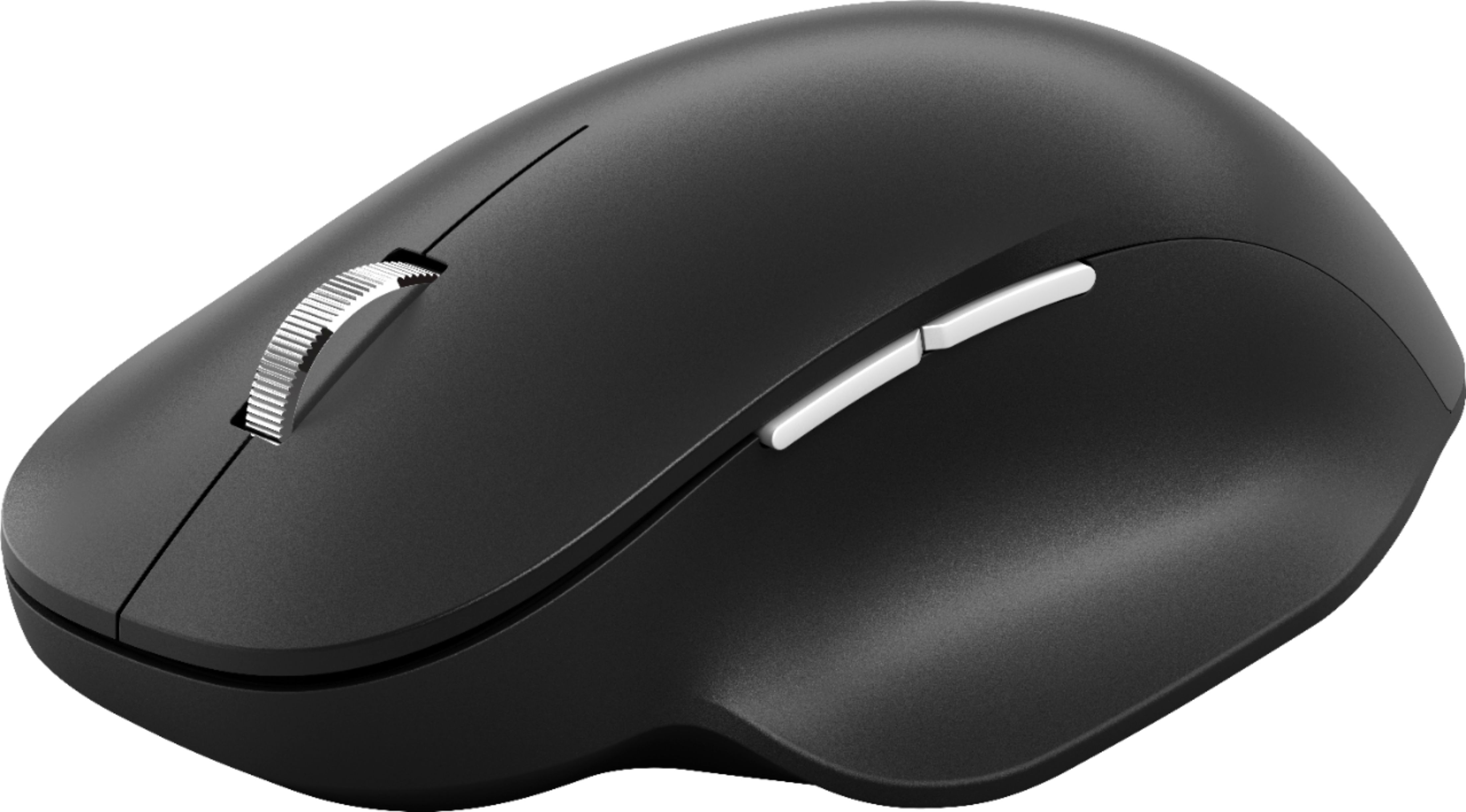
- A:Answer Imaging rate: Dynamically adaptable to 4000 frames per second X-Y resolution: 1000 points per inch (39.4 points per millimeter) You can customize your mouse by installing the Microsoft Mouse and Keyboard Center.
Answered by MicrosoftOutreachTeam

Q: QuestionIs the scroll wheel smooth and will it keep going if you flick it? I'm not looking for the clicky type. Are the buttons silent or do they make a clicky sound as well?
Asked by Clicky.
- A:Answer The scroll wheel features a segmented wheel spin, allowing for controlled scrolling. Spinning the wheel continues the scroll, but does settle back to rest. The buttons feature a slight clicking noise when they are interacted with.
Answered by MicrosoftOutreachTeam

Q: QuestionIs this mouse compatible with a MacBook Pro?
Asked by madisonb.
- A:Answer Microsoft Bluetooth Ergonomic Mouse is designed to seamlessly connect with any device running Bluetooth 4.0 technology or later. As long as this is the case, you should have no issue achieving a strong connection.
Answered by MicrosoftOutreachTeam

Q: QuestionWhat material is the thumb rest made of? (Have seen conflicting info about it being plastic like the rest vs being rubber etc.) Is there any rubber on the device?
Asked by Depdep.
This question was asked about the related product: Microsoft - Bluetooth Ergonomic Mouse - Wireless - Peach
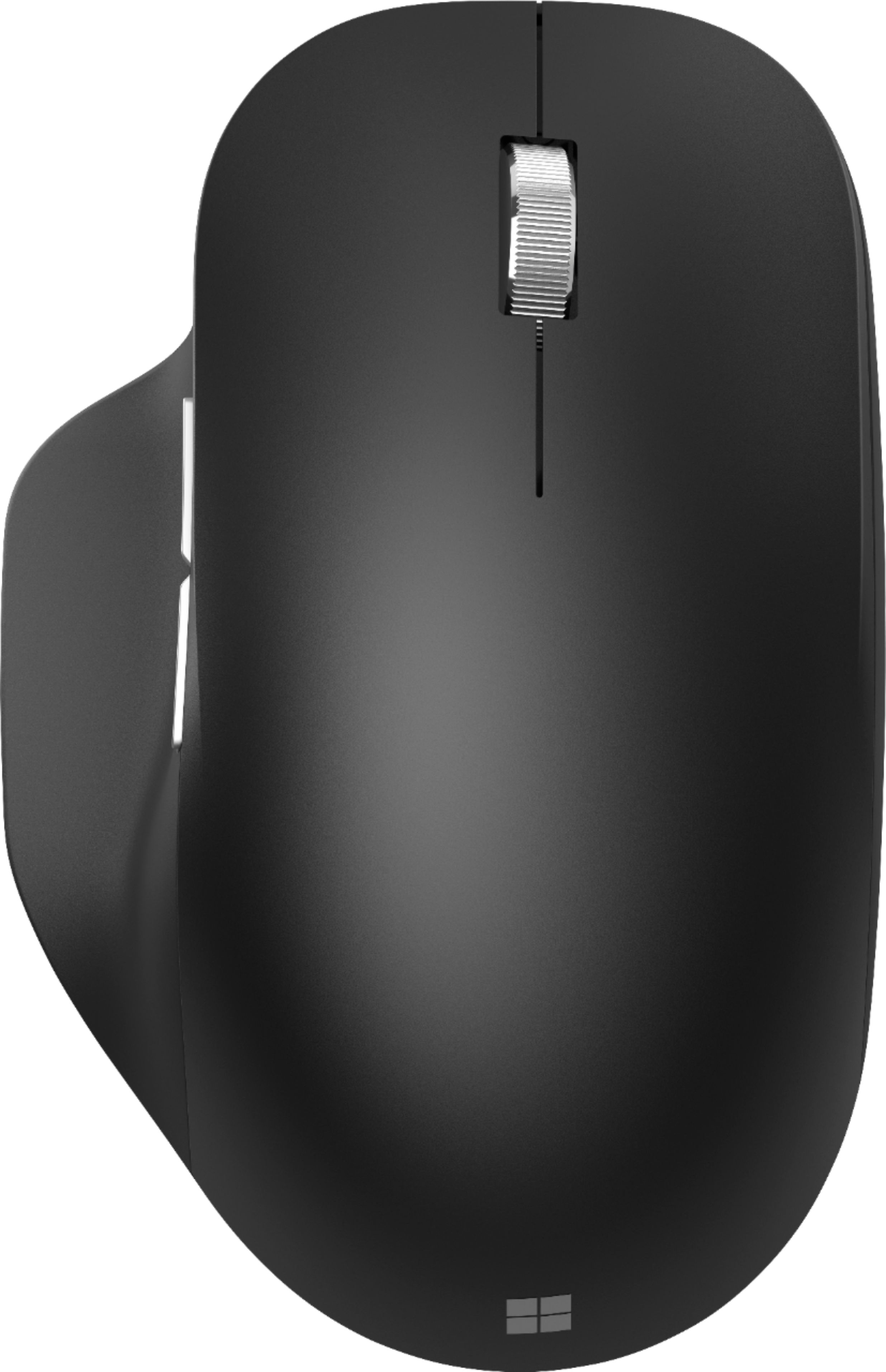
- A:Answer The thumb rest is a rubberized material.
Answered by MicrosoftOutreachTeam

Q: QuestionDoes this require/include a dongle?
Asked by Question.
This question was asked about the related product: Microsoft - Bluetooth Ergonomic Mouse - Wireless - Pastel Blue
- A:Answer This mouse connects via Bluetooth. There is no dongle required. Your device must be Bluetooth capable.
Answered by MicrosoftOutreachTeam
Q: QuestionCan I customize one of the side buttons so that it switches between two devices?
Asked by pseudoninja.
- A:Answer I know this is a late response. You can connect up to 3 devices with this mouse. There is a 3 slider switch at the bottom of the mouse .
Answered by tazz5150
Q: QuestionWill this work with an iPad 11” pro gen. 3?
Asked by Anonymous.
- A:Answer It should work fine. This mouse requires Bluetooth 4.0 or higher, Apple says the pro gen 3 has Bluetooth 5.0 capabilities.
Answered by Will
Q: QuestionDoes this mouse have onboard memory?
Asked by Peter.
This question was asked about the related product: Microsoft - Bluetooth Ergonomic Mouse - Wireless - Peach
- A:Answer Not at all mate
Answered by FrenchKirby
Q: QuestionDoes it work on windows 11?
Asked by Paula.
This question was asked about the related product: Microsoft - Bluetooth Ergonomic Mouse - Wireless - Peach
- A:Answer yes works with Windows 11 and paired very fast which makes sinse being a Microsoft product
Answered by JW140
Q: QuestionIs there an off button for this mouse? I will need to keep it in a travel bag for my daily commute, I dont want to waste the battery.
Asked by bobbys.
- A:Answer Yes, there is a power switch on the bottom of the mouse. For more information on how to use this mouse, please go here: https://support.microsoft.com/en-us/topic/use-microsoft-bluetooth-ergonomic-mouse-8b7ead04-1243-0741-613c-65c9feb0cf81
Answered by MicrosoftOutreachTeam

Q: QuestionHOW DO I PAIR MY ERGONOMIC MOUSE TO MY PC/WINDOWS10/11 /
Asked by DOCK.
- A:Answer Bluetooth and you can pair it with 3 devices
Answered by user984235
Q: QuestionIs the scroll wheel also a button?
Asked by Anonymous.
- A:Answer Yes, you can depress the scroll wheel and use as a button.
Answered by AaronB
Q: QuestionDoes this have horizontal scrolling?
Asked by SmellyMan222.
- A:Answer No. Only vertical.
Answered by Chuck
Q: QuestionDoes this item work with Windows 7 Home Premium?
Asked by Anonymous.
- A:Answer According to Microsoft. No. From the compatibility box on the tech specs page: Microsoft Windows 11 Home/Pro / 10 / 8.1* Device must support Bluetooth® 4.0 or higher
Answered by ctrclckws
Q: QuestionIt claims ergonomic, what does that mean?
Asked by ergonomic.
- A:Answer The overall form factor is similar to previous Microsoft iterations of the mouse, but the thumb rest adds to the ergonomics and makes once wonder why all makers don't add this form to their lineups.
Answered by AaronB
Q: QuestionDoes this connect to multiple devices? I work with two computer monitors.
Asked by hlc.
- A:Answer Yes, underneath the mouse, you can program up to 3 Bluetooth connections.
Answered by Naureen
Q: QuestionDoes it have an Optical or Laser sensor?
Asked by SENSOR.
This question was asked about the related product: Microsoft - Bluetooth Ergonomic Mouse - Wireless - Pastel Blue
- A:Answer Laser
Answered by RETRO1983
Q: QuestionIs it white or light gray?
Asked by Alyssa.
- A:Answer It is more of a recycled paper white.
Answered by 2lrkcbest
Q: QuestionDoes the Microsoft Bluetooth ergonomic mouse work with the HP Spectre?
Asked by Anonymous.
- A:Answer It will work with any device with bluetooth functionality. Have bluetooth, do mouse.
Answered by 2lrkcbest
Q: Questionwhat is the length in inches of the B/T ergonomic mouse?
Asked by KidC.
- A:Answer Microsoft Bluetooth Ergonomic Mouse has a height of 1.67 inches, a width of 3.00 inches, and a length of 4.65 inches.
Answered by MicrosoftOutreachTeam

Most-viewed items
- $329.99$329.99The price was $469.99
- $149.00$149.00The price was $399.00
- $159.99$159.99The price was $179.99
- $1,149.00$1,149.00The price was $1,299.00
- $449.99$449.99The price was $649.99