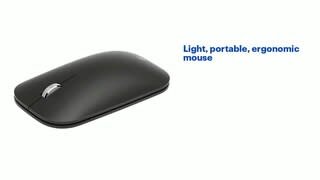
A:AnswerThe system requirements of the Modern Mobile Mouse state that the device must run Windows 8.1 or Windows 10. We highly recommend checking the specs of your device before purchase to make sure they meet these system requirements.
A:AnswerIt's working on my new MacBook Air 2020 model. Activate it through the Bluetooth app and it seems to work fine. Not needing a Bluetooth dongle is nice.
A:AnswerTo extend battery life, Bluetooth devices go into hibernation after 8-10 minutes of inactivity. It can take several seconds for the Bluetooth mouse to reconnect when you resume using it after this period of hibernation. As a result, you might notice a delay between the time that you use the mouse and the response on the screen.
A:AnswerYes, the mouse is hard and plastic, and it is a full size mouse. I absolutely love it...in fact, I liked it so much I went back to buy a second one for my computer bag. I love how slim and sleek it is. Highly recommend!
A:AnswerMicrosoft Modern Mobile Wireless BlueTrack Mouse is designed to achieve a seamless connection with any device hosting Bluetooth 4.0 technology or later. If this is the case for your device, you will have no issue in pairing.
A:AnswerThis Microsoft Modern Mobile Wireless Mouse may connect to ChromeBook via Bluetooth, but full functionality is only available on Windows 10 PC.