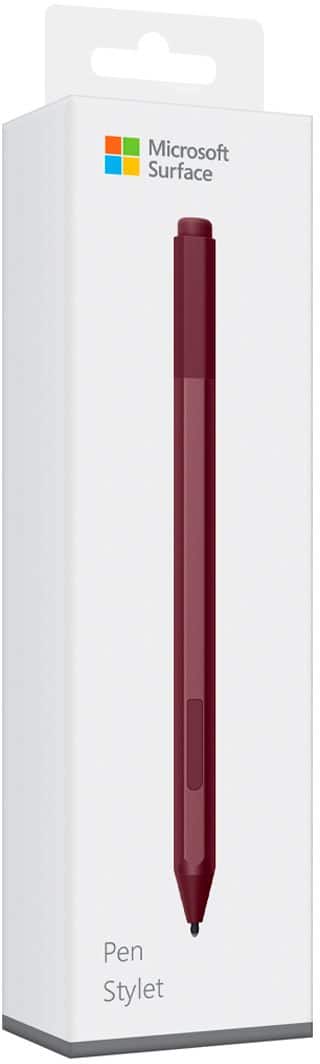
Questions & Answers
- Model:
- EYU-00025
- |
- SKU:
- 5859102
Q: QuestionHave an HP Touchscreen 17.3 running Windows 11. will this pen work with this computer?
Asked by Rob.
- A:Answer No. This only works with surface.
Answered by Zanidu
Q: QuestionDoes this work with the acer 3 laptop? I am looking for one that will work with my laptop for drawing.
Asked by SixLT.
- A:Answer as long as bluetooth is connected it should work
Answered by Lucy
Q: QuestionWill this pen work with my laptop galaxy book flex alpha ?
Asked by Compatibility.
This question was asked about the related product: Microsoft - Surface Pen - Black
Q: QuestionDoes this work with the new surface laptop studio?
Asked by david.
This question was asked about the related product: Microsoft - Surface Pen - Black
- A:Answer Yes it works with the surface studio. However if you are doing alot of drawing I'd look into the new surface pen.
Answered by Drew
Q: QuestionIs this pen magnetic? Does it stick to the side of the surface pro 7 ?
Asked by Bobby.
- A:Answer Good question. Mine sticks to the side, but it won’t charge from the side.
Answered by Krs4d
Q: QuestionI purchased my pen 7 months ago, I barely used it, and it stopped working. I understand that there is 1 year warranty. How do I go about obtaining a replacement?
Asked by 223.
This question was asked about the related product: Microsoft - Surface Pen - Black
- A:Answer There is a battery inside the pen, I believe its a AAAA battery try replacing it first. If it still doesn't work contact Microsoft customer service.
Answered by Drew
Q: QuestionWILL THIS PEN WORK WITH THE MICROSOFT SURFACE LAPTOP GO ?
Asked by mpg1.
This question was asked about the related product: Microsoft - Surface Pen - Ice Blue
- A:Answer No, Surface Laptop Go does not offer pen support.
Answered by MicrosoftOutreachTeam
Q: Questionhow do I pair the pen to my surface pro
Asked by Anonymous.
- A:Answer Its very easy. Once you start using your tablet. Press the little button on the top of the pen an use it on your tablet screen .
Answered by Nanie
Q: QuestionWill this pen work with samsung chromebook 2?
Asked by Anonymous.
This question was asked about the related product: Microsoft - Surface Pen - Poppy Red
- A:Answer No, Surface Pen is only compatible with Surface devices.
Answered by MicrosoftOutreachTeam
Q: QuestionWill this pen work with the new Surface pro X
Asked by Jax.
This question was asked about the related product: Microsoft - Surface Pen - Poppy Red
- A:Answer Yes, this pen will work on Surface Pro X.
Answered by MicrosoftOutreachTeam
Q: QuestionWill the surface pen work on a chromebook?
Asked by eb12.
This question was asked about the related product: Microsoft - Surface Pen - Poppy Red
- A:Answer No, Surface Pen is only compatible with Surface devices.
Answered by MicrosoftOutreachTeam
Q: QuestionAm I correct in assuming this is also fully compatible with Surface Pro 5?
Asked by Jack.
This question was asked about the related product: Microsoft - Surface Pen - Ice Blue
- A:Answer Yes, this pen is compatible with Surface Pro 5.
Answered by MicrosoftOutreachTeam
Q: QuestionDoes this work with the surface laptop 4 running windows 11?
Asked by John.
- A:Answer I honestly don’t know. I own a Surface Pro 2, so I couldn’t tell you. The only advice I can give is, try and if it doesn’t work, make sure you keep the receipt, so you can get your money back.
Answered by Anonymous
Q: QuestionDoes this pen come with a warranty? If so, for how long?
Asked by birdnerd.
This question was asked about the related product: Microsoft - Surface Pen - Poppy Red
- A:Answer Great question. Yes, Surface Pen comes with a one-year limited hardware warranty.
Answered by MicrosoftOutreachTeam
Q: QuestionIs this compatible for cellphone? Do I download a app?
Asked by Cburb.
This question was asked about the related product: Microsoft - Surface Pen - Ice Blue
- A:Answer No, Surface Pen is only compatible with Surface devices.
Answered by MicrosoftOutreachTeam
Q: QuestionDoes the pen need to be charged or does it only require a battery?
Asked by Jane.
This question was asked about the related product: Microsoft - Surface Pen - Black
- A:Answer Battery only
Answered by Pinkierings
Q: QuestionWork with Surface Pro 7+?
Asked by tk.
This question was asked about the related product: Microsoft - Surface Pen - Black
- A:Answer Yes
Answered by Corbin
Q: QuestionWill this pen work with the Surface Go 3?
Asked by Anonymous.
This question was asked about the related product: Microsoft - Surface Pen - Black
- A:Answer I use it on my Surface Pro 4 so I don't see why it wouldn't
Answered by Pinkierings
Q: QuestionDoes it work with the Samsung galaxy Z Fold 3?
Asked by J.
This question was asked about the related product: Microsoft - Surface Pen - Black
- A:Answer No it doesn't work for samsung z fold. Only the specific z fold pen works with samsung z fold.3. I know this because I had to replace my z fold 3 pen.

Answered by Vrchoice
Most-viewed items
- $104.49$104.49The price was $289.98
- $49.98$49.98The price was $129.99
Not yet reviewed
Not yet reviewed$1,899.99$1,899.99- $209.99$209.99The price was $399.99