“Can I connect this to my Stealth 600 and use the headset on my pc, if so how?”
Answer This Question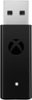
1-2 of 2 Answers
It should, yes. Here are instructions as found on TurtleBeach website: https://support.turtlebeach.com/hc/en-us/articles/115000234734-Stealth-600-for-Xbox-One-Quick-Start-Guide%20?mobile_site=true Headset volume is controlled through Windows when used on a PC. Volume controls on the headset have no effect. On your PC, go to Settings >> Devices >> Connected Devices. Choose "Add A Device". Windows will search for the headset. Press the connect button on the end of the Xbox Wireless USB adapter. Press the Connect Button on your headset. Windows will find and add the headset. When your Stealth 600 for Xbox One headset appears in the list under Other Devices, it is ready to use. Configure your settings. On the Windows Taskbar, right-click the Speaker Icon. Select Playback Devices. Set Turtle Beach Stealth 600 as your Default Device. Select Recording Devices Set Turtle Beach Stealth 600 as your Default Device. FIRMWARE UPDATE & CUSTOMIZATION Make sure to update to the newest firmware for the best audio experience. Connect to the Turtle Beach Audio Hub for Windows or Mac to update firmware and customize your sound further.
Sorry, there was a problem. Please try again later.Your stealth 600 already has a usb to connect to pc with. This connects your controller for wifi, but you only need the cord to connect your controller so this is purely for wireless freedom
Sorry, there was a problem. Please try again later.