“Can I use the 4 ports on the back of this modem to connect router, smartTV, philips hue bridge, and xbox one? Are there additional steps or requirements that I should be aware of? My ISP is Comcast.”
Answer This Question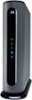
1-7 of 7 Answers
Unfortunately, no, you cannot. This modem only allows for 1 ethernet connection. The additional ports are for connecting a port bonding router, so that you may exceed speeds of 1 Gbps, and ISP's haven't offered this service as of yet to consumers. It's still a good thing, as when technology allows, your modem will already be setup for it. To connect your devices, your only option is to connect a router to the 1 ethernet port on this modem, use the router's additional ethernet ports, or connect a wireless router to the 1 ethernet port and then connect your devices to your wireless router's network.
Sorry, there was a problem. Please try again later.It depends. Ports 1 and 2 are used for wan aggregation to achieve speeds over 1 gig. Ports 3 and 4 can be used to plug routers into but your ISP has to be able to support multiple ip addresses. For instance Comcast Business will allow multiple up addresses with its service. I run two different routers off of this modem and both routers can achieve above 900 mbps when directly wired to them using this modem on a 1 gig subscription (both are WIFI 6 routers).
Sorry, there was a problem. Please try again later.If you remove the back cover over the first port, you will see four more ports there. The reason I bought one for the extra ports.
Sorry, there was a problem. Please try again later.No you need a router to plug into one of them. Then router is what controls your network. This device is not a router.
Sorry, there was a problem. Please try again later.No, the extra ports are for port bonding to achieve speeds in excess of 1GB.
Sorry, there was a problem. Please try again later.I purchased this modem from Best Buy a few weeks ago. Works great, but it only has one port on the back. You'll need a router of some sorts or a switch to wire your devices into. I'm on Cox internet, and this is an approved modem. You may want to confirm with Comcast that it's approved for their service.
Sorry, there was a problem. Please try again later.The four ether net are done to the Isp under their own P address pay the full rental charges pass 1Gbp to 2Gbs to 3Gbs to max 3.8Gbs as service is controlled by same example ISP. These are not router ports as it still allowing each "branch" their individual IP address of thire collective IP addresses of the entire root ISP you paying as passing beyond the 1Gbs barriers. As most routers and PC ethernet still have just one 1Gbs as not using thunderbolt two or three that means up four different router foe one "single" Isp connect.
Sorry, there was a problem. Please try again later.