“Do I need any additional equipment to connect wirelessly to this router?”
Answer This Question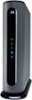
1-10 of 10 Answers
Yes. This isn't wireless
Sorry, there was a problem. Please try again later.Actually a lot of people get confused and see the 4 Gigabit Ethernet ports in the rear and mistake this DOCSYS 3.1 cable modem as a combo modem + router. The multiple Ethernet ports are NOT for connecting multiple devices; they allow connection to a router that can bond more than one Ethernet port to achieve speeds over 1 Gbps when supported by your cable service to a connected WiFi router of you choosing. You would need to utilize CAT 5e or better cables because that type is necessary for Gigabit Ethernet.
I would recommend:
Sorry, there was a problem. Please try again later.Yes - you need a Wi-Fi router. This is a modem only.
Sorry, there was a problem. Please try again later.Yes. This is not a router. This is a cable modem. Router will connect to this device via LAN gigabit port
Sorry, there was a problem. Please try again later.Yes you need a router. This device is not a router, just a way to connect to your ISP.
Sorry, there was a problem. Please try again later.Yes. First, this is not a router, it's a modem. You will need a separate router.
Sorry, there was a problem. Please try again later.Yes, you need a wireless router hooked to it to connect wirelessly. Only one device can connect to it via Ethernet cable, so connecting a wireless router to it will let you connect multiple ethernet devices and wireless devices
Sorry, there was a problem. Please try again later.You need a wirelessly router to connect to this modem!
Sorry, there was a problem. Please try again later.Yes, it's a modern NOT a router. You will need a router in addition to this modem.
Sorry, there was a problem. Please try again later.This is not a router it is a modem. You connect the cable going from the wall to the modem (this item), then an ethernet cable from the modem to the wireless router.
Sorry, there was a problem. Please try again later.


