“JUST UPGRADED TO A 5 GIG ROUTER TO ACCOMMODATE HIGHER SPEEDS BUT FOUND I HAD A BOTTLE NECK WITH MY EXISTING NET GEAR WILL THIS ONE HELP INCREASE MY SPEEDS”
Answer This Question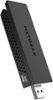
1-5 of 5 Answers
We are using this device on CenturyLink Prism system with with both 2.4 and 5.0 channels. What I discovered is some laptops do not include 5.0 access as a normal setup unless the specs specifically say the computer has it. I added this to an HP laptop that has only a 2.4 internal card and am receiving 5G speeds that range from 550 to 875 (top end for this device). Also works well on a desktop that has no internal WIFI capability.
Sorry, there was a problem. Please try again later.Yes. I recommend also opening device manager and turning off internal antenna so ypur computer always finds the 5ghz signal.
Sorry, there was a problem. Please try again later.This is only an antennae. Does nothing for speed but pickup wi-fi.
Sorry, there was a problem. Please try again later.Not sure what you mean by bottleneck. If you have a 5.0GHz wifi router, then yes this USB wifi device can help, but only if you can find a channel that isn't crowded with other wifi networks. 2.4GHz is very common for lots of networks, so having the ability to use 5.0GHz range (which your router AND this device can both use) will allow you to use a channel that has fewer other wifi networks on that channel.
Sorry, there was a problem. Please try again later.Yes, i use it on a 5ghz router and it made a huge difference. im actually able to play online games over wifi now
Sorry, there was a problem. Please try again later.