“something is wrong with my laptop and i keep losing internet connection. i have checked, and my modem and router are fine. my phones and tablet do not have this issue. will this eliminate my problem?”
Answer This Question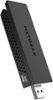
1-3 of 3 Answers
Dear Milaxref; Okay, dropping signals in your laptop is solely with your machine. I think it's the built-in WiFi card that's going bad. Once removed, you can then use this new USB WiFi adapter to solve the issue. Even further, if this doesn't do it, you could refresh your software (Win 7, Win 8, Win 10). Sometimes, Windows gets things goofed up over time, so that could also be a plausible solution. Best of luck, Consultant Brian
Sorry, there was a problem. Please try again later.I had similar issue, internal wifi only worked close to router. Probably bad internal antenna, changed the internal wifi no better. External usb wifi worked very well. Download drivers for usb wifi .
Sorry, there was a problem. Please try again later.You might have interference from someone down the block. Try choosing the other frequency on your router. If that doesn't do it, try putting grounded aluminum foil sheets at different directions around the antenna, to block the harmful frequencies.
Sorry, there was a problem. Please try again later.