“mac set-up Am running OS X (10.6.8). Netgear - Ac750 Wi-fi Range Extender Wall Plug is working on my ipad and iphone...But on my laptop - I can see the WIFI ext - but cannot log in as it keeps telling me I have the wrong password. I have restarted the laptop 2x.”
Answer This Question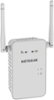
1-9 of 9 Answers
Perhaps you are at the seam between the regular wifi and your extended wifi? Try moving more toward the extended side and try again. Just a thought.
Sorry, there was a problem. Please try again later.Use the same password as your router
Sorry, there was a problem. Please try again later.Go to the IP address of the ext make sure its on 2ghz most laptops wont pick up 5ghz
Sorry, there was a problem. Please try again later.Mine worked for mac
Sorry, there was a problem. Please try again later.Same happened to me. Tried password 5 times and nothing. Finally I moved closer to extender and second time it accepted password.
Sorry, there was a problem. Please try again later.I've learned I had to do the password stage twice and then hit my page back arrow and it connects immediately. I believe it may be for security purpose, I don't know why but it works fine after doing it this way.
Sorry, there was a problem. Please try again later.I believe the login and password are 'admin' and 'password'.
Sorry, there was a problem. Please try again later.I had a similar problem during setup that I had already encountered with my main NetGear router. I found that if you reset the router to factory settings, the problem was solved. Make sure to write down your current passwords. You'll have to reenter them during the set up of the main router but at least you won't have to reenter them in all of your devices.
Sorry, there was a problem. Please try again later.I had a similar issue happen to me the first time I tried to attach my IPad to my newly installed extender. Here is what I did! 1. After the extender lights stabilized I restarted both the Netgear Router and Netgear extender. 2. I started placing every wireless device on to my new extended network SSID. I have about 9 wireless devices on my new extended network name.
Sorry, there was a problem. Please try again later.