“Does anybody know how to make this changing colored light bar on the front stop changing colors and just stay on one color ? Or maybe how to just turn it off ?”
Answer This Question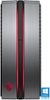
1-2 of 2 Answers
There is an app called Omen Control on the computer. Open that and it has controls for the light on the tower. You can turn it off, or set it to change from green to red based on the CPU temperature.
Sorry, there was a problem. Please try again later.look for the Omen control app. it allows you to set the display to indicate CPU temp or display a single color,or CPU usage, or the color show, and finally, you can choose to turn it off.
Sorry, there was a problem. Please try again later.