“Would I be able to hook up a second monitor to this desktop? I was looking at it and it didn't have another VGA or DVI port so I wasn't going to buy a second monitor if I can't even hook it up, there's probably another way to hook it up.”
Answer This Question
1-5 of 5 Answers
Hi Alex, I currently have two monitors with this computer. There is one HDMI output and three display port outputs. Just need a converter from VGA to display port.
Sorry, there was a problem. Please try again later.yes!, you can hook up a second monitor. I have 4 monitors hook up to mind.
Sorry, there was a problem. Please try again later.Yes, this model can handle up to three monitors.
Sorry, there was a problem. Please try again later.Yes, it has 5 monitor connection options: 1 HDMI, 1 DVI and 3 DisplayPort.
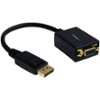
Sorry, there was a problem. Please try again later.Yes. I purchased this unit about a month ago and dual monitors were an absolute MUST HAVE. on the back it has a DVI port... but you'll also see and HDMI port as well as 2 Display Ports. Display Ports are basically the new VGA/DVI ports (to put it in the simplest of terms). That being said, if you want to use old monitors that only have a DVI or VGA connection, you'll have to purchase a DP to VGA or DVI port adapter or an HDMI to VGA or DVI adapter. I'm using 2 older monitors because they're still great monitors. I have 1 hooked into the DVI port since that monitor has a DVI port... the other I have VGA to a VGA to HDMI adapter and it's plugged in that way. Once it's plugged in, simply right click on the desktop and got display setting and configure the 2 monitors... EZPZ. To take things a step further... the graphics card will support a 3rd monitor as well. Simply plug it into one of the display ports. Either way, you have DVI, HDMI and Display Ports to hook up any monitors. If you're buying a new monitor... buy one that has a display port built in. It'll save you from having to purchase an adapter. If not, shop around online for a display port adapter... they're much cheaper online than at best buy. Think best buy charges $30 for VGA/DVI to DP. You can find them online for $10 from other places. But long story short... Yes... can do 2 monitors... it can even do 3.
I would recommend:
Sorry, there was a problem. Please try again later.