Questions & Answers
- Model:
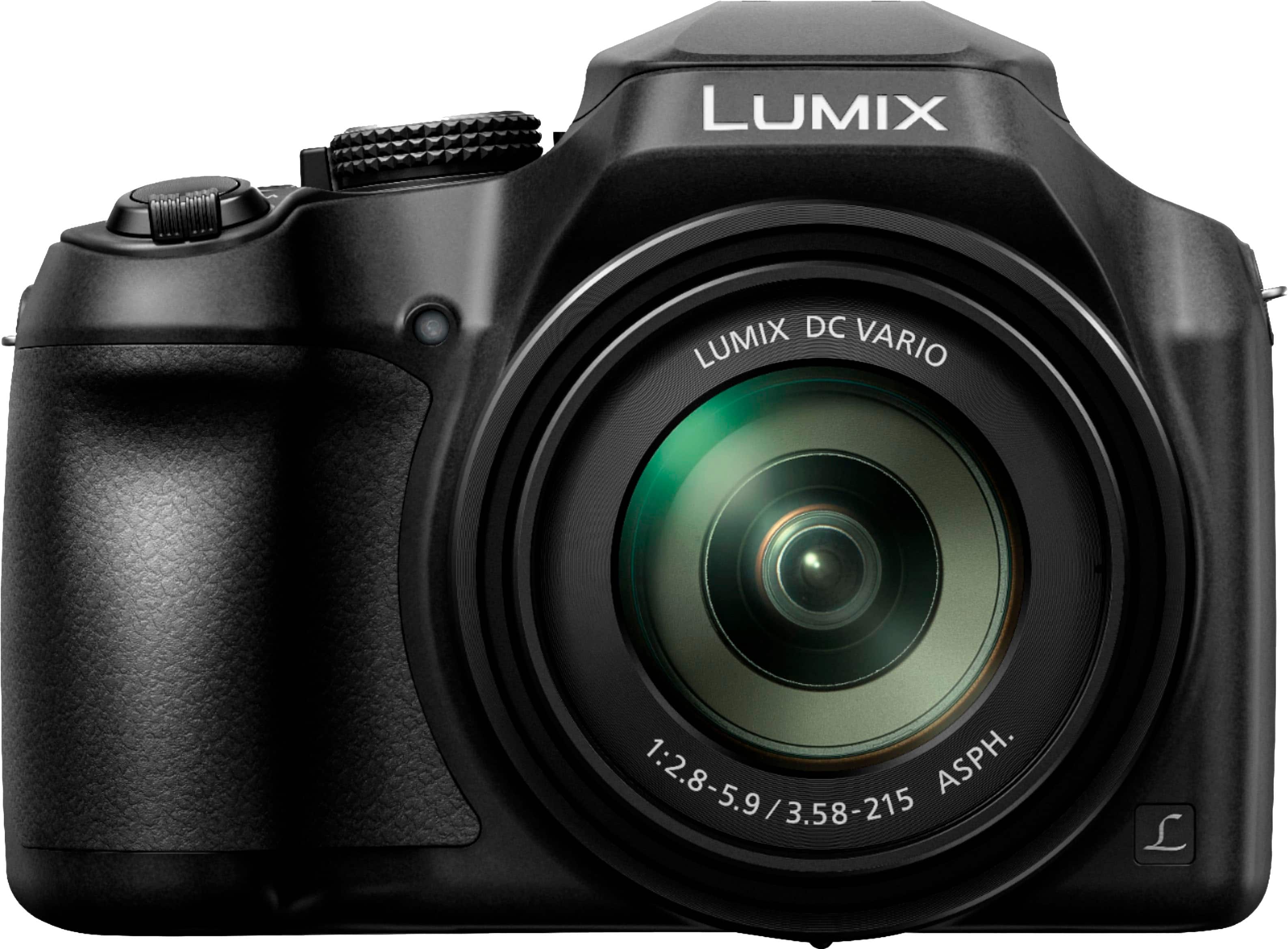
- DC-FZ80D-K
- |
- SKU:
- 6586030
Highly rated by customers for: Zoom, Photo Quality, Overall Performance
$549.99Your price for this item is $549.99
Page Showing 21-35 of 35 questions
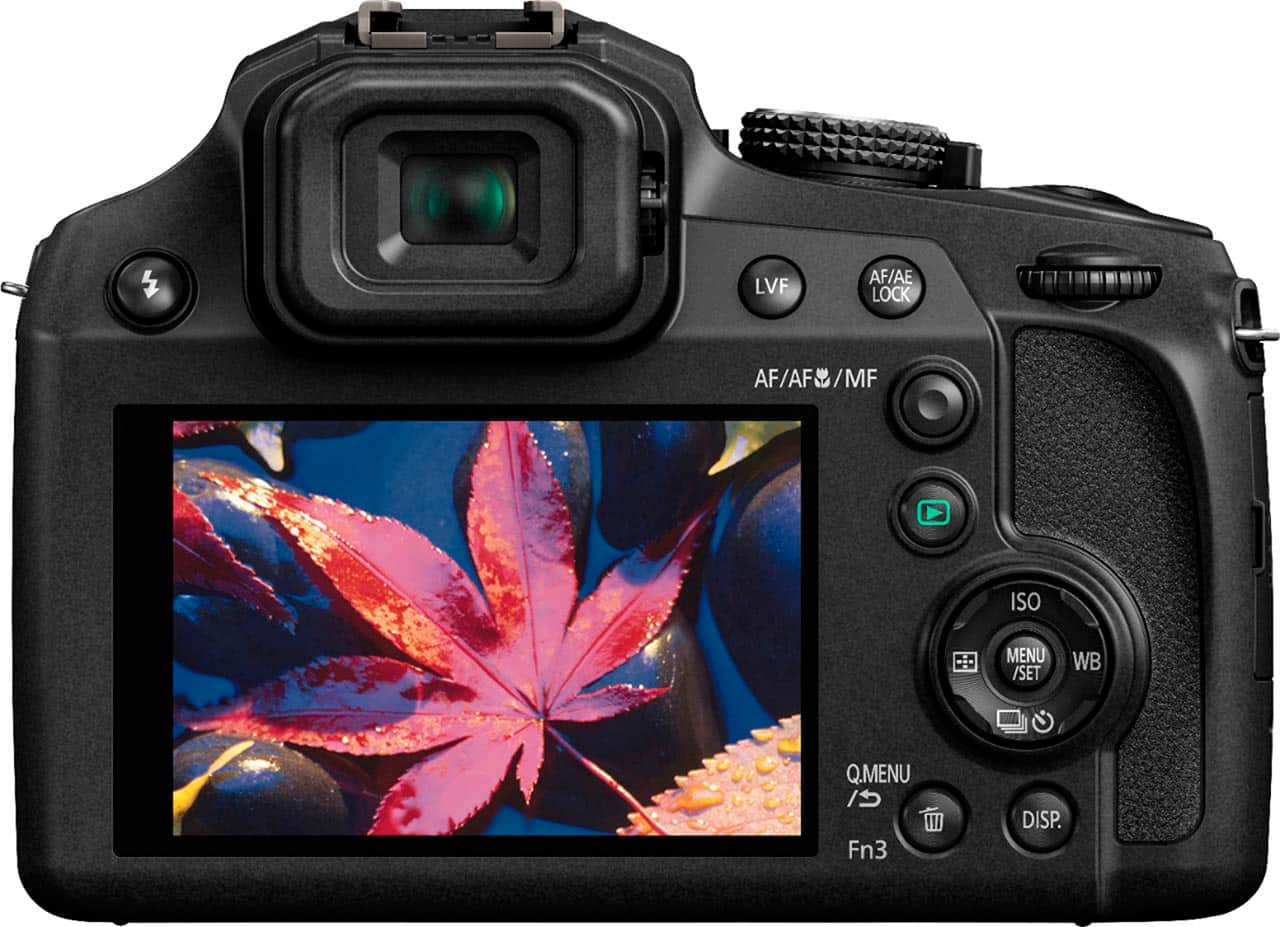
Q: Questiondo you have to look in the hole to take a photo or can you just point and shoot as you look at the back screen?
Asked by none.
- A:Answer You could do both which is great for people who have different preferences
Answered by PaolaR
Q: QuestionIs the tripod grip DMW-SHGR1 compatible with this camera?
Asked by CameraDude.
- A:Answer Hello and thank you for your question! The DMW-SHGR1 tripod grip is only compatible with the Lumix G100D camera model. - S
Answered by Panasonic Team

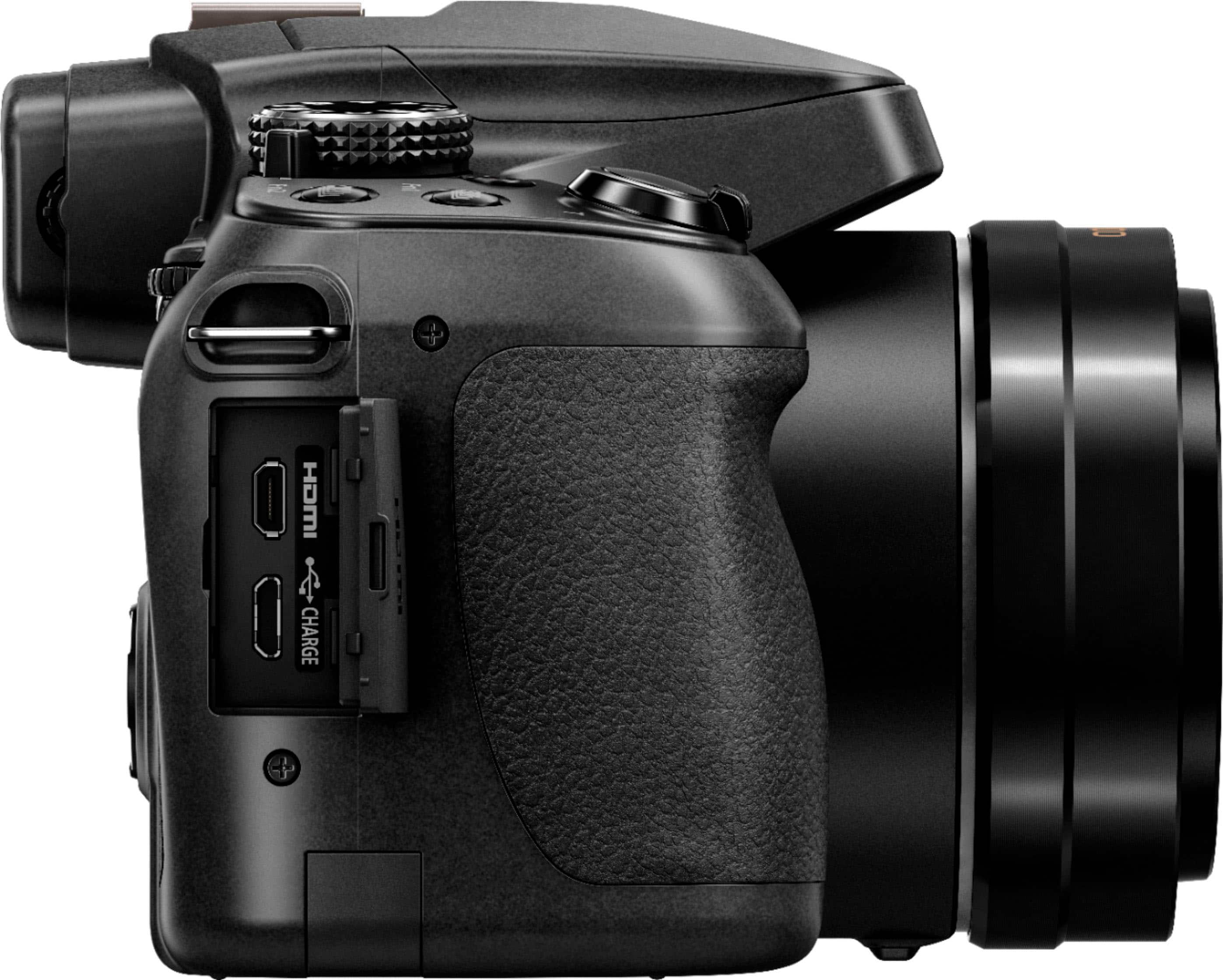
Q: QuestionCan I hook up a microphone to it? If so, would that be via the usb-c? Or a headphone type jack?
Asked by jimmc248.
- A:Answer Hello! The camera does not have an external microphone input. -C
Answered by Panasonic Team

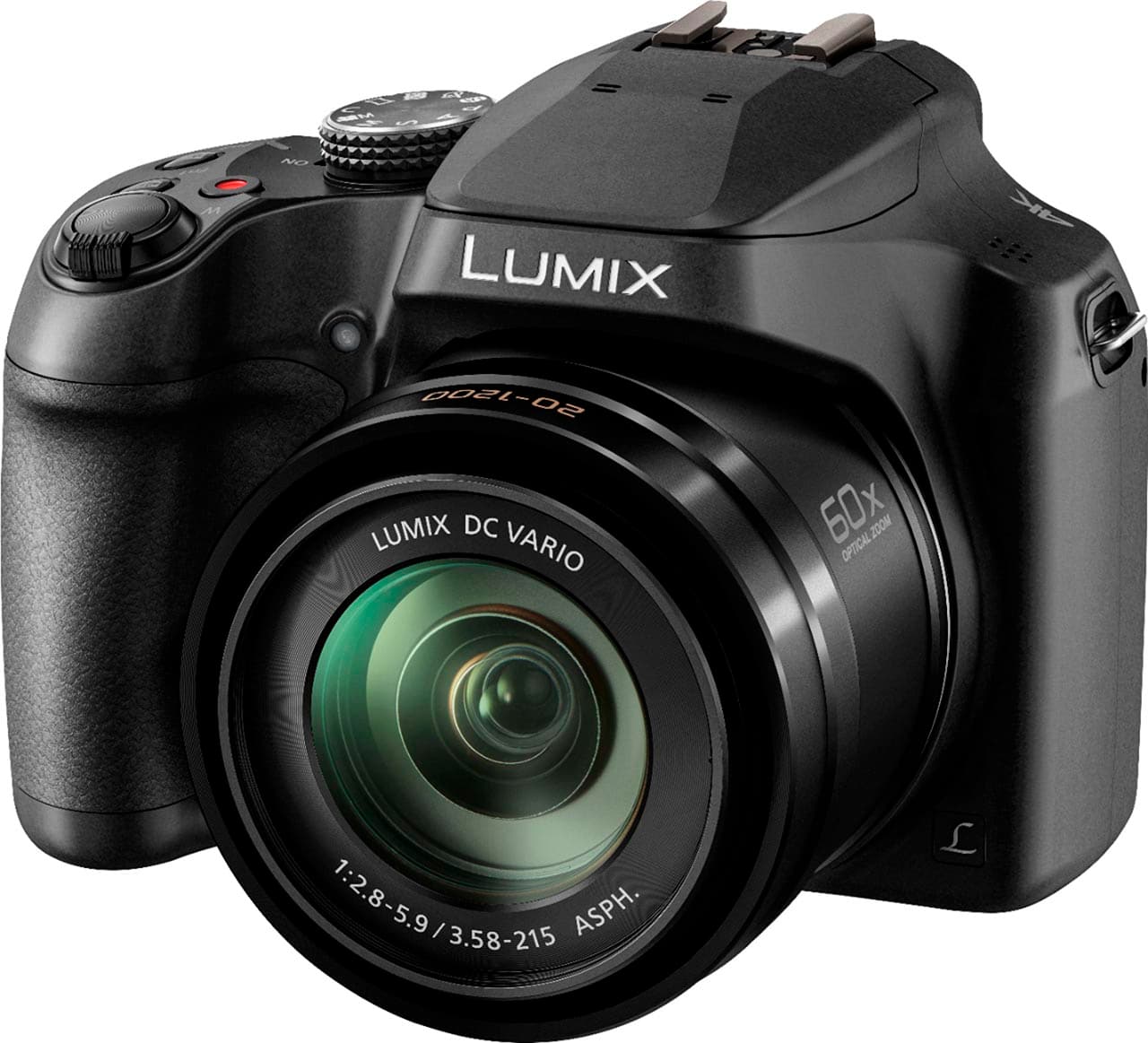
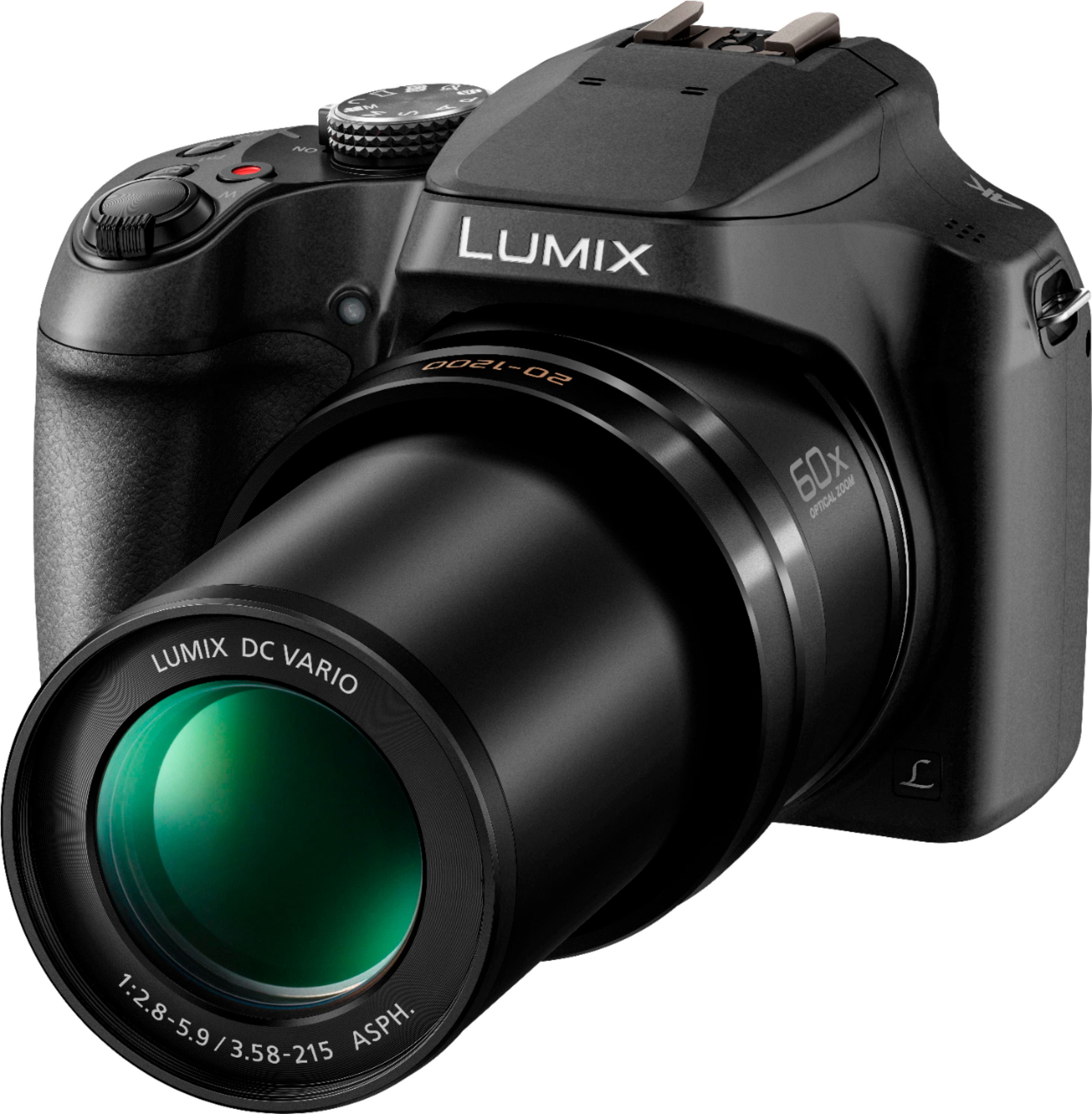
Q: QuestionDoes this have a lens cap or covering, or is it always open/exposed?
Asked by Missy.
- A:Answer It has a lens cap. Fastens to strap handle so you don't lose it. I think a decent sky filter is what I have bought because it protects the lens and cuts the ultraviolet that can become an issue.
Answered by DJWebbSR
Q: QuestionCan this be used as a webcam, and simultaneously be powered via a usb cable going directly to a computer?
Asked by mraustinmusic.
- A:Answer Hello! In order to use a camera as the webcam, you will first have to capture the HDMI feed coming from the camera, that will transported via the HDMI cable and capture card to the computer. Additionally, the camera can be charged from an outlet or through a PC. You need to connect the USB connection cable, which is supplied, to the USB/CHARGE socket. Please note that the Lumix FZ80D does not offer clean HDMI output. HDMI output will be canceled if a USB connection cable is connected simultaneously. -C
Answered by Panasonic Team

Q: QuestionCan photos be transferred directly to an external hard drive, without using a PC?
Asked by Gari.
- A:Answer Hello! When transferring photos from the Lumix FZ80D, it involves connecting the camera to a computer via USB or using an SD card reader to move files from the camera's memory card to an external drive. The camera does not have a built-in feature to transfer photos directly to an external drive without a PC. -C
Answered by Panasonic Team

Q: QuestionHow does the quality of this camera compare to the old FZ18 that I loved?
Asked by Rokky.
- A:Answer Hello and thank you for your question. The FZ80D camera has the capability to shoot 4K photos and videos, and the image sensor has a total of 18.1 megapixels, offering a more advanced image quality. The FZ80D has a more advanced and improved optical zoom of 60X which ensures better pictures, even at a larger distance. We hope this information will be useful! - S
Answered by Panasonic Team

Q: QuestionHow does the zoom on this camera perform when focusing on wildlife in the distance?
Asked by RMK.
- A:Answer You really need a shutter speed of at least 125th of a second to do what you want to do because wildlife often moves at some very high speeds when they feel threatened. Your flash is useless beyond about 30 feet. That is on most cameras.
Answered by DJWebbSR
Q: QuestionDoes the camera come with a memory card?
Asked by MemoryCard.
- A:Answer Hello and thank you for your question! An SD card is not supplied with the camera as a standard accessory. The standard accessories include the battery pack, the AC adaptor, a USB cable, a lens cap and a shoulder strap. Hope this helps! - S
Answered by Panasonic Team

Q: QuestionIs there a lens hood available for this camera? I also have (although I haven’t used it in years) an FZ100. The batteries look the same. If it takes a charge, would I be able to use it as an additional battery?
Asked by Birdlady.
- A:Answer Hello! This model does not have a lens hood. The FZ100 does not use the same battery as the FZ80D. -M
Answered by Panasonic Team

Q: QuestionWill the DC-FZ80D camera allow the small viewfinder to be operational in the movie video recording mode?
Asked by Erod.
- A:Answer Hello! Thank you for your question. Yes, the camera allows the viewfinder to be operational in the movie video recording mode. -C
Answered by Panasonic Team

Q: QuestionDoes it shoot in RAW or only JPEG?
Asked by Russ.
- A:Answer Hi there! This camera captures images in both RAW and JPEG formats, giving you flexibility for editing and sharing your photos. - S
Answered by Panasonic Team
Q: QuestionHow well does this camera perform when doing macro photography?
Asked by plamuk.
- A:Answer I suggest using the built in flash and do it from at least 5 or six feet away using the telephoto aspect of the camera. An old trick is to cover the flash with a translucent surface and use the automatic setting on the camera. A standard tissue you use from any store will work though getting tissue without any chemicals on it might be a problem. Hyperallergenic will work. This softens the flash and minimizes reflection.
Answered by DJWebbSR
Q: QuestionHow is this camera in low light
Asked by jon.
- A:Answer Hello Jon! The FZ80D camera has a 18.1 MP sensor and a 60x optical zoom, which would ensure good performance in low light. To achieve the best low-light performance we would recommend setting the ISO as low as possible to minimize noise, and using a tripod as well to ensure stability. Hope this helps! - S
Answered by Panasonic Team

Q: QuestionHow do I get this camera to connect to my WiFi so I can transfer photos? I'm not able to find a WiFi setting on the camera.
Asked by virgolumix.
- A:Answer Your best bet may be to plug it in to the computer and download from there. Best get someone to show you how to do that at one of the stores. It basically has a charging slot and another one that is smaller. Have not explored that yet. Most cameras use a C connection to the cameras and a B connection to the computer. Haven't explored WIFI connection yet but I plan to. My children (3 boys) are network engineers. At least one is getting into having a digital camera. Might ask him.
Answered by DJWebbSR
Page 2, Showing 21-35 of 35 questions
Most-viewed items
- $2,349.00Your price for this item is $2,349.00
- $599.99Your price for this item is $599.99
- $1,049.99Your price for this item is $1,049.99
- $899.99Your price for this item is $899.99
- $1,699.99Your price for this item is $1,699.99
- $896.78Your price for this item is $896.78
- Year End Deal$849.00Your price for this item is $849.00
- $799.95Your price for this item is $799.95$899.99The comparable value for this item is $899.99
- $1,445.49Your price for this item is $1,445.49
- $499.00Your price for this item is $499.00
- $816.84Your price for this item is $816.84
- $849.99Your price for this item is $849.99
- $5,098.00Your price for this item is $5,098.00
- $849.95Your price for this item is $849.95
- $654.99Your price for this item is $654.99
- $669.00Your price for this item is $669.00
- $2,734.95Your price for this item is $2,734.95
- $1,337.79Your price for this item is $1,337.79
- $2,649.95Your price for this item is $2,649.95$2,714.95The comparable value for this item is $2,714.95