1-5 of 5 Answers
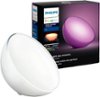
Without a Hue hub (bridge) and no wifi, these still have a few different settings on there own just by pushing the power button on the bottom. Each push has something different. To turn off, hold down the power button. However, for extended use you will need Hue bridge and wifi, iPhone or Android, and Hue app. Not sure if works with Windows smartphones.
I would recommend:
Sorry, there was a problem. Please try again later.Yes, you need both a HUB and wifi to operate this. You will also need to download the Philips HUE app on your smartphone or tablet.
Sorry, there was a problem. Please try again later.The Hub requires an Ethernet connection so you do need a free available port for communication between your lights and the Hub for usage of voice commands, scenes; however without the Hub you can still use the lights via the on/off switch on the lights. The dimmer switch available for this system also is connected and use via the Hub and your network connection. Hope I answered your question and if purchased you enjoy your system
Sorry, there was a problem. Please try again later.Yes it works with the cell phone app. Even can change colors just by pushing the power button.
Sorry, there was a problem. Please try again later.The hue GO requires WiFi.
Sorry, there was a problem. Please try again later.